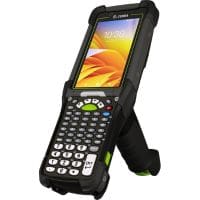
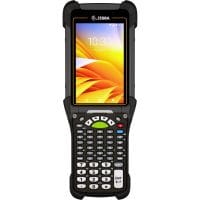
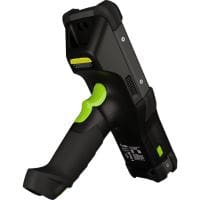
Go Zebra for 2025: Earn Cash Back When Upgrading to Zebra Mobile Devices or Printers

Earn Cash Back with the Go Zebra 2025 Trade-In Program

As a certified Zebra Technologies partner, CSSI is excited to announce that Zebra has launched a cash-back rebate program for 2025! The Go Zebra trade in program enables you to trade in your old technology when upgrading to new and improved Zebra units.

The rebates vary by product and are covered in the brochure below, but the program is simple – you can send back your old device when buying a new Zebra device and receive cash. The device you are trading up from does not need to be a Zebra device, just an equivalent product.

YouTube player

A Few Examples of the Impressive Go Zebra Trade In Rebates

Your cash back reward for a Zebra trade in can be substantial:

  • $250/unit when purchasing a Zebra MC9400 or MC9450
  • $100/unit when purchasing a Zebra MC3400 or MC3450
  • $100/unit when purchasing a Zebra tablet such as ET60 or ET80
  • Trade in the old printer, Zebra tablet, Zebra device, Zebra printer, and even products from other manufacturers!

The supply chain solutions team at CSSI can help you determine the rebate for which you will qualify and can make sure you are equipped to take advantage of this offer. See the Zebra trade in data sheet below.

To learn more about the Go Zebra 2025 trade-in program, simply contact CSSI to discuss!

Q: What is the Go Zebra Trade-In Program? A. It’s Zebra Technologies’ trade-in initiative that lets businesses exchange outdated mobile computers, scanners, printers, RFID devices, and related equipment (from any manufacturer, not just Zebra) for a rebate when purchasing qualifying new Zebra products. The program runs January 1 – December 31, 2025, and is available in the continental U.S. (excluding Alaska, Hawaii, and territories) and Canada.

Q: What older equipment qualifies for trade-in? A. Eligibility varies by category. Any manufacturer’s handheld mobile computer with a display of 2 inches or larger qualifies. Any Zebra or competitive thermal barcode or card printer qualifies, provided it powers up and the printhead is intact. Any RFID device from any manufacturer is eligible. Traded-in scanners and batteries must be comparable to the new unit being purchased.

Q: How much is the rebate, and what new products qualify? A. Rebate amounts depend on the new product purchased: $20–$250 per mobile computer or tablet (including the MC9300/9400/9450, TC, VC, HC, and RS series, plus XBOOK, XSLATE, and XPAD tablets), $50–$200 for voice-directed picking devices, $30–$200 for RFID devices, $25–$35 for barcode scanners, $50–$600 for thermal/card printers ($100–$650 for ZXP series card printers), and $10–$20 for mobile printer batteries and chargers. Rebates are issued one-for-one based on the quantity of new products purchased.

Q: How do we redeem the rebate? A. Work with an authorized Zebra PartnerConnect reseller (such as CSSI) to purchase the qualifying new products. Submit an online rebate claim that includes the reseller invoice and serial numbers, then ship the eligible trade-in devices within 90 days of the invoice date. Once approved, you’ll receive a Trade-in Merchandise Authorization (TMA), and the rebate is issued after the claim is fully processed.

Q: Are there any restrictions we should know about? A. Only new Zebra products qualify — refurbished and B-Stock devices are excluded. The rebate can’t be combined with other Zebra promotional pricing on the same transaction, and participants can’t use the trade-in program alongside Zebra’s battery maintenance or refresh programs at the same time. Zebra also reserves the right to change, modify, or end the program at any time.

Q: Will the trade-in program be extended beyond 2025? A. Yes. See our post on the 2026 Go Zebra trade-in program!

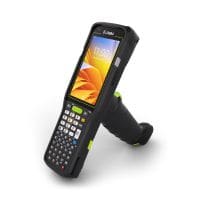
Zebra MC3400 Mobile Computer

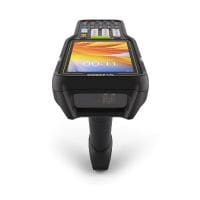
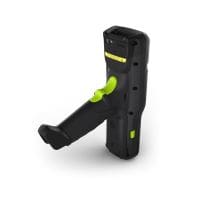
Zebra Technologies Corp has announced the next generation mobile computer to build on its prior success with the MC300. The Zebra MC3400 series mobile computer is packed with new features such as front- and rear- facing cameras, several powerful scanner choices, and the ability to support both Wi-Fi and cellular (5G) connectivity. Plus, it will support at least through Android 18, which means you can count on years of productive use.

YouTube player

Connectivity: Use it on Wi-Fi or private/public cellular

A big addition to Zebra’s MC34 series is the addition of cellular connectivity. The MC3400 handheld computer offers wi-fi only (Wi-Fi 6e), while the MC3450 mobile computer offers both Wi-Fi as well as 5G (supporting both public and private 5G).

Other Notable New Features for the MC3400 / MC3450

Some of the new features which we’d like to highlight are:

  • Flexible – Available in both ‘gun’ and ‘straight shooter’ form factors, and choose from multiple keyboard options (47 key alphanumeric, 38 key function numeric, and 29 key numeric). Features both front and rear camera.
  • Wi-Fi 6E – 4X the bandwidth and capacity, 3X the speed, and up to 3X the available spectrum!
  • Private and public 5G – Use your MC3450 outside the building or in the field!
  • Advanced barcode scanner – The new SE58 scan engine has a 20% longer read range, and Zebra’s new green laser aimer is up to 7X more visible than typical red aimers. You can also connect to a bluetooth ring scanner.
  • Support through Android 18 – Your investment will lock in years of usage as Android advances

Support from CSSI’s Zebra Experts

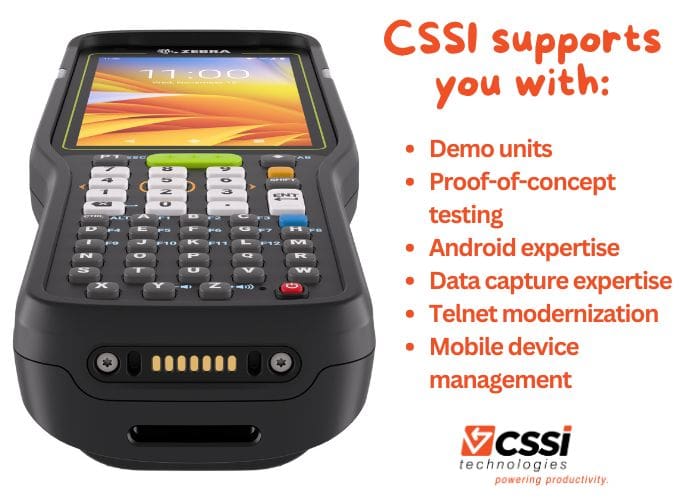
We are more than just Zebra mobile computer experts… our team of consultants and engineers will work with you to conduct testing and can support your deployment and post-sale technical needs. We are an authorized partner of Zebra Technologies Corp, and also offer services such as mobile device management.

CSSI support services for Zebra MC3400 and MC3450

Let’s Discuss the Zebra MC3400 Mobile Computer

Contact CSSI to discuss the Zebra MC3400 / MC3450 and let’s see if it is the right fit for your mobile computing and data capture needs. We are ready to setup hands-on demos and trials of this powerful new handheld. CSSI offers technical support for your evaluation and deployment of Zebra handhelds.

Q: What is the Zebra MC3400 Series, and who is it built for? A. The MC3400 Series is Zebra’s next-generation handheld mobile computer, designed to replace aging MC3300/MC33-class devices in warehouses, distribution centers, manufacturing plants, and retail backrooms. It’s built for frontline workers who scan barcodes all day — pickers, packers, receiving clerks, and inventory associates — and comes in two form factors (a compact “brick” style and a pistol-grip “gun” style) so operations teams can match the device to the task. It runs Android with guaranteed future OS support and a Qualcomm octa-core processor, so IT teams get a device that’s fast today and stays supported long-term.

Q: How rugged is the MC3400, and can it hold up in demanding environments like cold storage or outdoor loading docks A. Yes. The MC3400 is rated IP65 and IP67, meaning it’s protected against dust and can withstand both hose-down cleaning and water submersion — a common requirement in cold storage and food/beverage environments. It’s tested to MIL-STD-810H standards, surviving 8-foot drops to concrete at room temperature and 6-foot drops across a wide temperature range (-20°C to 50°C), plus 4,000 tumbles, which exceeds standard IEC durability benchmarks. Combined with an operating range down to -4°F, it’s a strong fit for freezer, dock, and outdoor use cases where consumer-grade or lightly ruggedized devices tend to fail early.

Q: What scanning options does the MC3400 offer, and how do I know which one my operation needs? A. The MC3400 offers four scan engine options, so the right choice comes down to your typical scan distance. The SE4710 and SE4770 cover standard near-range 1D/2D barcode scanning for picking and receiving. The SE55 extends range to over 40 feet, useful for reading labels on top warehouse racking without a ladder or lift. The SE58 pushes that further to 100 feet, which is purpose-built for port and yard operations where associates need to scan container or trailer labels from a distance. Matching the scanner to your actual floor layout avoids paying for range you don’t need — or under-provisioning a role that does.

Q: What are some good business use cases for the MC3400 in warehousing, manufacturing, or logistics? A. The MC3400 is well-suited to any workflow where speed and accuracy at the point of scan directly affect throughput or inventory accuracy. Common examples include warehouse picking, put-away, cross-docking, and cycle counting; manufacturing line-side replenishment and work-in-process tracking; transportation and logistics yard/asset management and shipment verification; and retail backroom receiving, price verification, and reverse logistics. Because it’s nearly identical in form factor to the legacy MC33 Series and compatible with existing MC33 chargers and batteries, operations already running that fleet can roll out the MC3400 with minimal retraining and no need to replace accessory infrastructure — a meaningful cost consideration for a fleet refresh.

Q: Does the MC3400 support cellular and 5G connectivity, and how does it compare to the MC3450? A. The base MC3400 is a Wi-Fi-only device, built on 802.11ax (Wi-Fi 6E) across the 2.4, 5, and 6 GHz bands for fast, reliable in-building connectivity. The MC3450 adds 5G/4G/3G cellular with dual nano SIM/eSIM support and GPS, making it the right choice for workers who move outside Wi-Fi coverage — yard operations, last-mile logistics, or multi-site field work. Both models share the same processor, display, scanning options, and durability ratings, so the decision typically comes down to whether your workforce needs to stay connected beyond the four walls of your facility.

As 2024 winds to a close, we wanted to take a look back at the many topics we wrote on this year:

  • Mobile computing technology
  • AIDC technologies such as barcoding and RFID
  • Connectivity such as Wi-Fi, 5G and CBRS
  • Inventory management and supply chain workflow improvement opportunities

We tallied up the results and can introduce you to our 10 most popular posts from 2024!

1) Challenges in upgrading to Android 11, 13, and beyond

Expect Android 11-13 Upgrade Challenges

Android 11 and higher versions include significant security changes which many businesses have found can play havoc with mobile device configurations and critical software. In this article, we outlined the key issues and discussed how companies can get ahead of the headaches with preparation.

Read the blog post here.


2) 5 ways MDM software can help you manage your devices

Is MDM (mobile device management) a good fit for your business? Here are 5 benefits.

Mobile Device Management (MDM) software is a critical but often underutilized tool for managing large mobile device fleets. We discuss several benefits of MDM, and how CSSI can help by bringing our MDM expertise to your business.

Read the blog post here.


3) All the reasons you need to upgrade Windows Mobile/CE to Android

Android migration 2023

Although Android has been the standard OS for enterprise mobile devices for several years, there are still many companies using handhelds with Win Mobile or CE. We discuss the risks of this approach, and dispel some of the myths which may still persist around Android.

Read the blog post here.


4) What is session persistence? How to eliminate session drops

StayLinked and session persistence

Mobile devices which lose connectivity can cause applications to crash and data to be lost… an expensive cost borne by warehouse operations. Session persistence software eliminates this problem. We explore the costs of dropped sessions and how they can be eliminated by CSSI.

Read the blog post here.


5) Top 6 applications for barcodes in warehouses and manufacturing

ws50 zebra wearable computer

Barcodes are the most common data-capture method used in the supply chain. Yet many companies may overlook barcode opportunities to speed things up and eliminate manual entry. Here is a list of the top 6 applications for barcodes… how many is your business using, and are there opportunities for you?

Read the blog post here.


6) Choosing the right enterprise tablet: Android versus Windows

If you are planning to use tablets in your business operation, you’ll have to decide between Windows and Android. This leads to questions such as which OS is right for you, and what are the pros and cons? We explored Android versus Windows tablets for enterprise users in this popular blog post.

Read the blog post here.


7) Time for CBRS and Private 5G Networks?

CBRS application container yard

CBRS and Private 5G seem to be the fastest growing wireless communication technology today. This is reflected in the wave of CBRS mobile devices (Zebra MC9450) which are CBRS-compatible. It’s an ideal middle ground between Wi-Fi and public cellular, with some special and unique benefits. Learn more about this private network technology in our post.

Read the blog post here.


8) Should you use vehicle-mounted computers (VMUs) or rugged tablets on your forklifts?

Vehicle-Mounted Computers versus rugged tablet PCs

For many years, vehicle-mounted computers (VMUs) have been the standard for forklift use. However a new range of rugged tablets (such as the Zebra ET60) are now rated for the special demands of vehicle usage. So how should you decide between a VMU and tablet for your next project? We walk through the pros and cons of each solution.

Read the blog post here.


9) Exploring RFID? Start with an RFID pilot project

RFID is the fastest growing data capture technology today. As companies explore RFID and contemplate investment, they grapple with the best way to get started. We believe that a manageable pilot project is the best way to test the RFID waters. CSSI can help you get started faster and build on pilot project success in later scope expansions.

Read the blog post here.


10) Why use wearable scanners in the warehouse?

wearable scanner in warehouse

Companies searching for productivity gains in their order picking operations are finding great benefits with wearable scanners. In this post, we discuss wearables and how they can be helpful to your team members. Wearables have made huge advancements in recent years and are worth your evaluation.

Read the blog post here.

How Can CSSI Technologies Help You with AIDC Technology?

Our team at CSSI are experts in handheld computers, rugged tablets, thermal printers, RFID, and the many workflows within which these technologies are utilized. If you’d like to discuss your challenges or projects, please contact us and let us know how we can help.

Convert a handheld computer into a mobile RFID reader

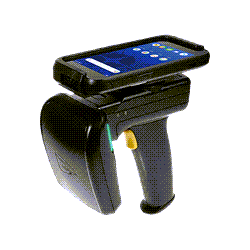
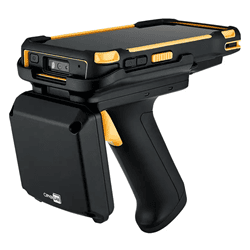
RFID (Radio Frequency Identification) technology is transforming how businesses track inventory, manage critical assets, and monitor workflows. Among RFID devices, handheld RFID solutions are gaining popularity due to their flexibility and cost-effectiveness. A standout option in this category is the UHF RFID sled—a versatile accessory that works in conjunction with mobile devices. In this article, we explore RFID sleds, their advantages, and their ideal applications.

What Is an RFID Sled?

An RFID sled reader is an accessory that provides a handheld mobile device with RFID tag reading capability. Unlike a standalone fixed RFID reader, this mobile solution provides flexibility for the user, which can be essential for certain RFID workflows… and can be instantly implemented without having to mount physical antennas. While there are dedicated mobile RFID readers, the sled solution provides additional flexibility to the company, which can create RFID reading functionality without having to invest in dedicated devices.

Typically, RFID sleds are compact and lightweight, featuring ergonomic grips for easy handling. They are available with varying ranges, frequencies, and capabilities, making them suitable for different industries and use cases.

Examples of Reliable RFID Sleds

Here are several examples of reliable RFID sleds. Your CSSI rep can help you select the right choice for your needs:

Zebra RFD90 RFID Sled: Zebra’s premier RFID sled is ultra-rugged and ready for harsh environments and intensive usage. It is able to withstand 6 foot drops, and boasts IP65 / IP67 rating. Compatible with rugged Zebra mobile computers and several third-party smart phones.

Datalogic 2128P RFID Sled: Datalogic’s RFID sled is an ideal add-on for the Memor handheld computer. It quickly reads UHF RFID tags and supports your mobile workflows, even in harsh conditions.

CipherLab RS38 UHF RFID Reader: The RS38 sled converts CipherLab’s value-leading handhelds to RFID readers. It scans 1300 tags per second up to 10 meters, and is tough enough to withstand industrial use.

What Are the Benefits of Using an RFID Sled Instead of a Dedicated Handheld RFID Reader?

RFID sleds offer several advantages over traditional handheld RFID readers:

  1. Cost Efficiency
    RFID sleds are often more affordable than standalone RFID readers, especially for businesses that already use handheld computers. By pairing an RFID sled with an existing mobile device, organizations can reduce upfront costs.
  2. Modularity and Versatility
    The modular nature of RFID sleds allows users to upgrade their mobile devices independently of the RFID reader. This flexibility helps businesses stay current with advancements in mobile technology without replacing their entire RFID system. Also, the company can get more use out of existing mobile devices without having to make significant new purchase investments.
  3. Enhanced User Experience
    The company is able to use the familiar interface of the mobile devices to which users are already accustomed. Custom apps can be developed or integrated to optimize workflows and meet specific operational needs.
  4. Portability and Convenience
    RFID sleds are lightweight and easy to carry, making them ideal for on-the-go applications. Their compact design is particularly advantageous in environments where space is limited or users need to move between locations frequently.

What Are the Benefits of Using a Mobile RFID Reader Versus a Fixed RFID Antenna?

Mobile RFID readers, including sleds, offer distinct advantages over fixed RFID antennas for certain usage scenarios:

  1. Flexibility in Coverage
    Fixed antennas are stationary and best suited for monitoring specific areas, such as doorways or conveyor belts. Mobile readers, however, provide the flexibility to scan tags in various locations, making them ideal for dynamic environments like retail stores or warehouses.
  2. Cost-Effectiveness
    Installing multiple fixed antennas can be expensive. Mobile RFID readers are a cost-efficient alternative for businesses that need occasional or location-specific scanning without investing in permanent infrastructure.
  3. Ease of Deployment
    Fixed RFID systems require complex setup and calibration. Mobile readers, on the other hand, are plug-and-play devices that can be used immediately, with minimal technical expertise.
  4. Scalability
    Mobile solutions are easy to scale as business needs grow. Adding more handheld devices is often simpler and cheaper than expanding a network of fixed antennas.

What Are Good Applications for an RFID Sled or a Handheld RFID Reader?

Handheld RFID readers, including sleds, boost operational efficiency in a variety of industries and applications:

  1. Retail Inventory Management
    Handheld RFID devices streamline inventory counts, making it easier to update stock levels, locate items, and improve accuracy. This reduces out-of-stock scenarios and enhances the customer experience.
  2. Warehouse and Logistics
    RFID sleds enable quick scanning of pallets, cartons, or individual items, helping businesses track shipments and ensure accurate order fulfillment.
  3. Asset Tracking
    Asset management is a common use for RFID. In manufacturing and warehouses, you can use RFID to track high-value assets. In healthcare, hospitals and clinics use RFID sleds to monitor medical equipment, track patient movements, and manage inventory of consumables like medications and surgical tools.
  4. Event Management
    RFID sleds simplify attendee tracking at events by reading RFID-enabled tickets or badges. They can also assist in managing equipment and resources during the event.
  5. Field Service and Inspections
    Technicians use RFID sleds for equipment inspections, maintenance tracking, and ensuring compliance with operational standards, especially in remote or outdoor locations.

Learn More and Try Out an RFID Sled

RFID sleds represent a highly adaptable and cost-effective solution for businesses looking to leverage RFID technology. By pairing the functionality of a handheld RFID reader with the convenience of a mobile device, they provide an excellent alternative to both standalone readers and fixed antenna systems.

If you would like to explore RFID for your business, CSSI can help you evaluate your RFID project as well as test an RFID sled to use with your current mobile devices. Please contact us to discuss RFID sleds.

Q: How much does an RFID sled cost compared to a standalone RFID reader? A. RFID sleds are typically a fraction of the cost of a dedicated handheld RFID reader, since they add RFID capability to mobile computers a business already owns rather than requiring new hardware end to end. This makes sleds a lower-risk entry point for companies piloting RFID before committing to a full standalone reader fleet.

Q: Will an RFID sled work with the mobile devices we already have in the field? A. Most RFID sleds are purpose-built to pair with specific handheld computer families — for example, the Datalogic 2128P is designed for Memor devices — so compatibility depends on matching the sled to your existing device model. A VAR or systems integrator can confirm fit against your current fleet before purchase, which also helps avoid mismatched IP ratings or form factors.

Q: How long does it take to roll out RFID sleds across a warehouse or retail operation? A. Because sleds attach to devices employees already use, deployment is generally faster than a full RFID hardware refresh — often a matter of days once devices are provisioned with the right scanning application. Most of the rollout timeline is driven by tag placement, read-zone testing, and staff training rather than hardware setup itself.

Q: What kind of return on investment should a business expect from RFID sleds? A. Payback typically comes from labor savings on manual counts, reduced shrinkage from better inventory accuracy, and fewer shipment errors caught before they reach a customer. Because sleds extend the life of existing mobile devices instead of replacing them, the upfront investment is lower, which shortens the payback period compared to standalone RFID hardware.

Q: Are RFID sleds rugged enough for cold storage, manufacturing, or other demanding environments? A. Many sleds are built to the same rugged standards as industrial handheld computers — the Zebra RFD90, for instance, is rated IP65/IP67 and drop-resistant to 6 feet — so they hold up in freezer warehouses, dusty manufacturing floors, and other harsh conditions. Matching the sled’s environmental rating to the deployment site is worth confirming during selection, since not all sled models are rated equally.

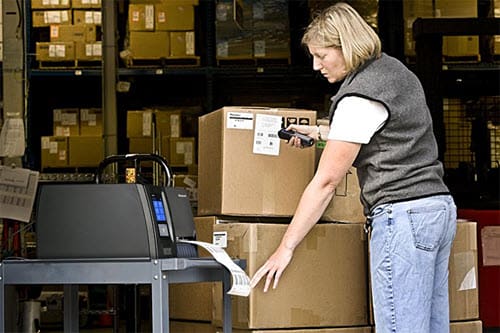
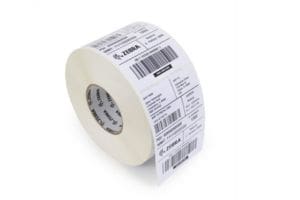
If you are new to buying label or receipt printers, you will first need to determine the type of printer which is best suited for your application. Thermal printing technology has long been a favorite for businesses requiring fast, reliable, and high-quality printing solutions. But there are 2 different methods used… when deciding between thermal transfer printers and direct thermal printers, it’s essential to understand their differences, applications, and cost implications to make the right choice for your needs.

What’s the Difference: Thermal Transfer vs. Direct Thermal Printers?

Both thermal transfer and direct thermal printers rely on heat to produce images, but they use different methods and materials:

Thermal Transfer Printing

A thermal transfer printer uses a thermal ribbon coated with wax or resin. Heat transfers the ink from the thermal transfer ribbon onto the label or substrate, creating a durable print. Thermal transfer printing offers excellent resistance to fading, smudging, chemicals, and environmental conditions. Overall print quality can be excellent, and a thermal transfer print label can remain intact for years. A thermal transfer label printer can print on various media types, including paper, polyester, and polypropylene.

Direct Thermal Printing

A direct thermal label printer uses heat-sensitive media that darkens when heated, eliminating the need for ink, toner, or ribbon. Printed direct thermal items are less resistant to heat, direct sunlight, and abrasion, typically lasting 6–12 months before fading.  Direct thermal label printers work exclusively with specialized thermal paper. There is no thermal printhead to replace.

Why Choose One Over the Other?

The choice between these label printer technologies depends on your business’s specific needs:

Choose Thermal Transfer Printing If You Need:Choose Direct Thermal Printing If You Need:
Long-lasting, durable prints.
Simplicity and minimal maintenance (no ribbons to replace).
Labels that can withstand extreme temperatures, moisture, or exposure to chemicals.A cost-effective solution for short-term labeling.
Versatility in printing on different materials.High-speed printing for time-sensitive tasks.

Typical Applications for Thermal Printers

Thermal transfer printers are the go-to for industries requiring longevity and resilience in their printed labels. Examples include:

  • Manufacturing: Barcode labels for inventory, equipment, and raw materials.
  • Healthcare: Patient wristbands, medical equipment labeling, and pharmaceutical packaging.
  • Retail: Product labels, shelf tags, and branding on flexible packaging.

Common Applications for Direct Thermal Printers

Direct thermal printers are designed for short-lived applications that prioritize simplicity and speed. Common use cases include:

  • Logistics & Shipping: Shipping and mailing labels for packages.
  • Retail: Receipts and price tags.
  • Event Management: Temporary event badges or tickets.

Are There Cost Differences in Print Media?

Yes, there are notable differences in media costs for these two label printing technologies:

Thermal Transfer Media:Direct Thermal Media:
Requires both a ribbon and a compatible label or substrate, which adds to the material cost.
Uses only heat-sensitive paper, making it initially less expensive.
However, the durability of prints reduces the need for reprinting, offering better long-term cost efficiency for permanent labeling.Prints are prone to fading or damage, potentially increasing costs if reprinting is necessary.

Pro Tip: When calculating costs, consider not only the media expenses but also maintenance and reprinting frequency.

Ready to Evaluate Thermal Label Printers? CSSI Can Help

Thermal and direct thermal printers each bring unique benefits and limitations. For businesses requiring robust, long-lasting labels, thermal transfer printers are the ideal choice for printing labels. On the other hand, direct thermal printing technology shines in applications needing fast, temporary, and cost-effective solutions for printing receipts.

The team at CSSI are experts in direct thermal as well as thermal transfer printers. CSSI is an authorized dealer for all of the industry leading printer manufacturers and can help you evaluate, select, and deploy thermal printers in your operation. Contact CSSI to discuss thermal printers for labels, receipts, and more.

Q: What’s the basic difference between direct thermal and thermal transfer printing?
A. Direct thermal printers use chemically treated label stock that darkens when heat is applied directly by the printhead — no ribbon involved. Thermal transfer printers use a heated printhead to melt wax- or resin-based ink from a ribbon onto the label. The extra step (and consumable) is what gives thermal transfer its durability advantage, while direct thermal keeps things simpler and cheaper for shorter-lived labels.

Q: Which technology holds up better in cold storage, outdoor, or industrial environments?
A. Thermal transfer is the better fit. It resists moisture, chemicals, UV exposure, extreme temperatures, and abrasion, making it well suited to cold storage facilities, outdoor yards, and manufacturing floors where labels face grease, freezer condensation, or direct sunlight. Direct thermal labels are prone to fading and degrading under heat or light, so they’re best reserved for indoor, climate-controlled settings.

Q: If we’re mainly printing shipping labels, does the extra durability of thermal transfer matter?
A. Usually not. Shipping labels, inventory tags, and visitor passes typically only need to stay legible for days or weeks — well within direct thermal’s useful life of under six months. For these short-lifecycle, high-volume applications, direct thermal’s lower operating cost (no ribbon to buy or replace) generally makes it the more economical choice.

Q: Where does thermal transfer make more sense despite the added ribbon cost?
A. Anywhere a label needs to survive long-term or harsh handling: asset tags, equipment and facility ID, wire and cable labeling, hazmat and lockout-tagout labels, and any application requiring color or fine barcode detail. The ribbon adds a recurring cost, but it’s offset by fewer reprints and label failures over the life of the asset — an important consideration for warehousing and manufacturing operations tracking equipment over years, not weeks.

Q: How should we decide which printer and label type fits our operation?
A. Start with how long each label needs to stay accurate and readable, and where it will live. If labels are short-term, indoor, and high-volume — shipping, receiving, temporary inventory tags — direct thermal keeps costs down. If labels need to survive months or years in cold storage, outdoors, or around chemicals and heavy handling — asset tracking, equipment ID, hazmat labeling — thermal transfer is worth the added ribbon expense. Many operations run both, matching the technology to the application rather than standardizing on one printer type across the board.

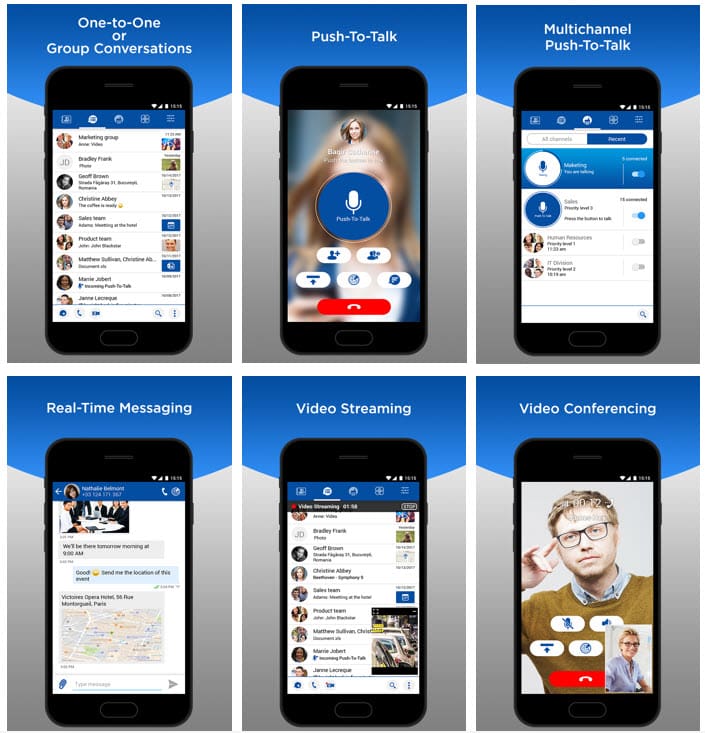
Secure Unified Communications for your Mobile Workers

As companies utilize increasing numbers of mobile workers, communication and the flow of real-time information becomes a challenge. Companies need to keep the whole team in sync. Worker are concerned with efficiency and convenience. Many mobile workers who utilize handheld scanners must carry a second device to use as a phone and to stay connected with the team. Obviously, this is a hassle and results in both additional expense for the firm as well as potential security risks if a BYOD (bring your own device) policy is followed, with the field workers using personal devices for business communication.

Enter Honeywell Smart Talk as a communications solution which solves multiple problems simultaneously:

  • Consolidation to one device per worker (no need to carry both a scanner and a phone)
  • Improved security, since all communication occurs on company hardware
  • Worker efficiency, as workers don’t need to juggle multiple devices
  • Multiple methods of communication (phone, text, media messaging) all available from one device.

What is Honeywell Smart Talk?

Honeywell Smart Talk is an all-in-one workforce communications solution designed to address the challenges of fragmented communication systems. Smart Talk provides enterprise-grade security for voice calls, text and media messaging, and user presence, making all of these accessible through a single device.

It seamlessly integrates with your existing phone system, enabling workers to use familiar contacts to make and receive high-quality VoIP calls over Wi-Fi or cellular data networks. This ensures optimal call quality, whether communicating with colleagues or customers. The secure, reliable Smart Talk client extends your locally hosted or cloud-based PBX, making it an ideal choice for businesses of any size managing the demands of BYOD and mobile workforces.

Benefits of Smart Talk

Smart Talk software on your mobile device provides a number of benefits:

Superior call experience

Smart Talk provides call continuity as the device switches between wi-fi and cellular – ideal for workers moving in, our, and around your facilities. It supports a variety of audio codecs such as OPUS and SILK.

Smart Talk - call experience

Advanced Enterprise Security

Improve your communications security. Smart Talk offers voice and messaging encryption. TLS and Mutual TLK environments are supported. You can use MDM to lock or wipe containers when necessary.

Smart Talk - security

Rapid Onboarding

Get up and running quickly with Smart Talk, which is interoperable with over 100 SIP-based call server, PBX, and hosted providers. Smart Talk works with both Apple iOS, Android, and Windows OS. It is also agnostic as to device platform, running on desktop, laptops, mobile, and tablets. Smart Talk does not restrict you to only Honeywell devices, you can use your device brand of preference.

Smart Talk - onboarding

Smart Talk is Device Manufacturer Agnostic

You can select both hosted and on-premise deployments, and can even use Smart Talk with your corporate branding. Both subscription and perpetual licensing programs are available.

Smart Talk - flexibility

Discuss Honeywell Smart Talk and Unified Communications with CSSI

To learn more about Smart Talk, contact CSSI for a demo and a discussion of your needs. CSSI is an authorized Honeywell dealer. We’d be happy to arrange a trial so that you can experience this powerful communications software for yourself.

Q: What is Honeywell Smart Talk?
A. Smart Talk is an enterprise workforce communications platform that consolidates Push-to-Talk (PTT), voice calls, text and media messaging, video calls, and real-time user presence into a single application. It’s designed to replace the walkie-talkies, personal cell phones, and separate messaging apps that many frontline teams end up juggling.

Q: What communication systems does Smart Talk replace?
A. It’s built to consolidate 2-3 separate devices or systems into one app — most commonly walkie-talkies, cellphones, and standalone messaging tools. Instant PTT communication acts as a modern, feature-rich replacement for traditional two-way radios, while also adding secure one-to-one and group messaging, file/image sharing, voice calls, and video conferencing on top.

Q: What kind of businesses is Smart Talk designed for?
A. It’s built for mobile and BYOD (Bring Your Own Device) workforces, with warehouses, distribution centers, and retail environments called out specifically. That makes it a natural fit for the same operational settings CSSI works in daily — warehousing, distribution, cold storage, manufacturing, and transportation and logistics — where teams are spread across a facility or yard and need instant coordination.

Q: Does Smart Talk work across Wi-Fi and cellular networks?
A. Yes. Smart Talk operates over both Wi-Fi and cellular networks, so communication isn’t limited to in-building coverage. This is particularly useful for operations where workers move between indoor areas with Wi-Fi and outdoor or in-transit areas that rely on cellular service.

Q: Can Smart Talk integrate with other business systems?
A. Yes. Smart Talk includes an extensive API framework supporting both user-level and administration-level integration, covering provisioning, reporting, and geolocation capabilities. This allows IT teams to connect Smart Talk into existing administrative or operational workflows rather than running it as a fully standalone tool.

Device Maintenance Protects Your Business When Devices Go Down

Unexpected surprises are welcome in many areas, but not when they affect the devices that keep your business running. A single unplanned issue can disrupt anything from one employee’s productivity to an entire workflow, and few can afford that kind of interruption. This is where a maintenance contract for your devices can play a role… getting you back up and running quickly and inexpensively.

What is a Hardware Maintenance Agreement?

A technology device maintenance agreement is a hardware support contract between a service provider (often a device manufacturer or technology vendor) and a customer to provide maintenance, repair, and support services for certain technology devices. These agreements cover ongoing service for hardware such as computers, servers, networking equipment, or other specialized devices. Here’s what’s typically included:

  1. Regular Maintenance and Repairs: The agreement usually covers routine inspections, cleaning, software updates, and troubleshooting. It also specifies how repairs and replacements will be handled.
  2. Response Times and Support Levels: Agreements often outline service levels (SLAs) for response and resolution times. These can range from same-day repairs to next-business-day support, depending on the plan.
  3. Preventive and Predictive Maintenance: Advanced agreements may include proactive measures, such as monitoring device health, to prevent issues before they occur.
  4. Replacement Parts and Equipment Upgrades: Some agreements include parts replacements as part of the service, while others might offer a discount. Upgrades may be included, depending on the contract level.
  5. Remote Support and On-Site Visits: Many agreements offer remote support to quickly address software or system issues and on-site visits for complex issues that require in-person support.

These agreements are commonly used by businesses to ensure consistent performance, minimize downtime, and keep devices operational without the need for in-house IT expertise.

Hardware Maintenance Agreements Improve Device Uptime & Provide Cost Predictability

Handheld computers , tablet PCs and label printers are essential to your operations. When they go down, production goes down and the flow of information stops.

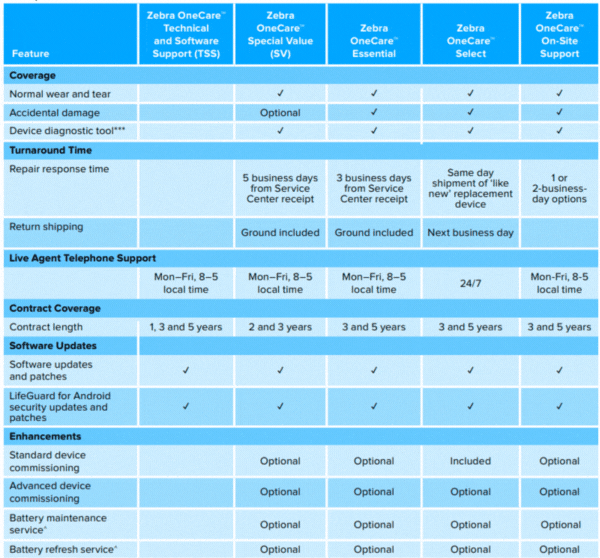
Faster Repairs: Many maintenance agreements, such as the OneCare agreement offered by Zebra Technologies, will guarantee repair times in the SLA. For example, you may receive a guarantee of 3-day repair, which means that your devices are prioritized over other devices not covered under agreement.

Cost Predictability: A Maintenance agreement can also help you with predictable costs, since when purchasing the agreement, you are covering future replacement parts and labor. These services and parts can be extremely expensive when purchased a la carte, and it can be frustrating for the customer to be hit with surprise bills.

By purchasing a service level agreement at the same time you are purchasing the device, you will receive much better pricing than you would ultimately spend for spare parts and labor. Even if you neglected to buy the support contract at time of original device purchase, there are 3rd party service providers which offer maintenance agreements for your AIDC devices.

Maintenance Agreement Example: Zebra OneCare

Looking for an example of a contract maintenance agreement? Zebra Technologies offers warranty service agreements under a program called Zebra OneCare . As you can see from the chart below, there are a number of different options, each offering a different level of benefits. For example, while OneCare Special Value offers response time of 5 business days from device receipt, One-Care Select can offer same day shipment of a ‘like new’ replacement device, which comes as close as possible to eliminating your down time.

Your CSSI rep can work with you to determine how your business needs map against plans such as Zebra OneCare in order to help you select the right program. The more time-critical your operations, but faster response time will need to be to support you.

Zebra OneCare maintenance plans

Speak to CSSI to Purchase or Renew Hardware Maintenance Agreements

Do you have a hardware maintenance contract in place for your critical mobile devices and computer hardware? CSSI can help you to explore your options and select the right program to offer you protection and peace of mind. Speak to CSSI to discuss device maintenance agreements.

Q: How is Zebra OneCare different from Zebra’s standard manufacturer warranty?
A. Zebra’s standard warranty only covers manufacturing defects for a limited time. OneCare goes well beyond that: it adds coverage for normal wear and tear, and on most tiers, accidental damage (drops, spills, cracked screens). It also bundles in things the standard warranty doesn’t touch at all — ongoing software and security patches (including LifeGuard for Android), live technical support, and expedited device replacement, so a business isn’t left covering repair costs or downtime out of pocket once the warranty period ends.

Q: What do businesses actually get with a OneCare plan?
A. Every OneCare tier includes repair coverage for normal wear and tear, device diagnostic tools, firmware and software updates, and access to live-agent phone support. Depending on the tier, businesses also get accidental damage protection and faster device turnaround — from standard depot repair up to same-day advance replacement with a pre-configured “like new” unit. The pitch for OneCare is really about turning repair costs from unpredictable, one-off expenses into a fixed, budgeted line item.

Q: Which OneCare tier makes sense for my fleet — Special Value, Essential, or Select?
A. It comes down to how fast you need a device back in an employee’s hands and how much you want to spend upfront. Special Value (SV) is the budget tier, with roughly 5-business-day depot turnaround and accidental damage as an add-on rather than standard. Essential sits in the middle, with 3-business-day turnaround and accidental damage included. Select is the premium tier, offering same-day replacement shipment and 24/7 live support, which suits businesses running mission-critical devices (like scanners on a warehouse floor) that can’t tolerate downtime. Zebra also offers an On-Site plan and a software-only Technical and Software Support (TSS) option for businesses with different needs.

Q: Does OneCare cover accidental damage, like a dropped scanner or a cracked screen?
A. Yes, on most tiers. Essential, Select, and On-Site plans include accidental damage coverage standard. On the Special Value and TSS tiers, it’s available as an optional add-on rather than built in. Given how often handheld computers and scanners get dropped in warehouse, dock, and field environments, this is usually the coverage that delivers the most value for AIDC deployments.

Q: Is a OneCare plan worth the added cost compared to paying for repairs as they happen?
A. For most fleets, yes — the value is in predictability, not just repair savings. A single out-of-warranty repair, or worse, a device replacement, can cost more than a year of coverage, and that’s before factoring in the lost productivity of a worker without a working device. OneCare converts those unpredictable costs into a fixed, budgeted expense and, on the faster tiers, minimizes the downtime itself through expedited replacement. Zebra frames this as shifting a business from “reactive” repair management to a “proactive” maintenance model with defined service levels.

Zebra Details Trends in Manufacturing’s Digital Transformation

Zebra Technologies has released the latest in its series of Vision Studies, surveys of global leaders providing insights into trends which impact competitiveness in specific industry verticals. We have previously provided vision studies on warehousing , field operations , and food safety . As the industry leader in enterprise mobility, Zebra is uniquely positioned to gather insights into how technologies such as artificial intelligence, machine vision, and robotics are transforming the world of work.

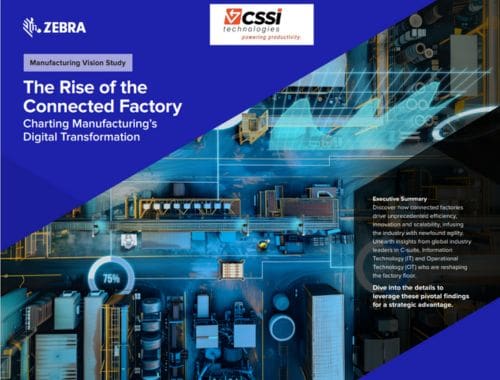
In this new manufacturing vision study titled The Rise of the Connected Factory , Zebra uses a survey of global manufacturing leaders and supply chain execs to explore how digital transformation is reshaping manufacturing, enhancing efficiency, innovation, and scalability. Key insights reveal that a majority of manufacturers prioritize digital initiatives despite the challenges of cost and time. Effective collaboration between C-suite, IT, and OT is critical for overcoming data silos and fostering agile manufacturing environments.

Zebra mc9400 on manufacturing line

The report highlights a visibility gap in real-time product monitoring across production lines, emphasizing the need for technology investments that can yield quick returns. Furthermore, the study underscores the importance of integrating digital tools to empower a skilled workforce, suggesting that a unified approach across departments is essential for navigating the evolving industrial landscape. Overall, the study advocates for embracing digital transformation to drive competitive advantage and operational excellence in the manufacturing industry.

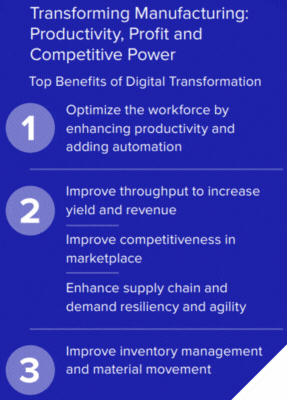
Top Benefits of Digital Transformation for a Manufacturing Leaders

The manufacturing vision study outlines 3 primary benefits of digital transformation for those pursuing manufacturing excellence:

  1. Improve inventory management and material management
  2. Optimize the workforce by enhancing productivity and adding automation
  3. Improve throughput to increase yield & revenue

Some of the Zebra Technologies Vision Study Revelations

  • 92% of leaders believe that digital transformation is a strategic priority
  • 89% of smart manufacturing decision makers plan to increase technology investments in 2024 warehouses
  • 99% expect to implement RFID by 2029!

Download your free copy of the Manufacturing Vision Study

zebra manufacturing vision study

Complete the form below to immediately receive your free copy of Zebra’s Manufacturing Study “The Rise of the Connected Factory”. Learn how AI technology, industrial automation, machine vision and more are impacting the manufacturing sector.

Get Your Free Download – The Rise of the Connected Factory

Name(Required)

Q: What is the Zebra Manufacturing Vision Study, and how credible is the data?
A. It’s a global survey Zebra Technologies conducted with roughly 1,200 C-suite, IT, and operations (OT) leaders across manufacturing sectors including automotive, electronics, food and beverage, pharma, and medical devices, spanning North America, Europe, Latin America, and Asia. The breadth of respondents gives businesses a reliable read on where the industry actually stands on digital transformation rather than anecdotal impressions from a single vendor or region.

Q: How many manufacturers actually have real-time visibility into their production floor?
A. Very few. The study found that only 16% of manufacturing leaders have real-time work-in-progress monitoring across their entire production process. That leaves the large majority operating with delayed or incomplete data, which makes it harder to catch quality issues, bottlenecks, or downtime before they affect output. Nearly 6 in 10 leaders expect that gap to close by 2029 as more organizations invest in tracking technology.

Q: What’s the biggest obstacle standing in the way of digital transformation?
A. Misalignment between IT and OT teams. About 1 in 3 leaders cite IT/OT disagreements as a key barrier, and 86% say they struggle to keep pace with the speed of technological change while also securing the devices being integrated onto the floor. IT tends to focus on data and connectivity while OT focuses on machine behavior and output, and when those groups don’t plan together, digital initiatives stall or create new silos instead of solving old ones.

Q: How big a role will AI play in manufacturing, and how soon?
A. A growing one. 61% of manufacturers now expect AI to drive business growth by 2029, up sharply from 41% who said the same in 2024. That shift shows AI moving from an experimental technology to something manufacturers are actively planning around for the next few years, particularly for quality monitoring, predictive maintenance, and production visibility.

Q: What technologies should manufacturers expect to be investing in over the next five years?
A. Machine vision, RFID, and robotics top the list, with 65-66% of leaders planning to implement each within five years, and 99% anticipating RFID deployment by 2029. Fixed industrial scanners follow at 57%. On the workforce side, 73% plan to reskill employees for data and technology use, and 7 in 10 expect to equip workers with mobility-enabling tools like wearable computers, tablets, and workforce management software – suggesting technology adoption and workforce strategy are increasingly treated as a single initiative rather than separate efforts.

View or download the Zebra Manufacturing Vision Study “The Rise of the Connected Factory” below:

New State-of-the-Art Mobile Computer for Hazardous Environments: MC9400/MC9450

Do you require intrinsically safe (also referred to as non-incendive or explosion proof) handheld computers for a potentially explosive atmosphere in your facility? In the past, there haven’t been many options, and you tend to be routed to devices which don’t reflect the latest technologies and OS editions. But good news: Zebra’s new MC9400 / MC9450 is now available as a non-incendive handheld computer. MC9400 is a wi-fi only model, whereas MC9450 offers both wi-fi and cellular/5G/ CBRS connectivity.

This gives you access to absolute cutting-edge mobile computing power, Zebra’s best-in-class data capture and barcode scanner technology, and OS support all the way to Android 17. If you are seeking to upgrade or add new computing devices for hazardous environments, this is a great time! See the data sheet below for all of the MC94’s powerful specifications.

Even better: Zebra Technologies is currently offering a special price incentive for the MC9400 (which runs until April 26, 2025) so you can obtain extremely attractive pricing on the best handheld in the market! The MC9400 is the replacement product for the Zebra MC9300, which has for several years been Zebra’s top-of-line rugged mobile computer.

What is the Non-Incendive (NI) Certification All About?

Non-incendive certification refers to a safety standard for electronic devices, including mobile computers, used in potentially explosive environments. This certification indicates that the device does not produce sparks or heat that could ignite flammable gases or vapors.

In practice, intrinsically safe / non-incendive devices can be used in hazardous locations, such as oil rigs or chemical plants, where the risk of explosion is a concern. The certification ensures that the equipment is safe to operate in these environments, provided it is used in accordance with specific guidelines.

In the rugged mobile computer category, this means they can be deployed in industries where explosive atmospheres may be present, allowing workers to use them without the fear of causing an ignition.

Examples of Potentially Explosive Environments Where a Non-Incendive Handheld Computer is Needed

Examples of potentially explosive environments where explosion proof equipment is necessary include:

  1. Oil and Gas Industry : Refineries, drilling rigs, and pipelines where flammable gases and vapors are present.
  2. Chemical Manufacturing : Facilities that produce or use volatile chemicals, solvents, or powders that can form explosive atmospheres.
  3. Mining Operations : Areas where flammable dust or gases may accumulate, particularly in coal mines or metal mines.
  4. Agricultural Facilities : Grain storage and processing areas where dust from grains can create explosive conditions.
  5. Wastewater Treatment Plants : Locations where methane and other flammable gases can be produced during the treatment process.
  6. Pharmaceutical Manufacturing : Areas where flammable solvents and chemicals are used in production.
  7. Paint and Coating Facilities : Environments where flammable vapors from paints and solvents are prevalent.

In these hazardous area examples, using non-incendive devices helps ensure worker safety and compliance with regulations regarding explosive atmospheres.

explosive gases create a need for non-incendive or intrinsically safe computers

What are the Classes of Intrinsic Safety Certifications?

Non-incendive certification is often categorized based on the standards set by organizations like the National Electrical Code (NEC) and the International Electrotechnical Commission (IEC). Here are the main classes:

  1. Class I : This includes environments with flammable gases or vapors. Devices in this class can be used in areas where flammable gas is present, such as oil and gas facilities.
  2. Class II : This class covers environments with combustible dust. Devices certified for Class II can be used in locations where dust from materials like grain, plastics, or metals could create an explosive atmosphere.
  3. Class III : This class involves environments with ignitable fibers or flying materials. Non-incendive devices for Class III can be used where these materials are present, such as textile manufacturing areas.

Divisions

Each class is further divided into divisions based on the likelihood and duration of the hazardous conditions:

  • Division 1: Indicates that hazardous conditions are present under normal operating conditions.
  • Division 2: Indicates that hazardous conditions are present only under abnormal conditions or in the event of a malfunction.

Standards

Different standards may apply, such as:

  • NEC : Focuses on electrical safety in the U.S.
  • IECEx : Provides international certification for equipment used in explosive atmospheres.

These classifications help ensure that devices are appropriately designed and tested for safety in various hazardous environments.

What Non-Incendive Ratings Does the MC9400 Mobile Computer Meet?

Zebra’s MC9400/MC9450 handheld mobile computer is available in configurations which meet Class I, II, III Div 2. It is important that you let your CSSI rep know that you require non-incendive mobile devices so that we can specify the correct SKU for you. Further detail on non-incendive specs:

  • Gases: Class I, Groups A/B/C/D
  • Dusts: Class II, Groups F/G
  • Fibers/Flyings: Class III

Discuss Intrinsically Safe / Non-Incendive Computing with CSSI

If you would like to discuss the MC9400 non-incendive handheld computer for a hazardous location and get your own personal demo or loaner unit to test, please contact the Zebra experts at CSSI to get started.

Q: How is the MC9400/MC9450 different from earlier MC9000 series devices?
A. It’s positioned as “the next evolution in the ultra-rugged MC9000 series,” built to deliver more processing power and stronger wireless connectivity than its predecessors, while staying part of the same rugged product line businesses already rely on for demanding environments.

Q: If we already use MC9300 devices, can we reuse our existing accessories?
A. Yes. The MC9400/MC9450 offers full backward compatibility with MC9300 accessories, which can reduce the cost and disruption of upgrading a fleet since cradles, holsters, and other peripherals don’t need to be replaced.

Q: What connectivity does the MC9400/MC9450 support for warehouse or field operations?
A. It supports Wi-Fi 6E, offering roughly quadruple the bandwidth/capacity and triple the speed of prior standards, plus up to triple the available spectrum. It also supports private and public 5G data connectivity, with nano SIM and eSIM options that allow simultaneous connections to both private and public 5G networks.

Q: How good is the scanning performance for long-range or high-volume scanning needs?
A. The device uses Zebra’s SE58 Extended Range Scan Engine with IntelliFocus technology, which can scan barcodes from in-hand distances out to more than 100 ft./30.5 m away. It also features a green laser aimer that Zebra states is up to seven times more visible than a typical red aimer dot, which can help workers aim accurately at distant or hard-to-see barcodes.

Q: How do we manage and secure a fleet of MC9400/MC9450 devices?
A. The devices ship with Zebra DNA for Mobile Computers, a software suite for device lifecycle management that covers setup, security, and performance optimization, aimed at reducing IT complexity while keeping devices productive. Businesses can also tap Zebra’s partner network of more than 10,000 partners across 54 countries for deployment support.