Customer Alert: Expected Computer Price Increases in 2026

Surging AI Demand for Memory Causes Shortage

We want to make you aware of global and industry‑wide factors which are likely to affect computer pricing in 2026.

Over the past several months, the global market for memory components — including DRAM and solid‑state storage — has experienced significant volatility. These components are essential to every PC, handheld, and tablet/laptop, as well as many associated products. Rising memory costs will ultimately impact final product pricing for all products which utilize memory. CSSI has already started to receive price increase notifications from our manufacturing partners, and we anticipate that all manufacturers will take action.

Why Memory Prices Are Increasing In 2026

Several major factors are driving these changes:

  • Surging demand from AI data centers
    Large‑scale artificial intelligence systems require enormous amounts of memory. This rapid growth has created unprecedented demand for DRAM and NAND, tightening supply for all manufacturers.
  • Manufacturers are shifting production to high‑bandwidth memory (HBM)
    HBM is used heavily in AI servers and is far more profitable for chip makers. As a result, production capacity is being redirected away from standard consumer memory, reducing availability and increasing costs for everyday PC components.
  • A global shortage that began in late 2025
    The memory industry entered a shortage cycle late last year, and analysts expect it to continue through 2026 and possibly into 2027. This shortage has already pushed component prices sharply higher. It takes time for new supply to come online.
  • Rising costs being passed through the supply chain
    Memory modules and storage devices have increased in price by double‑ and even triple‑digit percentages in some categories. PC and tablet/laptop manufacturers are now adjusting their pricing to reflect these higher component costs.

What This Means for You

The enterprise equipment manufacturers with which CSSI partners have begun to announce price increases. During the COVID-era, we all experienced price increases driven by overall supply chain challenges. In this case, it is specifically increasing demand for computer memory which is driving prices higher.

What Action You Can Take

If you have near-term needs, it would be smart to try to get orders in before price increases take effect. Waiting it out may not be an option – there may be future waves of increases if the supply/demand balance persists. New supply is unlikely to be a near-term solution, because of the very long start-up time for new capacity. Your account representative can help you understand the current pricing for the equipment you utilize and can help guide you to your best options. The pricing situation is fast-moving at this time, so please keep in touch with us. We will do our utmost to support you. Contact CSSI to discuss your options.

Q: Why are computer memory prices going up in 2026? A. A few factors are converging at once. Large-scale AI systems require enormous amounts of memory, and that demand is straining global supply. At the same time, manufacturers are shifting production capacity toward high-bandwidth memory (HBM) used in AI servers, since it’s more profitable — which leaves less capacity for standard consumer memory. Layer on top of that a broader memory industry shortage that began in late 2025, and the result is a supply chain where component costs are rising sharply and being passed along at every step.

Q: Which products will be affected? A. Essentially anything with memory or storage built in: desktop and laptop computers, tablets, handheld devices, and other products that rely on DRAM or NAND components. Because memory is such a fundamental building block, the price pressure isn’t limited to one product category — it touches the broader lineup of computing devices.

Q: How much will prices go up, and when? A. CSSI’s alert doesn’t specify exact percentage increases for finished products, but it notes that the underlying memory modules and storage devices have already risen by double- and even triple-digit percentages in some categories. Those component costs are expected to work their way into end-product pricing, and CSSI has indicated that additional price waves are possible as the shortage continues.

Q: How long will the memory shortage last? A. Industry analysts cited in the alert project the shortage will persist through 2026, and possibly extend into 2027. There’s no firm end date, since it depends on how quickly manufacturers can rebalance production between AI-driven memory demand and consumer-grade supply.

Q: What should I do to prepare? A. CSSI recommends placing orders before the next round of increases takes effect, since waiting could mean paying more later. If you have upcoming purchases planned or are budgeting for new equipment, it’s worth reaching out to your CSSI account representative now to discuss current pricing and options before further increases hit.

2025 has been an exciting year for mobile device technology – hardware, apps, services and technologies. There are so many advances to consider… we did our best to keep you informed and educated along the way. As the year winds to a close, we wanted to call attention to several of our best posts over the past 12 months.

Without further ado…!

1) Enterprise vs Consumer-Grade Tablets – Why You Should Go for Quality

zebra et401 tablet in manufacturing operation

When using a tablet computer for business workflows, it can be tempting to opt for less-expensive consumer-grade options. However, there are severe impacts to the total cost of ownership (lifespan, productivity impacts, safety & security). Here’s a look at the benefits of enterprise tablet models.

Read the blog post here.


2) Mobile Device Support Services – Why They Matter

Mobile Device Support Services

Our friends in IT have more on their plate every day. As difficult-to-control mobile devices proliferate, life doesn’t get any easier. That’s why support services for mobile fleets can make an impact. Whether for configuration, deployment, upgrades, or device support, CSSI’s mobile device professional services and mobile device management capabilities can help ease the IT burden.

Read the blog post here.


3) Non-Incendive Mobile Computers & Tablets: How are They Different?

Non-incendive mobile computers

Hazardous environments require special mobile computing device models which qualify as non-incendive. This means that appropriate mobile devices must be sourced. Here’s information about this special class of handhelds, and how they are made to be non-incendive.

Read the blog post here.


4) How Machine Vision Systems Detect Defects on a Production Line

machine vision for defect detection

Machine vision systems are on the cutting edge of industrial automation. More than just industrial high-speed scanners, machine vision systems incorporate machine vision and AI to enable you to ‘train’ the computer to differentiate between good/bad based on a camera image. Here’s how these systems work, and the components involved.

Read the blog post here.


5) Android 11 and Scoped Storage: Alert for Those Who’ve Not Yet Migrated

Many companies have not yet upgraded the Android OS running Android device models beyond 10 or 11. 11 and 13 introduced some major changes to this mobile operating system, and thus there is information you need to know so that you can plan your upgrade without breaking key applications.

Read the blog post here.


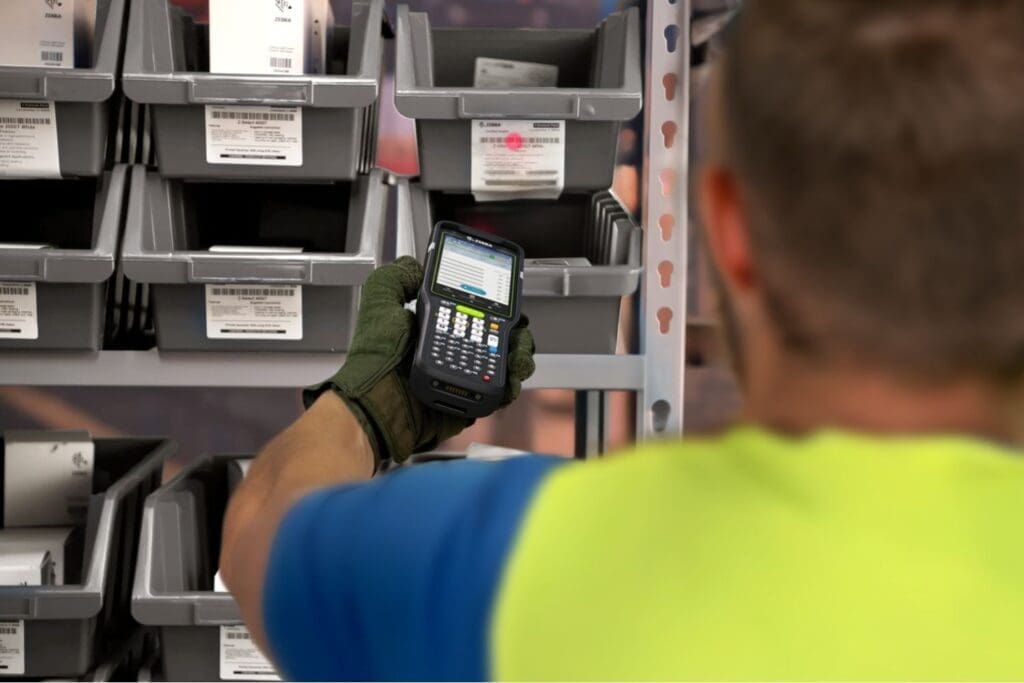
6) The Benefits of Implementing Barcoding in your Warehouse or Production Operation

Benefits of Barcoding

If you have not yet implemented barcodes to aid your production and warehouse operations, there are time-tested and proven reasons to consider doing so. Automated data capture technologies like the barcode reduce human errors and improve productivity and inventory accuracy.

Read the blog post here.


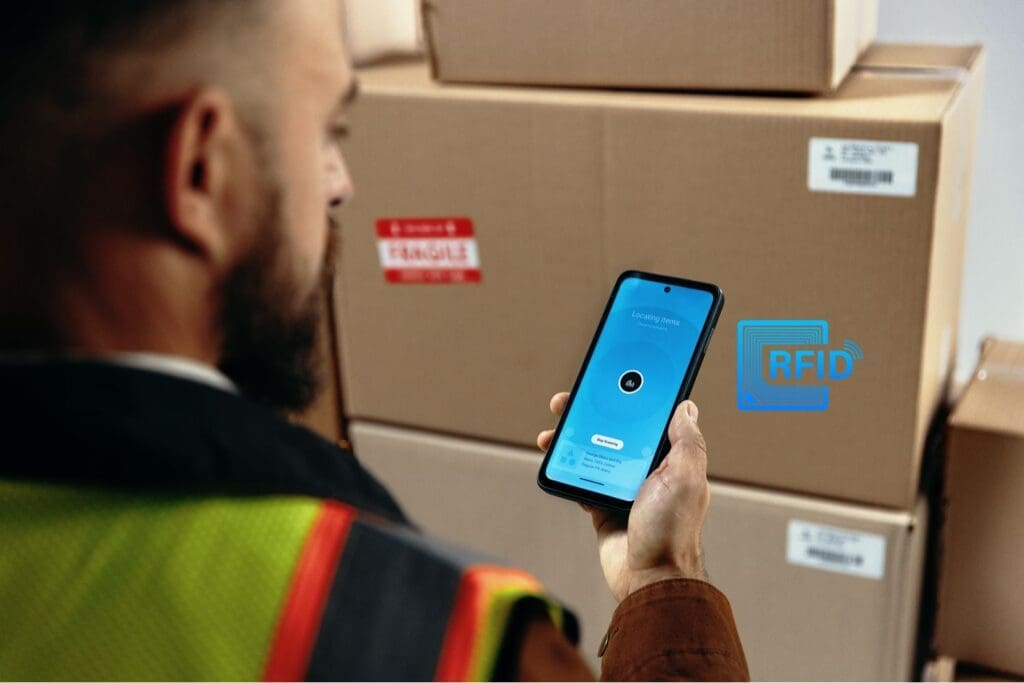
7) Interested in RFID? Why You Should Begin with an RFID Pilot Project.

RFID pilot project location

While RFID is a powerful technology which can aid the automation of your inventory management, it requires projects to be carefully planned and tested. An investment in a pilot project is the best way to ensure the success of your future RFID investment.

Read the blog post here.


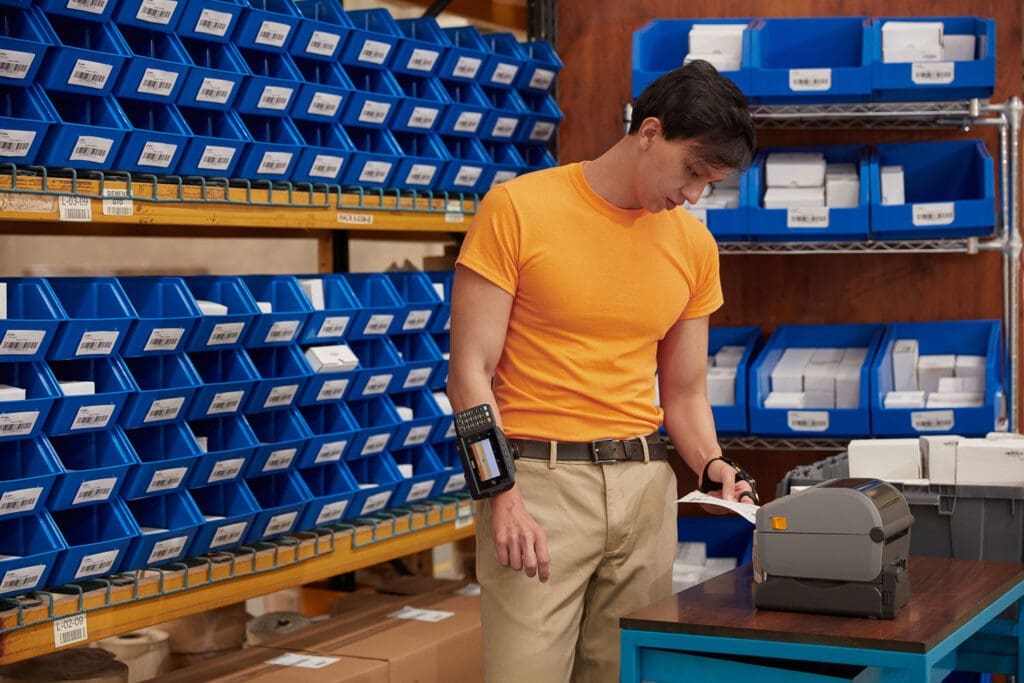
8) What are the Different Varieties of Label Printers?

warehouse label printer

There are several varieties of label printers. The right choice for you will depend upon your applications and how the labels will be used. We run down the various technologies and form factors which are available for your label printing needs.

Read the blog post here.


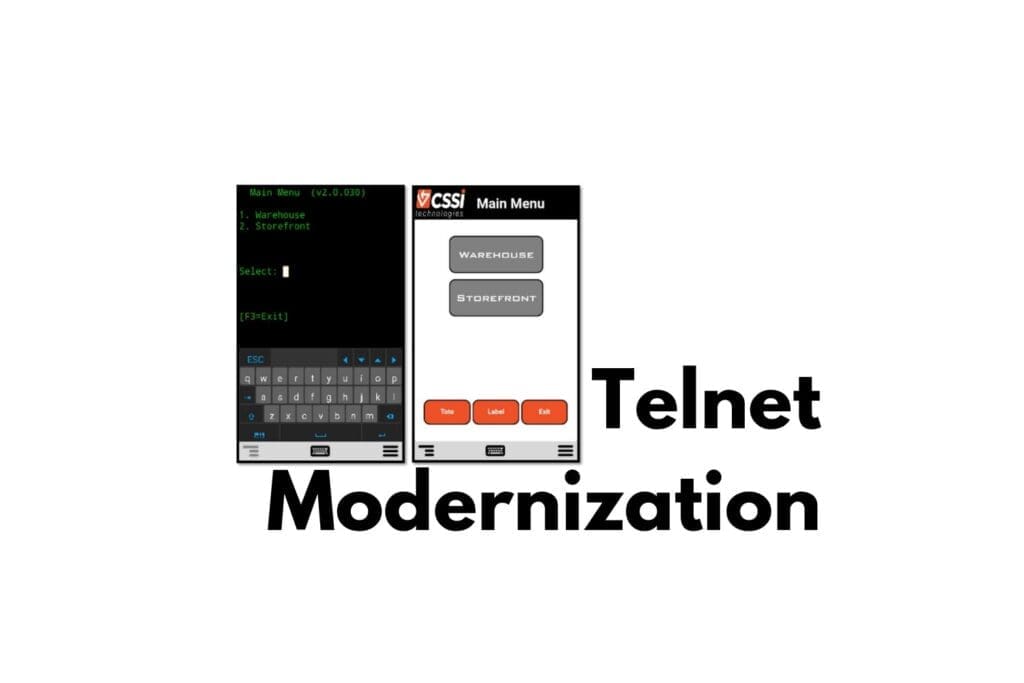
9) Painless Modernization for Telnet Screens

Telnet Modernization

Applications served to a handheld computer via terminal emulation (telnet) typically use bland ‘green screens’ without touch screen capabilities. You can efficiently modernize those applications to create a touchscreen interface with modernization technology. This improves the user experience, along with user productivity.

Read the blog post here.


10) Why You Should Use an Industrial Browser for Mobile Enterprise Applications

why choose an industrial browser

The consumer web browsers which come with your mobile devices are insufficient for enterprise needs. Here’s why you should use industrial browsers to serve applications via the browser.

Read the blog post here.

How Can CSSI Technologies Help You with Mobile Computing and AIDC Technology?

Our team at CSSI are experts in handheld computers, wearable device models, rugged tablets, thermal printers, fixed industrial scanners, machine vision systems, RFID, and the many workflows within which these technologies are utilized. If you’d like to discuss your challenges or projects, please contact us and let us know how we can help.

Supporting Enterprise Mobility with SOTI MobiControl

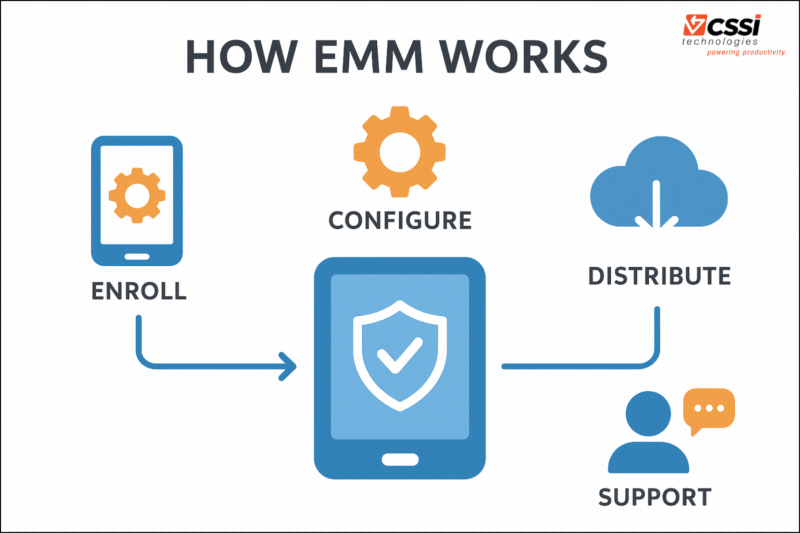
Mobile devices have become the backbone of field service, transportation and logistics, retail, healthcare, and countless other industries. As organizations deploy more tablets, handheld computers, barcode scanners, and IoT endpoints, managing those devices reliably—and securely—becomes far more complex. That’s where SOTI MobiControl , one of the industry’s leading enterprise mobility management (EMM) platforms, comes in. As a certified SOTI partner, CSSI Technologies offers expert support and device management services for SOTI MobiControl.

What Is SOTI MobiControl?

SOTI MobiControl is an enterprise mobility management (EMM) and mobile device management (MDM) platform designed to help organizations deploy, secure, support, and manage large fleets of mobile devices . It supports a wide range of device types, including rugged handhelds, enterprise scanners, smart sensors, smartphones, tablets, and even custom Android enterprise devices, from manufacturers like Zebra, Honeywell, Datalogic, and more.

Some of the key capabilities of SOTI MobiControl include:

  • Centralized device configuration and provisioning – enrolling devices is simple
  • Real-time device monitoring and remote support tools
  • Security enforcement and user management (passwords, encryption, compliance policies)
  • OS and app management, including remote updates (OTA)
  • Device tracking and geofencing
  • Automation, scripting, and lifecycle management

In essence, MobiControl gives IT teams one pane of glass to manage thousands of distributed rugged devices without needing hands-on access.

How Enterprise Mobility Management Helps Companies Manage Mobile Devices

As mobility scales, manual processes like physically updating devices or relying on field employees to troubleshoot issues quickly become unsustainable.

EMM software such as MobiControl solves these challenges by enabling powerful function right from the SOTI MobiControl console:

1. Centralized control of a distributed device fleet

EMM consolidates management tasks—configuration, software distribution, and compliance—into one platform, eliminating the need to touch devices individually.

2. Stronger security and compliance

Tighter user management – organizations can enforce policies, restrict unauthorized app usage, wipe lost devices, and ensure each device meets regulatory requirements.

3. Faster support and reduced downtime

Remote control viewing, diagnostics, and scripting allow IT teams to fix devices without bringing them out of service, reducing operational disruption.

4. Lifecycle and OS management

When a device needs an OS update, app patch, or profile change, EMM pushes it out remotely—whether to 10 devices or 10,000. Android management becomes much easier.

5. Visibility into real-world device health

Battery analytics, connectivity logs, and usage insights help teams identify early signs of failure and optimize field performance.

This software becomes essential once mobility reaches any meaningful scale. Without it, device fleets drift out of configuration, support costs spike, and security risk increases.

Examples of Situations Where Mobility Management Software Is Especially Valuable

Enterprise Mobility Management solutions such as SOTI MobiControl are widely used across industries. Here are several examples of how organizations rely on EMM:

1. Logistics and Transportation

A trucking company with thousands of drivers using rugged handhelds for route navigation, electronic logging (ELD), and proof of delivery.

  • MobiControl ensures each device is locked to approved apps, protected from misuse, updated over the air, and remotely supported if something breaks mid-route.

2. Retail

A big-box retailer utilizes large fleets of mobile computers for inventory, price checks, and picking. Devices are deployed in stores nationwide.

  • MobiControl enforces kiosk modes, pushes new apps during seasonal changes, and ensures devices stay compliant and ready for peak periods.

3. Field Service

At a regional HVAC provider, dozens of field technicians rely on mobile devices for service orders, diagnostics, and parts management.

  • When devices are spread across a region, an EMM platform is critical for geofencing, remote troubleshooting, usage auditing, and reducing downtime.

4. Healthcare and Home Medical Services

A hospital system uses large numbers of tablets and scanners for patient care and medication workflows.

  • Hospital IT staff use MobiControl to ensure devices remain encrypted, secure, and patched—critical in regulated environments.

5. Manufacturing and Warehousing

A manufacturer uses scanners, forklift-mounted tablets, and rugged handhelds for warehouse operations such as order picking, receiving, and inventory management.

  • MobiControl manages diverse device types, enforces controlled access, and provides visibility into uptime and performance.

Why It’s Helpful to Have an Experienced EMM Support Partner

While SOTI MobiControl is a powerful platform, maximizing its value requires expertise. This is why many organizations work with dedicated mobile device management partners such as CSSI Technologies.

A knowledgeable mobility management partner can provide:

1. Proper design and architecture

EMM for a business critical mobile device fleet should not be configured “on the fly.” A partner helps define enrollment methods, security models, update strategies, and role-based access controls that match your operational needs.

2. Faster deployment and onboarding

Experienced teams know how to help with configuring the software, enrolling devices, integrating with existing systems, and automating provisioning to avoid time-consuming manual setups.

3. Troubleshooting and ongoing optimization

Mobility environments evolve as apps change, OS versions update, or new device models are added. Partners provide SOTI MobiControl upgrades and support, solve issues quickly, and continually refine the business mobility environment.

4. Best practices from real-world deployments

A seasoned EMM partner has likely managed solutions across logistics, retail, and industrial operations.
They bring proven policies, templates, and workflows that dramatically reduce risk and effort.

5. Long-term scalability

As businesses grow, EMM must scale smoothly. A partner ensures your environment is future-proofed, well-documented, and ready for expansion.

Let’s Discuss MobiControl and Enterprise Mobility Management

SOTI MobiControl is a leading platform for managing any Android enterprise device model at scale. It provides the security, control, visibility, and support tools organizations need to keep operations running smoothly—especially in industries where mobile rugged devices are mission-critical. As an experienced SOTI partner and MobiControl expert, CSSI can help with SOTI MobiControl installation and ongoing device configurations and upgrades. With our Device Lifecycle Management program , we can even take over your device deployments and OS upgrades. Please contact us to discuss your situation and how we can help!

Q: What is SOTI MobiControl? A. SOTI MobiControl is an Enterprise Mobility Management (EMM) platform that gives IT teams visibility and control over business-critical mobile devices, covering deployment, security, compliance, and performance management across diverse device fleets.

Q: What operating systems and device types does SOTI MobiControl support? A. It manages Android, iOS, macOS, Windows, and Linux devices, including specialized IoT endpoints. This multi-OS support lets organizations manage mixed-vendor fleets — rugged handhelds, tablets, desktops, and IoT devices — from a single console.

Q: How does SOTI MobiControl simplify device enrollment and setup? A. It offers Express Enrollment through multiple rapid provisioning methods, including SOTI Stage, Apple DEP, Android Zero-Touch, Samsung KME, Windows Autopilot, and Zebra StageNow, so new devices can be configured and deployed quickly with minimal manual touch.

Q: What deployment models does SOTI MobiControl support (BYOD, company-owned, etc.)? A. SOTI MobiControl supports BYOD (Bring Your Own Device), COBO (Corporate-Owned, Business-Only), CYOD (Choose Your Own Device), and COPE (Corporate-Owned, Personally Enabled), giving organizations flexibility in how they structure device ownership and usage policies.

Q: How does SOTI MobiControl improve app and data deployment speed? A. Through SOTI XTreme Technology, which is designed to reduce the time required to distribute apps and data — cutting data deployment time by up to 60% — helping minimize device downtime and keep frontline workers productive.

Q: What is the best way to learn more about SOTI MobiControl? A. CSSI Technologies is an authorized reseller and support partner for SOTI MobiControl Contact us to speak with our MDM experts and learn more about MobiControl.

Zebra Wearable Scanners and Computers Drive Picking Productivity

As demands on order fulfillment processes increase (higher volumes and faster picking expectations), high-performing companies turn to wearable scanners and computers for a tech edge. Zebra Technologies Corp offers a range of wearables in its data capture and mobile computing portfolio.

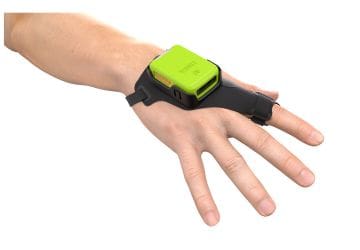
We’ve previously discussed the advantages of wearable computers and scanners (see prior articles Why use wearable scanners in the warehouse? and Wearable technology drives warehouse productivity ). Let’s sum it up by saying that wearables enable workers to receive, ship, or pick orders faster by keeping their hands free and by reducing time spent picking up and putting down scanners and handheld computers. Workers stay on task and move quicker, as documented by time studies.

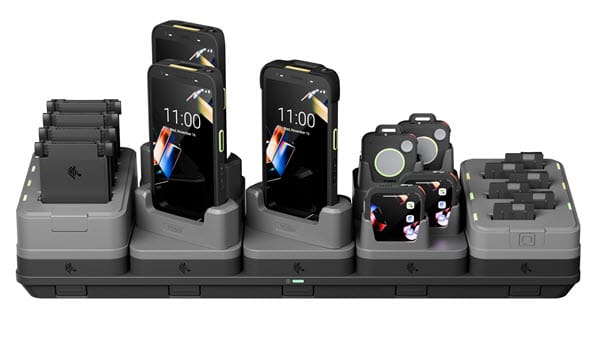
Zebra offers a complete range of wearable items – both Zebra barcode scanners which link to a mobile computer, and Zebra wearable mobile computers. Take a look at the current lineup:

Zebra Wearable Mobile Computers and Barcode Scanners for 2025

Zebra RS2100 Wearable Barcode ScannerThe Zebra RS2100 Wearable Scanner is the world’s smallest and lightest enterprise-grade wearable barcode scanner. The light design creates maximum comfort for users, while maintaining enterprise class wearability and offering a great scan engine.
Zebra WS301 Android Wearable ComputerThe WS301 Android Wearable Computer is the latest addition to Zebra’s wearables family. It is the smallest and lightest wearable, and empowers workers for hands-free workflows and seamless communication. Use for voice-picking, push-to-talk, and task management.
Zebra RS5000x Wearable Barcode Scanner

Combine the powerful RS5000x Corded Ring Scanner with a Zebra wearable computer for hands-free productivity. Suitable for use in freezer and refrigerated environments.
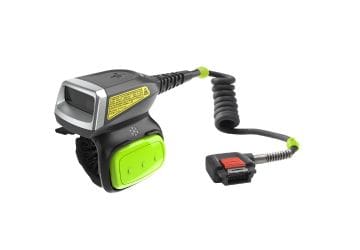
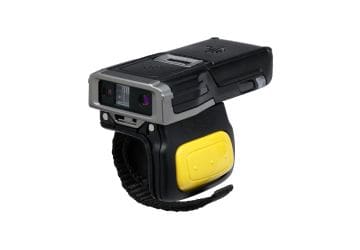
Zebra RS5100 Bluetooth Ring ScannerThe RS5100 Bluetooth Ring Scanner lets your users go cordless… easy device pairing via bluetooth. The ergonomic design features a thumb trigger. Choose from several bluetooth wearable scanner options to best suit your environment.
Zebra RS5100 Bluetooth Ring Scanner
The feather-light RS6100 Bluetooth Ring Scanner improves on the RS5100… this wearable lets you scan at distances from 2 inches to 40 feet! Choose between cordless and wired versions (for intense all-day usage).
Zebra WS50 Android Wearable Computer

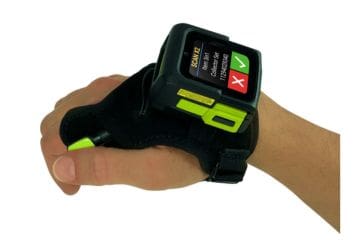
The unique WS50 Android Wearable is a powerful mobile computer and scanner with color touch screen worn on the back of the hand. Combine scanning, computing/WMS direction, and voice communication into a single device!
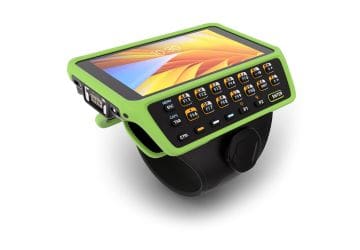
Zebra WT6400 Wearable ComputerThe Zebra WT6400 Wearable Mobile Computer maximizes utility and computing power, with an optional keypad and features to power hands-free picking operations. Android OS. This updates prior products such as the WT6300 wearable computer.
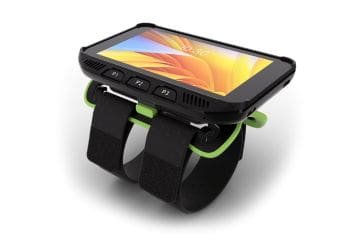
Zebra WT5400 Wearable ComputerThe Zebra WT5400 Wearable Mobile Computer is a new lower-cost yet purpose-built wearable computer packed with innovations to support hands-free picking. Android OS.

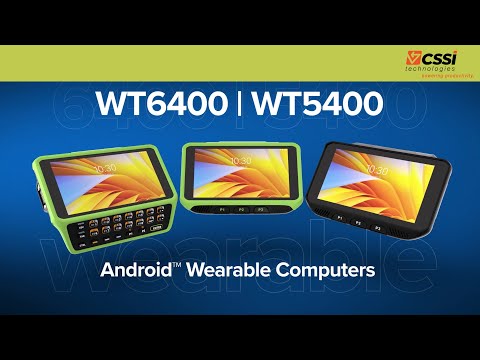
Android Wearable Computers: WT6400 and WT5400

The best-in-class dedicated wearable computers are the WT6400 and WT5400. These are the go-to choice for demanding warehouse environments worldwide where a wearable device is needed.

YouTube player

Let’s Talk about Zebra Wearable Scanners & Computers

Would you like to discuss and test Zebra wearable scanners or Zebra wearable mobile computers? You can start by speaking with the barcode scanning and Zebra product experts at CSSI Technologies – we handle the complete range of Zebra mobile devices and fixed industrial scanners. We’ll take a look at your workflows and recommend products to trial. Please contact us to discuss Zebra wearable computers and scanners.

Q: What are Zebra wearable computers, and how are they used in a warehouse? A. Zebra’s wearable lineup includes wrist- or hip-mounted computers (like the WT6400) paired with finger-worn ring scanners (like the RS6100 and RS5000). Instead of carrying a handheld device, a worker straps the computer to their wrist or hip and slips the scanner onto a finger, scanning barcodes with a natural point-and-shoot motion while keeping both hands free to lift, sort, and move product. This combination is built for high-volume tasks such as picking, receiving, put-away, and loading, where constantly setting down and picking back up a handheld device slows workers down.

Q: What’s the difference between the wrist-mounted computer and the ring scanner? A. They’re two separate devices that work together as a system. The wrist- or hip-worn unit (such as the WT6400) is the computer — it runs the warehouse management or voice-picking application, displays task data, and connects to the network. The ring scanner (such as the RS6100 or RS5000) is a lightweight, finger-mounted scan engine that reads barcodes and sends the data to the wrist computer over Bluetooth or a corded connection. Zebra offers multiple wearing styles for the ring — including hand mounts, trigger-finger mounts, back-of-hand mounts, and retractable lanyards — so it can be fitted to either hand and to different worker preferences.

Q: Do wearables actually improve productivity, or is that just marketing? A. Zebra cites measurable gains from combining a ring scanner, wearable computer, headset, and voice software into one workflow: worker productivity up 15%, with 39% fewer errors compared to speech-only wearable setups. The efficiency comes from eliminating the repeated motion of picking up and putting down a handheld scanner — workers keep both hands on the product at all times, and many of these devices also support voice-picking headsets (like Zebra’s HS2100 or HS3100) so tasks can be confirmed hands-free and eyes-up.

Q: Can these devices hold up in cold storage or other harsh warehouse conditions? A. Yes — Zebra’s ring scanners are triple-tested for durability, covering sealing, drop, and tumble performance across their full rated temperature range. They’re designed to keep working in freezers, coolers, loading docks, and outdoor conditions including extreme heat, cold, rain, and snow, making them a fit for cold chain and multi-zone distribution environments as well as standard ambient warehouses.

Q: How do Zebra wearables fit into our existing warehouse software and device management? A. Zebra wearables run on the same Mobility DNA suite used across the company’s mobile computer line, which handles device deployment, security, and lifecycle management to help lower total cost of ownership. VisibilityIQ adds device-level data and productivity dashboards so IT and operations teams can monitor fleet health and usage. Because they run standard Zebra enterprise software, wearables are built to integrate with existing WMS and voice-picking applications rather than requiring a separate management approach.

Zebra ET401 Rugged Tablet: A Reliable and Affordable Alternative to Consumer Grade Tablets

When companies evaluate mobile computers for warehouses, field service teams, retail associates, or technicians, it’s common to ask: “Why can’t we just buy iPads or consumer Android tablets? They’re cheaper.”

It’s a fair question—and also the biggest trap companies fall into. While consumer grade tablets look inexpensive at checkout, they’re rarely the better value once they hit the realities of business operations. Enterprise-grade tablets are built for the grind, not the couch. And when you dig into the numbers, performance, and lifecycle costs, the advantages become clear.

That’s why Zebra has unveiled the ET401 Android Tablet, a rugged tablet which is truly enterprise-grade, but at a price competitive with consumer tablets.

Consider the differences between the ET401 tablet and consumer Apple or Android tablets:

Zebra ET401 Rugged TabletConsumer-Grade Tablets
Focus AreaDesigned for demanding enterprise useDesigned for light-duty consumer needs
PlatformZebra’s Android DNA platform, built for real-world enterprise applications. Commitment to future Android versions.No commitments on OS upgrades. Focused on consumer experiences, not enterprise.
Life CycleCommitment for 4 year sales cycleShort sales cycle (1-2 years max)
Service & SupportCommitment for 4 years of support beyond end-of-saleLimited and short-term service policies
Security UpdatesYour business controls security updatesUpdates made automatically on consumer devices
RuggednessRugged build, tested to exceed standardsEasily breakable, not built for rough-and-tumble use
BatteryUser-replaceable, hot-swapping, energy management solutionsBatteries not user-replaceable; unsuited for back-to-back or extended shifts
Data CaptureOptions for integrated data capture (barcode scanning or RFID reading)Requires additional peripherals for data capture
AccessoriesBackwards compatible accessories, built for enterprise needsMust buy new accessories with each new product version
Why Choose Zebra ET401 over Consumer Tablets

Why are Enterprise Tablets Worth the Premium Price?

Why do companies go with the enterprise tablet, even if it is a little pricier than a consumer product?

1. Enterprise Tablets Deliver Lower Total Cost of Ownership

Sticker price is the least important cost factor in business mobility. Consumer tablets:

  • Break more often
  • Need more accessories to make them usable
  • Get discontinued quickly
  • Cause workflow interruptions when they fail

An Enterprise Android tablet typically last 2–3× longer, come with proven accessories, and have predictable product lifecycles. As a result, companies spend less over time, even though the initial purchase may be higher.

2. Rugged Reliability Keeps Operations Running

An enterprise-grade rugged tablet is designed for work environments—not living rooms. It will survive:

  • Drops
  • Dust and dirt
  • Freezer conditions
  • Rain
  • Vibration from forklifts and vehicles

A cracked consumer display isn’t just an inconvenience; it’s lost productivity, downtime, and a scramble to find a spare.

3. Built-In Industrial Scanning Powers High-Volume Workflows

If a workflow involves scanning barcodes, this difference is massive. Enterprise tablets include:

  • Industrial barcode scanner
  • Fast capture of 1D/2D barcodes
  • Ability to read damaged, dirty, or low-contrast codes
  • Long-range options for warehouses
  • Reliable scanning in bright sunlight

Consumer tablets rely on their camera, which is slow, inconsistent, and drains battery life in high-volume scanning environments. For retail, manufacturing, logistics, or inventory work, integrated scanning is a game-changer.

4. Long, Predictable Lifecycles

Enterprise tablet computer models typically stay in production for five to seven years. The accessories stay available. The Android operating system images remain stable. Businesses can deploy consistently without rewriting apps or redesigning mounts every year.

Consumer grade tablets refresh constantly. When your model gets discontinued, you’re stuck with:

  • Retraining workers
  • Adapting apps
  • Replacing accessories
  • Managing a mixed fleet of devices

Standardization is key in enterprise IT—and enterprise tablets make it possible.

5. Enterprise-Level Security and Device Management

Businesses need control, visibility, and security compliance. Enterprise tablets support:

  • Zero-touch provisioning
  • Kiosk mode for locked-down apps
  • Remote troubleshooting
  • Granular MDM integration
  • Enterprise OS patching
  • Device location tracking

Consumer devices simply aren’t built with this level of control in mind.

6. Hot-Swap and Extended Batteries for All-Day Use

Shift workers can’t stop to charge a mobile computing device. Enterprise tablets offer:

  • Hot-swappable batteries
  • Extended battery packs
  • Fast-charging docks
  • Vehicle cradles with pass-through power

Consumer tablets, by contrast, are optimized for intermittent personal use—not 16-hour shifts.

7. Business-Critical Support and Service

When a device fails, every minute counts. Experienced rugged computer vendors such as CSSI Technologies offer:

  • Expert product support and advice
  • Predictable repair turnaround
  • Coverage for accidental damage
  • Long-term parts availability

With consumer tablets, support means mailing it in or waiting at a retail counter. That’s not viable for operations running at scale.

8. A Purpose-Built Accessory Ecosystem

Enterprise workflows often require:

  • Forklift and vehicle mounts
  • Rugged boot cases
  • Trigger handles for scanning
  • Secure multi-bay charging cradles
  • Payment and RFID sleds
  • Cold-chain compatible cases

Consumer accessories don’t stand up to industrial use, and many don’t exist for specialized workflows at all.

9. Superior Connectivity Options

Enterprise tablets often include:

  • High-performance Wi-Fi (2×2 or 3×3 MIMO)
  • Fast roaming for warehouse access points
  • Dedicated GPS modules
  • Optional private 5G/CBRS radios

This makes them more reliable in warehouses, outdoors, and environments where coverage is spotty or constantly changing.

10. Features Tailored for Industrial and Field Use

Enterprise devices offer functional advantages, such as:

  • Glove-friendly touchscreens
  • Sunlight-readable displays
  • Dedicated programmable buttons
  • Integrated NFC or RFID
  • Hardened USB or pogo-pin connectors for reliable charging

These details matter in real-world workflows where workers don’t have time to fight with their devices.

Learn More About the Zebra ET401 Enterprise Tablet Computer

To discuss tablet computers and with rugged reliability and your application, and to set up a demo or trial period for the Zebra ET401 rugged tablet, please contact the rugged tablet and mobile computer experts at CSSI.

Q: How is the Zebra ET401 different from a consumer tablet like an iPad or Samsung Galaxy Tab? A. The ET401 is purpose-built for enterprise deployment rather than personal use. It pairs the thin, light form factor of a consumer device with business-grade features: Corning Gorilla Glass over an optically bonded, 600-nit display for outdoor and warehouse visibility, enterprise data capture options including RFID, and a Qualcomm Dragonwing Q-6690 processor with configurable RAM/storage (6GB/64GB up to 8GB/128GB) sized for line-of-business apps rather than consumer media use. Consumer tablets are optimized for entertainment and everyday apps, not for standing up to daily operational handling.

Q: Will the ET401 hold up better than a consumer tablet in warehouse, retail, or field environments? A. Yes. Where consumer tablets are typically designed for careful, indoor handling, the ET401 is built around enterprise durability expectations, including a bonded touch panel and glass designed to resist the drops, dust, and daily wear common on a warehouse floor or retail sales floor. Zebra also offers a range of accessories to further protect and extend the device for specific use cases, something the consumer tablet ecosystem generally doesn’t support.

Q: Does the ET401 support the connectivity our operation needs, like cellular or dual-SIM? A. The ET401 is equipped with Wi-Fi 7, 5G, dual SIM, Bluetooth 6.0, NFC, and multi-constellation GPS (GNSS, Galileo, BeiDou, GLONASS). This level of connectivity flexibility, particularly dual-SIM and 5G, is aimed at businesses that need reliable connections across multiple carriers or locations, which goes well beyond what most consumer tablets are configured to support out of the box.

Q: Can the ET401 replace a dedicated barcode or RFID scanner, or do we still need separate hardware? A. The ET401 includes enhanced data capture options, including RFID, built into the tablet itself. For many inventory tracking, asset management, and fulfillment workflows, this can consolidate what would otherwise be a tablet plus a separate scanning device into a single unit, an option consumer tablets don’t offer natively.

Q: What happens when something goes wrong or the OS needs updating? Are we on our own like with a consumer device?
A. No. The ET401 is backed by Zebra’s OneCare service plans, which cover the manufacturer’s warranty plus normal wear and tear and accidental damage, along with technical and software support. Zebra also provides ongoing operating system updates and security patches, plus Professional Services and Knowledge Center training to support adoption. This lifecycle and support model is built for fleets of business-critical devices, whereas consumer tablets generally rely on standard retail warranties and general consumer OS update cycles.

Understanding How Machine Vision Performs Quality Control Tasks

In modern industrial production, ensuring product quality and eliminating defects is critical—not only for cost control, but for brand reputation, regulatory compliance, and operational efficiency. This is where machine vision systems play a key role. Specifically, companies like CSSI’s partner Zebra Technologies offer machine vision technology designed to perform tasks such as defect detection on production lines.

In this post we will discuss how a machine vision system is able to perform defect detection: the main components involved, how they fit together, and what the overall workflow looks like.

What is machine vision & why is defect detection important?

What exactly is meant by the phrase ‘machine vision’?

Machine vision systems use hardware + software to give machines the ability to “see” objects, extract information from images, and make decisions (such as pass/fail, sort/reject) based on what is seen.

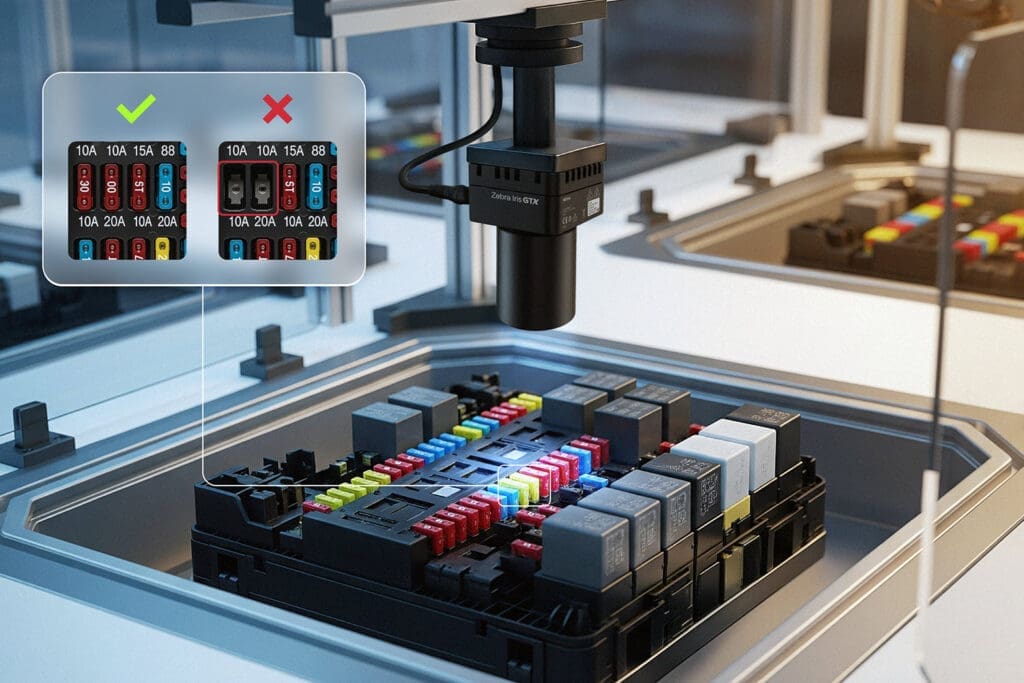
In the context of defect detection, machine vision systems are used to automatically inspect components, assemblies or finished goods for anomalies such as scratches, dents, missing parts, misalignment, incorrect printing, surface defects, etc. This replaces or supplements manual inspection with capabilities beyond that of human vision, enabling greater speed, consistency, repeatability and often cost savings.

Main components of a machine vision defect-detection system

So what are the key building blocks of a machine vision system?

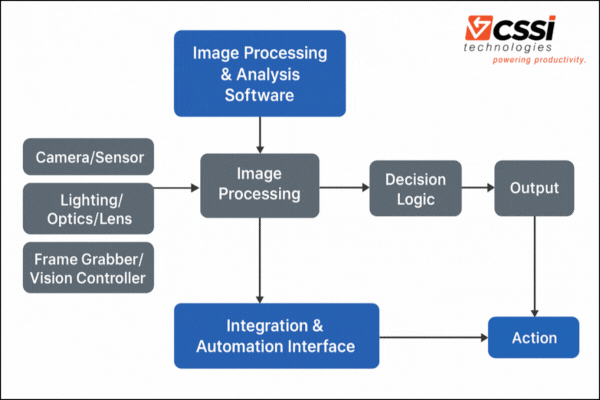
It’s important to think of machine vision as a computer vision system, as opposed to a single product. That’s because a machine vision solution for defect detection typically consists of several interacting components, each fulfilling a specific role. Using Zebra’s product architecture as a reference, we can group the components into these broad categories:

1. Image acquisition hardware

Machine Vision Cameras

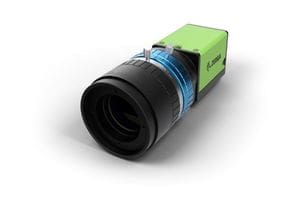
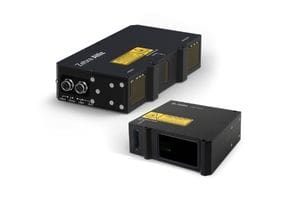
Cameras / sensors: To capture images (2D) or scans/point-clouds (3D) of the object under inspection. For example, Zebra’s machine vision camera offerings (e.g., the CV60 series) support high-resolution CMOS sensors, color or mono, with GigE or USB3 interfaces.

Zebra FS80 Fixed Industrial Scanne

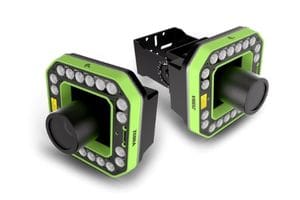
Lighting / optics / lenses: Proper lighting and optics are critical for selecting the field of view, resolution, contrast and image quality so that defects can be reliably detected. While not always spelled out in product listings, good lighting design is foundational. Zebra offers some camera products with integrated lighting to solve this problem without requiring further external items.

3D scanners / sensors: For more complex surfaces, shapes or features, 3D sensors provide extra information. Zebra offers 3D vision sensors (for example dual-camera + laser systems) to capture height/profiles and detect defects that may not appear in simple 2D imaging.

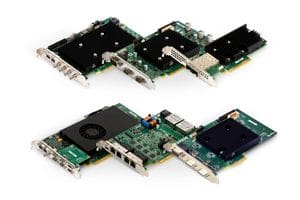
Frame grabbers / vision controller hardware: In higher-end systems, cameras may feed into frame grabbers or vision controllers (industrial PCs) that manage capture, preprocessing, triggering, and hand off the image data for analysis.

2. Image processing & analysis software

Once images or point clouds are captured, software analyzes the visual data for object recognition and object detection. The core software tasks include preprocessing (noise reduction, contrast enhancement), segmentation (isolate the part), feature extraction (edges, textures, geometry), comparison to reference models/standards, and finally decision logic (is it acceptable or a defect?). Machine learning enables the software to update its model for more accuracy over time.

Zebra Aurora suite of machine-vision software is designed to accomplish these analytical tasks:

  • The Aurora Vision Library (SDK) for programmers, offering tools for processing 2D/3D images and OCR (optical character recognition)..
  • Aurora Vision Studio – a graphical, no-code/low-code environment to build vision applications via drag-and-drop filters.
  • Aurora Design Assistant – for more guided workflows to build applications, especially for deep learning use cases.
  • Deep-learning / anomaly-detection tools – newer additions enabling unsupervised / semi-supervised learning of defects. For example, Zebra’s new deep-learning features allow training on “normal” (good) parts and detecting deviations.
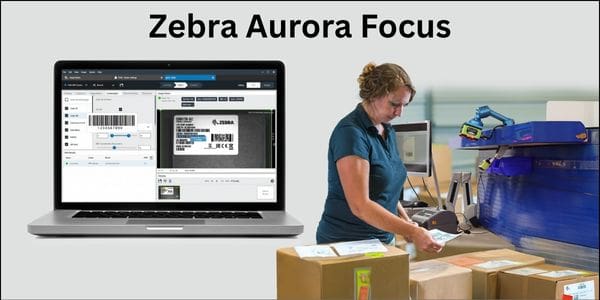
Zebra Aurora Focus

3. Integration & automation interface

A vision system doesn’t exist in isolation; it must integrate with production equipment, conveyors, reject mechanisms, PLCs, HMI (human-machine interface) and higher-level control/MES (Manufacturing Execution Systems). Key integration blocks include:

  • Triggering / synchronization: Telling the camera when to capture (e.g., when a part is in position), synchronizing with motion/line.
  • I/O / communication: Digital I/O (e.g., to signal a reject arm), or higher-level communication protocols (Ethernet, OPC UA, etc). Zebra includes I/O cards as part of its offerings.
  • User interface / monitoring: Operators may need to review inspection results, override decisions, look at logs or analytics dashboards. The software suite often supports HMI components.
  • Data logging / traceability: For quality assurance, records of inspection results, images of defects, timestamps, part IDs, may be collected and integrated.

4. Mechanical / physical system setup

Though not strictly “vision hardware/software”, the mechanical setup matters a lot for defect detection:

  • Mounting / positioning: Cameras/sensors must be mounted rigidly and aligned so that the object is in the correct field of view and orientation.
  • Conveyor / motion control: The object may be moving (on a line), so synchronization matters.
  • Reject mechanism / marking system: If a defect is detected, the part may be removed or flagged.
  • Environment control: Vibration, lighting variability, ambient noise, dust/particles and variable backgrounds must be managed to ensure reliable vision inspection.

How the system works—step by step

Putting it all together, here’s a typical workflow of how a vision system like Zebra’s might perform defect detection:

  1. Setup / calibration
    • Identify the part(s) to inspect and define what constitutes “good” vs “defective”.
    • Choose and install camera(s), lighting, lenses, mountings.
    • Configure field of view, resolution, exposure, trigger method (e.g., conveyor sensor triggers camera).
    • If using 3D sensors, calibrate depth/laser/point-cloud settings.
    • In the software environment, define or import reference images (good parts), set up inspection logic or train the model.
  2. Image capture (runtime)
    • A part arrives in the inspection zone (e.g., on a conveyor). A trigger (for example a sensor) signals capture.
    • The camera snaps an image (or sequence) under controlled lighting. If motion/multiple angles are needed, multiple cameras or shutters may capture.
    • If a 3D sensor is used, it may scan the surface and produce a point cloud or height map.
  3. Pre-processing
    • The raw image is processed: e.g., apply filters to reduce noise, enhance contrast, correct for lighting non-uniformity, rectify perspective if needed.
    • Possibly convert to grayscale, thresholding, edge detection or segmentation to isolate the region of interest (the part surface).
  4. Feature extraction / comparison
    • The software extracts features of interest: edges, contours, texture patterns, geometric dimensions, 3D profiles.
    • The extracted features are compared to expected “good” features or patterns. For example, a surface that’s supposed to be smooth – any scratch or dent changes the texture or geometry.
    • In deep-learning or anomaly-detection approaches, the system may compute a “difference” from a learned normal model. For example, Zebra’s anomaly-detection tool can be trained with only good‐part images and then highlight deviations as defects.
  5. Decision logic
    • Based on the comparison, the software decides: pass or fail. If a deviation exceeds thresholds (dimension out of tolerance, missing part, scratch present), mark as defect.
    • Some systems provide heatmaps or visual overlays indicating where the defect is. Zebra’s tutorial video shows how their “Detect Anomalies” tool uses a heatmap.
  6. Output / action
    • The decision is communicated: for example, a “reject” signal is sent to remove the defective part.
    • The system logs the inspection result, possibly saves the image (especially for defects), links to part ID.
    • The HMI may show a real-time dashboard of number of defectives, pass rate, images of recent failures, operator alerts.
    • The system may feed data into MES/ERP for quality traceability and analytics (e.g., defect trends, cost of scrap, root-cause analysis).
  7. Continuous improvement / feedback
    • Over time, the inspection logic or model may be refined: adding new defect types, adjusting thresholds, extending to new part variants.
    • Deep-learning modules may be retrained as product changes occur (e.g., new material, new surface finish). Zebra’s recent updates allow easy retraining of models via their Aurora suite. (Zebra Technologies)

Key considerations / best practices

When implementing a vision-based defect detection system, there are a number of things to keep in mind:

  • Image quality matters: If lighting is poor, camera resolution too low, or the field of view mis-aligned, defect detection will suffer. Good lighting, proper optics and mechanical stability are essential.
  • Define “normal” clearly: Especially if using anomaly-detection (unsupervised) approaches, you need a robust set of “good” part images so the model can understand acceptable variation. Zebra’s anomaly tool trains on normal parts only.
  • Set tolerances appropriate to process variation: You need to balance false positives (good parts flagged as defective) and false negatives (defects passed). Too strict leads to waste; too loose leads to quality problems.
  • Consider speed vs resolution trade-offs: On a fast production line, you may need high frame rate or fast capture; yet higher resolution or 3D scanning may slow things. The system must keep up with throughput. The “What is machine vision?” article notes that frame rate, processing capability and complexity determine defect detection speed.
  • Integration with automation/line: The vision system must trigger correctly in context of the production line, interface properly with PLCs/I/O, and ensure the rejected parts are physically removed or flagged.
  • Robust to variation: Real environments involve variation (lighting changes, part orientation, background, vibration). The vision system must be robust and tolerant of expected variation while still sensitive to real defects.
  • Data logging and traceability: For many industries (automotive, electronics, medical, packaging) you’ll need traceability of inspection results, images of failures, analytics of defect trends.
  • Scalability and maintainability: As product lines evolve, the vision system should be easy to update (e.g., new part, new surface finish). Zebra’s platforms emphasize “hardware-agnostic” software and easier adaptability.
  • Choosing between traditional “rule-based” vs deep-learning methods: Traditional systems (edge detection, thresholding, templates) still work well for many structured inspection tasks. But for unstructured defects (scratches, complex surfaces, variable shapes) deep learning / anomaly detection may offer better results. Zebra has added deep-learning tools to their Aurora suite for exactly this reason.

Case Study: Detecting dents on a metal cover

Let’s walk through a concrete hypothetical example consistent with Zebra’s offerings: inspecting a stamped metal cover for dents or surface scratch defects.

  1. The part moves on a conveyor to the inspection station. A sensor triggers the camera.
  2. A high-resolution mono camera with ring lighting captures an image of the cover. (Lighting ensures uniform illumination and highlights subtle surface deviations.)
  3. The image is pre-processed: perhaps smoothing, background subtraction, alignment of part.
  4. The inspection region is defined (the cover top surface). A deep-learning anomaly-detection model (trained on many “good” covers) computes a deviation heatmap: any area that diverges beyond a certain threshold is flagged.
  5. The software checks whether the deviation meets criteria for “fail” (e.g., dent depth > X mm or scratch length > Y mm).
  6. If fail: the system sends a reject signal; the conveyor diverter pushes the defective part into a scrap bin. The image of the defect is stored with timestamp and part ID. If pass: the part continues down line.
  7. The operator sees on the HMI a summary: “Today: 42,123 covers inspected, 17 failed (0.04 %).” The data logs feed into quality analytics to identify trend (e.g., increased defect rate correlating with a certain stamp die change).
  8. If die wear increases, the inspection system may start seeing more dents; the QA team sees the trend, triggers maintenance. The system may also be retrained with new “good” samples after die replacement.

Why Zebra is a Great Match for your Machine Vision Project

CSSI is an authorized machine vision partner for Zebra Technologies. Here are a few reasons why Zebra’s machine-vision ecosystem is a great fit for your next project:

  • Zebra offers full stacks: smart camera options, 3D machine vision sensors, frame grabbers, vision controllers, I/O cards, and software (Aurora suite) for building inspection systems.
  • Zebra’s software now incorporates deep-learning / anomaly-detection tools, which are increasingly important for more complex defect visual inspection use cases.
  • Zebra highlights that machine vision is hardware-agnostic and designed to support both traditional rule-based and newer AI-based inspection workflows.

Let’s Discuss Machine Vision for Defect Detection and More

Defect detection via machine vision is a powerful and increasingly accessible way for manufacturers to raise quality, reduce waste, perform automated inspection tasks. A well-designed vision system doesn’t simply “see” defects better than the human eye—it’s engineered end-to-end (from lighting and optics to algorithm to mechanical integration) for the specific inspection task. A machine vision application is your ideal entry point into using artificial intelligence technology in your business.

Contact CSSI to explore how machine vision can improve your quality control and reliability. Our Zebra-certified experts are available to consult with you.

Q: What types of defects can a machine vision system actually catch? A. Modern vision AI models can flag a wide range of issues in real time — surface flaws like scratches, dents, cracks, and discoloration; dimensional problems such as misalignment or incorrect sizing; assembly errors like missing or misplaced components; internal manufacturing defects (e.g., solder joint issues or contamination on PCBs); and labeling problems like blurred text or incorrect placement. Zebra’s Aurora software supports object detection, segmentation, classification, and tracking, which lets one system cover several defect categories rather than requiring separate tools for each.

Q: How does vision AI compare to human inspectors in accuracy and consistency? A. Human inspectors get fatigued, and attention naturally drifts over long shifts, which creates inconsistency in what gets caught. Vision AI inspects every unit the same way, every time, without the accuracy dropping as the shift goes on. That doesn’t mean human oversight disappears — most deployments still keep people in the loop for edge cases and process decisions — but the system removes variability as a source of missed defects.

Q: Will installing a vision AI system slow down or disrupt our current production line? A. These systems are built to inspect at line speed without creating a bottleneck. The article’s steel manufacturing example is illustrative: cameras evaluate thousands of sheets per hour for subtle surface flaws from rolling or heat treatment, without requiring the line to slow down. The practical integration question for most facilities is less about processing speed and more about camera placement, lighting setup, and tying the system into existing MES or quality workflows so flagged defects trigger the right downstream action.

Q: Can machine vision hold up in harsh manufacturing environments — dust, heat, vibration, inconsistent lighting? A. Environmental variability is one of the core challenges these systems are designed to address, not a disqualifier. Implementations already run in conditions like steel rolling and heat treatment, food packaging lines, and wood processing facilities, where dust, heat, and variable lighting are standard. That said, environment-specific tuning (camera housings, lighting design, lens selection) matters — a system spec’d for a clean electronics line won’t necessarily drop into a foundry without adjustment.

Q: What’s the business case — how does this translate into ROI? A. The return comes from a few compounding sources: catching defects earlier reduces rework and recall costs, consistent inspection reduces the quality escapes that damage customer relationships, and automated inspection data creates traceability records for accountability and audits. Zooming out, the market itself reflects this calculus — the global AI industrial defect detection market is projected to reach $6.07 billion by 2035 — but the right way to evaluate ROI for your own operation is against your current scrap rate, warranty/recall costs, and inspection labor, not industry-wide figures alone.

Meet the Zebra ET401 Enterprise Tablet

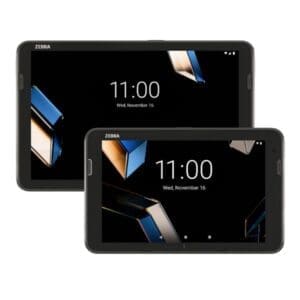
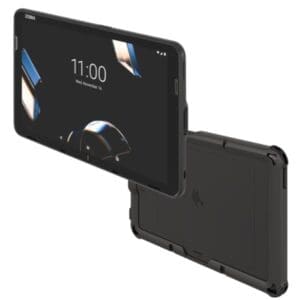
Seeking an affordable yet enterprise-ready tablet PC to tackle your business workflows? The new ET401 tablet from Zebra Technologies Corp is worth a look. The ET401 is the next generation of the popular Zebra ET40 enterprise tablet. It is intended as a go-to option for work which requires a rugged tablet more durable than consumer tablet models, particularly when capabilities such as barcode or RFID data capture are desired. It is at a lower price point than more rugged Zebra tablets such as the ET6.

YouTube player

ET401 Offers Multiple Configurations

The Zebra ET401 enterprise tablet is available in both 8″ and 10″ screen size variations. The core version boasts a 1920×1200 screen, while the lower-priced Essentials model offers a 1280×800 screen.

What kind of connectivity do you require? You have the option of paying only for what you need. The ET401 is offered with both a Wi-Fi only version (Wi-Fi 7) and a Wi-Fi/Cellular version (5G/Wi-Fi 7)

The ‘Essentials’ version is designed as an alternative to a lower-featured and less reliable consumer tablet. It arrives at a lower price point by trading down some of the optionality and features available… but will still far exceed consumer grade tablets in terms of enterprise qualities such as life cycle and durability.

Key Features of the Zebra ET401 Tablet

  • Android operating system
  • AI-enabled touchscreen!
  • Data Capture: Front camera, optional barcode scanner, optional integrated RFID reader
  • Durability: 4 ft drop spec (3 ft for Essentials)
  • Sealing: IP 68 (IP65 for Essentials)
  • Hot-swappable battery
  • Extended lifecycle vs. consumer tablets: 4 years availability + 4 years of support

Great Applications for the ET401 Rugged Tablet

Consider the ET401 for common tablet applications:

  • Warehousing/manufacturing: manager tablets, inventory management, QA, maintenance
  • Transportation or Logistics: routing/dispatch, vehicle inspection, quality checks, inventory management
  • Retail & Hospitality: Line busting, assisted selling, inventory, food ordering

Contact CSSI to Demo the Zebra ET401 Tablet

Learn more about the Zebra ET401 enterprise tablet and arrange a hands-on demo by contacting the Zebra Technologies experts at CSSI! We look forward to helping you select the optimal rugged tablet, mobile computer, or barcode scanner for your business needs. We also offer mobile computing support services and mobile device management services for your device fleet.

Q: What is the Zebra ET401, and who is it built for? A. The ET401 is Zebra’s newest rugged enterprise tablet, built to keep the same thin, light, consumer-style design of the ET40/ET45 series while adding more advanced mobile technology underneath. It’s aimed at warehouse, distribution, manufacturing, and field-based teams that need a tablet tough enough for daily operational use but familiar enough that workers pick it up without training. It’s available in 8-inch and 10.1-inch configurations, both with a 1920×1200 display at 600 nits brightness, protected by Corning Gorilla Glass optically bonded to the touch panel.

Q: How does the ET401’s processor and memory compare to the ET40 and ET45? A. The ET401 moves up to the Qualcomm Dragonwing Q-6690 processor (up to 2.0 GHz), replacing the Snapdragon SM6375 octa-core processor used in the ET40/ET45. Standard memory also increases to 6 GB LPDDR5 RAM / 64 GB UFS 2.2 flash storage, with an 8 GB RAM / 128 GB UFS 3.1 option available — up from the ET40/ET45’s 4 GB/64 GB standard configuration. The result is faster app performance and better headroom for data-heavy warehouse and field applications.

Q: What connectivity improvements does the ET401 offer over prior ET4X models? A. The ET401 adds Wi-Fi 7, 5G, and Bluetooth 6.0, a clear step up from the ET40/ET45’s Wi-Fi 6 and Bluetooth 5.1. It also supports NFC, dual SIM, and GNSS positioning across GPS, Galileo, BeiDou, and GLONASS. For operations spanning large facilities, multiple sites, or mixed indoor/outdoor coverage, this means more reliable connections and faster data throughput than earlier ET4X tablets could deliver.

Q: Does the ET401 support RFID, and is that new for this series? A. Yes — the ET401 introduces an integrated short-range RFID option, capable of reading up to 90 RFID tags per second at distances up to 4 feet (1.2 m). This is new data capture functionality that wasn’t a highlighted feature on the ET40/ET45, making the ET401 a more direct fit for RFID-driven use cases like inventory counts, asset tracking, and receiving/putaway validation without needing a separate handheld reader.

Q: What durability and support options come with the ET401? A. The ET401 carries enhanced IP68 sealing for dust and water resistance, an improvement over prior ET4X ruggedness ratings, and uses a removable Li-Ion polymer battery with an optional secondary battery for extended shifts. Zebra OneCare service plans are available to cover normal wear and tear and accidental damage, and Zebra publishes an accessories guide for mounting, charging, and protective options to extend the tablet’s working life in the field.

Faster Path to Automated Data Capture with Zebra’s FS80 Fixed Scanner

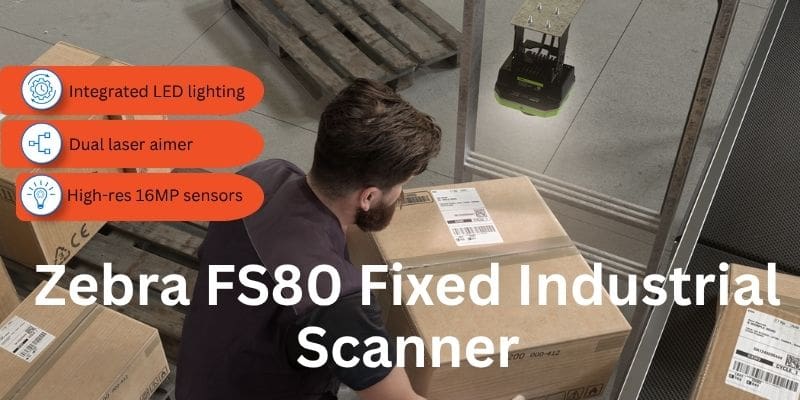
Fixed industrial scanners are critical for modern automation of data capture processes. Modern scanners can capture a broad range of barcode symbologies as well as OCR. The FS80 is Zebra Technologies Corp’s top of line fixed barcode scanner. This is a peerless product which combines a powerful feature set along with fast setup capabilities which can get you online quickly. As an authorized Zebra mobile computer, barcode scanner, and machine vision partner, CSSI can help you test Zebra scanners for successful process automation. Learn more about the FS80 fixed scanner:

FS80 Fixed Industrial Scanner Features

Key Features of the Zebra FS80 Fixed Industrial Scanner

As Zebra’s top-of-line fixed industrial barcode scanner, the FS80 offers a peerless feature set. Some key features include:

  • Variety of sensor resolution models: 5MP, 9MP, 12MP, 16MP
  • Bright integrated lighting, and red, white and infrared angles
  • Audible feedback helps in loud environments
  • Dual laser-aimer
  • 360 degree decode and job status LEDs
  • Zebra Aurora Focus software enables quick control and configuration of your industrial fixed scanner fleet.
Zebra FS80 Fixed Industrial Scanne

Target Critical Workflows with the FS80 Fixed Barcode Scanner

There are an endless variety of key data capture jobs which can be tackled by the FS80 industrial barcode scanner. Consider some of these common tasks:

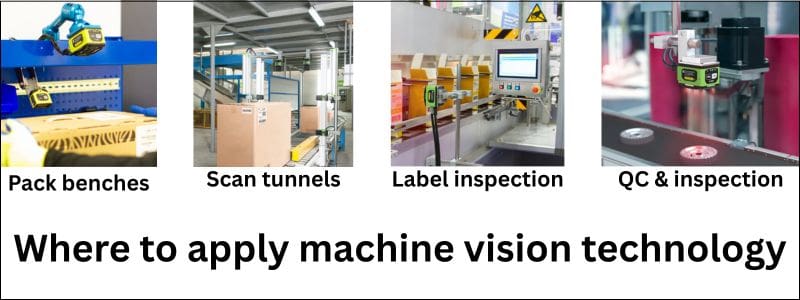
  • Scan tunnels
  • Tote and container ID
  • Forklift scanning
  • Batch and pallet reading
  • Barcode verifier

Learn More About the Zebra FS80 Fixed Industrial Scanner

CSSI is a certified Zebra technology sales and support partner. We can meet your mobile computer, barcode scanner and machine vision needs, as well as label printers. Contact us to discuss your project.

Q: What is the Zebra FS80 Fixed Industrial Scanner, and what is it designed to do? A. The FS80 is a fixed industrial scanner built for challenging track-and-trace applications in high-speed operations. It combines high-resolution sensors with powerful integrated LED lighting to capture barcodes of varying types, sizes, and quality conditions across a wide area and at long range, making it well suited to high-speed logistics, distribution, and manufacturing environments where reliable, precise data capture is critical.

Q: What resolution options does the FS80 come in, and how do I choose the right one? A. The FS80 is available in four sensor resolutions: 5MP, 9MP, 12MP, and 16MP (model numbers FS80CM05, FS80CM09, FS80CM12, and FS80CM16, respectively), all using a monochrome CMOS sensor. Higher-resolution models capture finer barcode detail and cover wider fields of view but run at somewhat lower frame rates, while lower-resolution models scan faster. The right choice depends on barcode size, read distance, and line speed in your specific application.

Q: How well does the FS80 hold up in demanding warehouse or manufacturing environments? A. The FS80 carries an IP67 ingress protection rating and is rated for humidity up to 90% non-condensing, so it’s built to withstand dust and washdown-type exposure on the production or warehouse floor. It operates across a 0°C to 45°C range and can be stored from -40°C to 70°C, giving it headroom for facilities with wider temperature swings, such as cold chain or seasonal warehouse operations.

Q: What connectivity and power does the FS80 require? A. The FS80 connects via an M12-X 8-pin (female) port for Gigabit Ethernet and communicates over TCP/IP, making it straightforward to integrate into existing industrial network infrastructure. It draws 15 W (625 mA @ 24VDC) of power. Setup, deployment, and ongoing operation are managed through Zebra’s Aurora Focus platform, which centralizes configuration across fixed scanning infrastructure.

Q: Can the FS80 be upgraded or reconfigured as scanning needs change? A. Yes. The FS80 is built on an Intel Atom x6211E dual-core processor (1.3 GHz base, up to 3.0 GHz burst) with enough processing headroom to support optional Decoder Packages and Machine Vision Toolsets. This lets the same hardware take on more advanced decoding or machine vision tasks over time without a full scanner replacement, which is useful for operations expecting to scale or add new track-and-trace requirements.

CSSI Offers Zebra Technologies Fixed Industrial Scanners & Machine Vision Products

CSSI Technologies has attained certification as a Zebra Industrial Automation system partner. The industrial automation specialization means that CSSI is a source for cutting edge Zebra intelligent automation technology such as:

Industrial Automation Drives Business Productivity Gains

In the modern business environment, industrial automation solutions are critical for improving process performance, efficiency, and accuracy:

  • Boost throughput in the production process
  • Increase accuracy with an automated system for data capture and defect detection
  • Optimize manufacturing facility and warehouse efficiency
  • Increase savings
Before and after fixed industrial scanner automation

Zebra’s industrial automation solutions include scanners & AI-powered cameras which are ready for rapid deployment in flexible automation systems. As a Zebra partner, CSSI can work with you to analyze your project and recommend optimal products for your manufacturing process or warehouse operation. We offer both pre- and post-sale support for your Zebra purchases.

Contact CSSI to Discuss an Industrial Automation Solution

Contact CSSI to discuss your automation projects and set up a demo of Zebra’s capabilities.

New Desktop Barcode Label Printers from Honeywell: PC41e-D and PC42e-D

Honeywell has launched 2 new desktop label printers aimed at those with entry-level to mid-range printing needs. Compact design, attractive appearance, and advanced features such as cutter and peeler can streamline your label production, whether for inventory management,warehouse automation or retail promotions. If your print requirements are up to 1,000 labels per day, take a look at the Honeywell PC41e-D desktop printer and the PC42e-D desktop printer.

Key Features of PC41e-D and PC42e-D

These quality Honeywell printers are ready for productivity:

  • Max print speed: 8 ips
  • Flexible Connectivity: Wi-Fi a/b/g/n/ac
  • High Resolution Options: 203 and 300 dpi

Plus, select from optional accessories such as a cutter, peeler, Wi-Fi/Bluetooth module, and USB-to-serial connector.

Learn More About the PC41e-D and PC42-e-D

The team at CSSI are barcode label printer specialists. We can provide you with a hands-on demo unit to test these powerful printer options. We are also label and supplies specialists, able to help with specifying consumable media. Please contact us to discuss label printers for your business, as well as barcode scanner and mobile computer models.

Q: What’s the difference between the PC41E-D and the PC42E-D? A. Both are compact, direct thermal desktop printers built on Honeywell’s Printer Edge platform, but the PC42E-D is the more connected, higher-capacity model. The PC41E-D ships with USB Device and USB Host connectivity only and 128MB SDRAM/128MB Flash memory. The PC42E-D adds factory-installed Ethernet, serial, Bluetooth V5.0, and Wi-Fi 5 (802.11 a/b/g/n/ac), plus double the memory (256MB SDRAM/256MB Flash), and it supports optional cutter and self-strip modules that aren’t available on the PC41E-D.

Q: What print technology do these printers use, and what media can they run? A. Both models are direct thermal printers (no ribbon required), printing up to 4 inches wide at resolutions of 203 DPI or 300 DPI. Print speed tops out at 8 inches per second at 203 dpi or 6 ips at 300 dpi, and they’re rated for up to 1,000 labels per day. They handle tags, labels with black marks or gaps, lined labels, and receipt paper, making them well suited for lighter-duty, high-mix label and receipt printing rather than high-volume industrial runs.

Q: What connectivity options do the PC41E-D and PC42E-D support? A. The PC41E-D connects via USB Device and USB Host. The PC42E-D covers the same USB options plus Ethernet, serial, Bluetooth V5.0, and Wi-Fi 5, giving IT teams more flexibility to integrate the printer into existing wired or wireless networks without add-on hardware.

Q: What software and drivers do these printers work with? A. Both models support Honeywell Printer Edge, Operational Intelligence, Printset6, and SOTI Connect for setup, monitoring, and remote fleet management. Driver compatibility spans CUPS for Linux and InterDriver for Windows, with SAP device type support planned for Q2 2026 — useful details for IT teams evaluating fit with existing warehouse or POS software stacks.

Q: What industries and use cases are these printers designed for? A. Honeywell positions the PC41E-D/PC42E-D for transportation and logistics, warehouse, and retail environments, with named use cases including parcel shops, postal offices, price markdown labeling, receipt printing, receiving, reverse logistics, and sorting lines. The rounded, durable housing (available in black or white) is designed to hold up to daily front-of-store and back-of-store use while fitting into customer-facing spaces.