Common Tech Support Issues for Rugged Mobile Computers
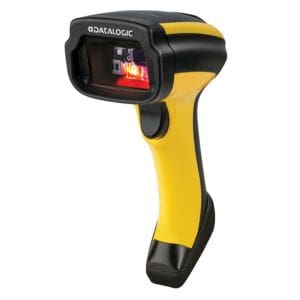
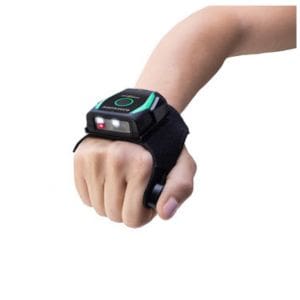
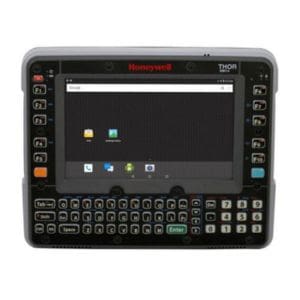
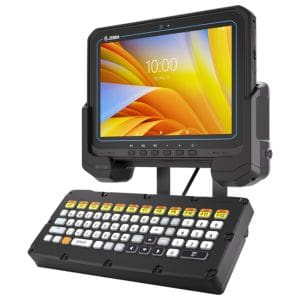
Every company is unique, but we encounter certain common themes when helping customers work through technical issues with their mobile devices. CSSI provides mobile device technical support for the top rugged mobile computer and tablet brands, including Zebra technical support , Honeywell technical support , and Datalogic technical support , among others. Here are several of the frequent challenges our help desk encounters:
1. Selecting the right mobile device configuration and accessories
The challenge: It’s important to select the right device upfront, or all of your work down the road will be harder. There are so many devices from so many manufacturers (and multiple configurations of each mobile device) that it is extremely difficult to make the right choices if you lack experience in the mobile device space.
How CSSI helps: Our customer service team spends all of its time working with rugged mobile computers, and is very knowledgeable about the brands we support such as Zebra, Honeywell, and Datalogic (among others). Our approach to recommending the right device starts with an assessment of your needs, often beginning with a site visit for discovery. We will place demo equipment in your facility so that your team can test proposed devices to ensure the ‘right fit’ for your need.
See also: Why partner with CSSI?
2. Preparing new devices for deployment
The challenge: Have you ever had boxes of new devices stacked in your office while you struggled to find the time to set them up and put into production? It can be daunting to take on the deployment job, particularly if you are dealing with a large quantity of equipment.
How CSSI helps as a mobile computer support partner: We use our pre-sale engagement with you to start developing your mobile device configuration profile. Our proof-of-concept testing will enable CSSI to fine-tune your setup. It is our preference to have your configuration locked down prior to your receipt of new devices. This will enable you to push incoming equipment into the live environment much more quickly.
See also: Mobile device management services.
3. Android Device OS Upgrade Challenges
The challenge: It’s time to update from windows devices to new Android devices, or to upgrade to a new version of Android, and the internal team is unsure how to proceed, or finds that existing applications are broken after the OS update.
How CSSI helps: We are extremely experienced with all manner of operating system updates and upgrades. Customers who are moving on from older devices running Windows Mobile or Windows CE can be rapidly migrated to Android using our mobile device support tools. Also, customers who are struggling with the new security demands of Android 11 or 13 will benefit from CSSI’s experience and troubleshooting in these situations.
See also: Our writeup on Android 11 / scoped storage device challenges.
4. Management of deployed devices
The challenge: It’s hard to support and manage large quantities of mobile devices without remote access, especially when they are located at multiple locations. The company risks device downtime, user frustration, and security issues.
How CSSI helps: We recommend the use of mobile device management software. MDM allows us to offer remote support to manage devices regardless of where they are. Setting configuration standards, adding new software, updating mobile app permissions, changing security settings, updating the OS… all of these can be accomplished without being in physical possession of the mobile device. CSSI even offers a service program called Device Lifecycle Management in which we take over the management of your mobile device fleet.
See also: Our Device Lifecycle Management service problem.
5. Device wireless connectivity problems
The challenge: “Devices losing connection” is a frequent source of pain. It can be hard to pin down… is the issue with devices, or the network, or software?
How CSSI helps: We start with attempting to drill down to the underlying cause. If the issue is indeed with your Wi-Fi network, we offer Wi-Fi consulting services such as site surveys and recommended equipment and configurations.
See also: Our content on ‘6 most common warehouse Wi-Fi Problems‘.
How Can CSSI Help? What’s Your Mobile Device Support Challenge?
If you are encountering a technical issue with your mobile devices, please contact CSSI for technical support . We can use our tablet and mobile device expertise to help you identify and fix your issues.
FAQ – Frequently Asked Questions About Mobile Computing Device Tech Support Challenges
Q: How do we know which rugged mobile computers and accessories are the right fit for our operation?
A. The biggest support headaches usually trace back to devices that were never matched to the environment they’re deployed in — the wrong form factor, scan engine, or battery configuration for the workflow. Before recommending hardware, CSSI runs a needs assessment and site visit, then puts candidate devices through an on-site demo so you can validate fit under real operating conditions before committing budget to a fleet-wide rollout.
Q: We have a large batch of new devices arriving. What’s the best way to avoid deployment bottlenecks?
A. Bottlenecks happen when configuration work starts only after the hardware lands, leaving IT to stage, image, and enroll dozens or hundreds of units at once. Building configuration profiles during the pre-sale phase — and completing proof-of-concept testing before the equipment arrives — lets your team move new devices straight from the box to production without a backlog.
Q: What should we expect when upgrading Android versions or migrating off Windows Mobile/CE?
A. OS transitions are a common source of broken line-of-business apps, especially when moving off legacy Windows Mobile/CE platforms or jumping several Android versions at once. Newer Android releases also introduce changes like scoped storage in Android 11 that can affect how existing apps read and write data. Planning the migration around application compatibility testing, rather than treating the OS update as a routine patch, is what prevents downtime on upgrade day.
Q: Our device fleet is spread across multiple sites — how do we manage updates, permissions, and security consistently?
A. Geographically dispersed fleets are difficult to manage device-by-device, and that gap is where downtime, user frustration, and security exposure creep in. Mobile device management (MDM) software addresses this directly, giving IT remote visibility and control to push configuration changes, software updates, and permission or security adjustments across the entire fleet from a single console.
Q: Devices keep losing wireless connection on the floor — is that a device issue or a network issue?
A. It can be either, which is why connectivity complaints are hard to troubleshoot without a structured approach. A proper root-cause analysis isolates whether the problem sits with the device, the wireless network, or the application layer. A Wi-Fi site survey — mapping access point placement and coverage against how devices actually move through the facility — is typically the fastest way to pinpoint the cause and fix it at the source rather than swapping hardware. Read more on common wi-fi challenges.