Warehouse Management Systems Improve Operational Efficiency
Warehouse management software (WMS) is a critical tool for companies which maintain inventory and conduct receiving and shipping processes. In a competitive business world, a well-implemented WMS solution enables your warehouse operation to keep up with rapidly changing supply chain needs, improve customer satisfaction, and ensure accuracy. There are many key WMS features, but which are most critical to support your warehouse operations and operational efficiency?
Here are 5 top benefits of warehouse management software
Reason 1. Improve inventory accuracy and visibility
The introduction of barcode scanning and real-time computer information provides a massive improvement in a company’s ability to understand its current inventory positions and locations on a sku-by-sku basis – even in a multiple warehouse operation. The WMS system supports inventory tracking — noting each inventory movement, the quantities available, and quantities picked. This is a light-year improvement over paper-based processes. Further, a warehouse management software enables the easy implementation of cycle counts and general inventory counts, which enable the company to make frequent adjustments and meet inventory level targets. In our fast-moving business environment, this enables the company to rapidly respond when reorders must be placed, or avoid orders when counts are too high.
Reason 2. Save warehouse workers time
A good WMS saves time and supports warehouse efficiency. By enabling the use of mobile computers, the WMS saves the worker time walking back and forth to PCs and accelerates order fulfillment. By putting information in the worker’s hand, it saves time looking for the next action, playing hide-and-seek with inventory, and aimless walking. The right WMS puts the next steps and the necessary info right in the user’s hand, making his or her life easier. More work gets done with fewer delays and frustration.
Reason 3. Reduce inventory tracking and picking errors
A flexible WMS enables the use of barcode scanners for automated data capture. This eliminates handwriting errors which frequently occur in paper-based inventory management processes. The worker can scan to confirm that the correct item is being picked, or that the putaway location is correct. The warehouse management system provides error messages alerting the worker to picking or putaway errors, saving the company from expensive shipping errors and the resulting customer frustration.
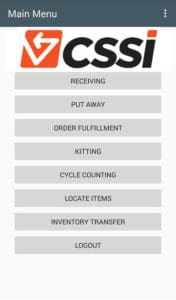
WMS inventory transfer screenCSSI WMS home screenWMS receiving screen
Reason 4. Reduce warehouse employee training time
It’s hard to find workers, and increasingly, the turnover of warehouse workers is more frequent than businesses would like. With that in mind, it’s important to be able to minimize the amount of time required for the warehouse manager to bring a new worker up to productive speed. Warehouse management systems help by providing clear processes and leading the worker through necessary steps. When screen interfaces are easy to understand and ‘next steps’ are clear, it becomes much easier for a new employee to successfully step into a role.
Reason 5. Standardized warehouse processes
WMS software commits your process to a set of code-based rules. It’s easy to overlook, but this requires you to have a well-defined warehouse process in the first place! In implementing a WMS, you will be forced to decide exactly how you want to handle specific jobs. And once implemented, the WMS effectively ensures compliance by your staff by requiring that they adhere to established rules. If a step is required by the WMS, it can no longer simply be overlooked as might happen in a paper-based system.
Bonus Reason: Be Ready For Warehouse Robotics
If our top 5 reasons to use a WMS aren’t enough, here’s a bonus: Warehouse automation is trending, as companies seek ways to improve operational efficiency. Warehouse robotics is an obvious way to improve productivity… but typically, warehouse automation systems and autonomous mobile robots rely on the WMS. Thus, implementing a warehouse management solution now prepares you for future automation innovation.
CSSI Offers a WMS for Dynamics GP
Did you know that CSSI offers warehouse management software developed for companies running the ERP system Microsoft Dynamics GP? WMS by CSSI offers all critical warehouse management features, with the added benefit of customization to meet your company’s unique needs. The WMS platform is highly scalable, and suitable for companies with just a few users all the way up to hundreds of users. Contact CSSI to learn more.
FAQ – Frequently Asked Questions About WMS Benefits for the Warehouse
Q: How does a WMS work with our existing ERP system?
A. The WMS handles what happens on the warehouse floor, and the ERP stays the system of record for purchasing, sales orders, financials and the item master. When the two are integrated, the ERP sends purchase orders and sales orders to the WMS. The WMS sends back receipts, inventory adjustments and shipment confirmations as the work is done. That removes double entry and keeps on-hand quantities in sync without anyone rekeying data. Before you choose a WMS, confirm it has a proven integration with your ERP version. Ask how that integration handles customizations, lot and serial tracking, and units of measure. For companies running Microsoft Dynamics GP, a WMS built for GP avoids much of the custom integration work that general-purpose systems often need.
Q: What hardware and network infrastructure do we need before going live?
A. Most implementations need rugged mobile computers or handheld scanners, barcode label printers, and reliable Wi-Fi throughout the building, including dock doors, freezers and the ends of tall racking aisles. A professional wireless site survey is one of the smartest investments you can make up front. Dead spots cause dropped sessions, frustrated workers and data gaps. Also plan for device management, spare batteries, charging stations and a service contract, so a broken scanner doesn’t stall a shift. If you have cold storage, specify devices rated for freezer use, with heated displays or condensation protection.
Q: How long does a typical WMS implementation take, and how disruptive is it?
A. It depends on the number of sites, users, workflows and integrations. A single facility with standard receiving, put-away, picking and shipping takes far less time than a multi-site rollout with complex rules. The usual phases are process discovery, system configuration, labeling the facility’s locations and items, testing, training and go-live. To limit disruption, schedule go-live outside your peak season, run a pilot in one area or on one shift first, and plan for extra staff and vendor support during the first weeks. A phased rollout usually beats switching everything over at once.
Q: What do we need to prepare on the warehouse side before implementation?
A. Clean data and clearly marked locations matter most. Audit your item master for accurate SKUs, units of measure, dimensions and barcodes. Do a full physical count so you start with trusted inventory numbers. Every bin, shelf and rack position needs a unique, scannable location label, and incoming products need readable barcodes or labels you apply at receiving. Document your current workflows too, including the workarounds people actually use. A WMS enforces a defined process, so this is the time to fix bad habits rather than automate them.
Q: How do we measure ROI after the WMS is in place?
A. Record baseline numbers before go-live so you have something to compare against. Useful measures include inventory accuracy, order picking accuracy, lines or orders picked per labor hour, dock-to-stock time, shipping error and return rates, time for new hires to become fully productive, and hours spent on physical counts. Review these at 30, 90 and 180 days after launch. Many operations see the first gains in accuracy and fewer mis-shipments, with productivity rising as workers get comfortable with the system. Fewer customer credits and expedited reshipments, plus cycle counting in place of full shutdown counts, often make up a large share of the payback.