Wearable Scanners: Are Ring and Glove Scanners Right for Your Warehouse?
Would Your Warehouse Benefit from Wearable Scanners?
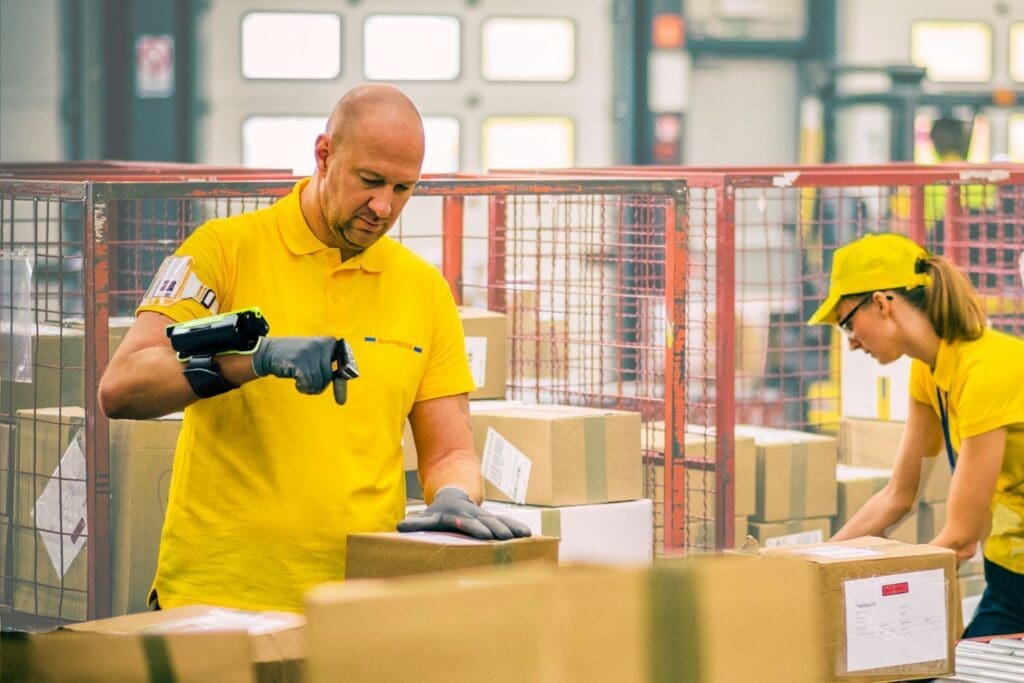
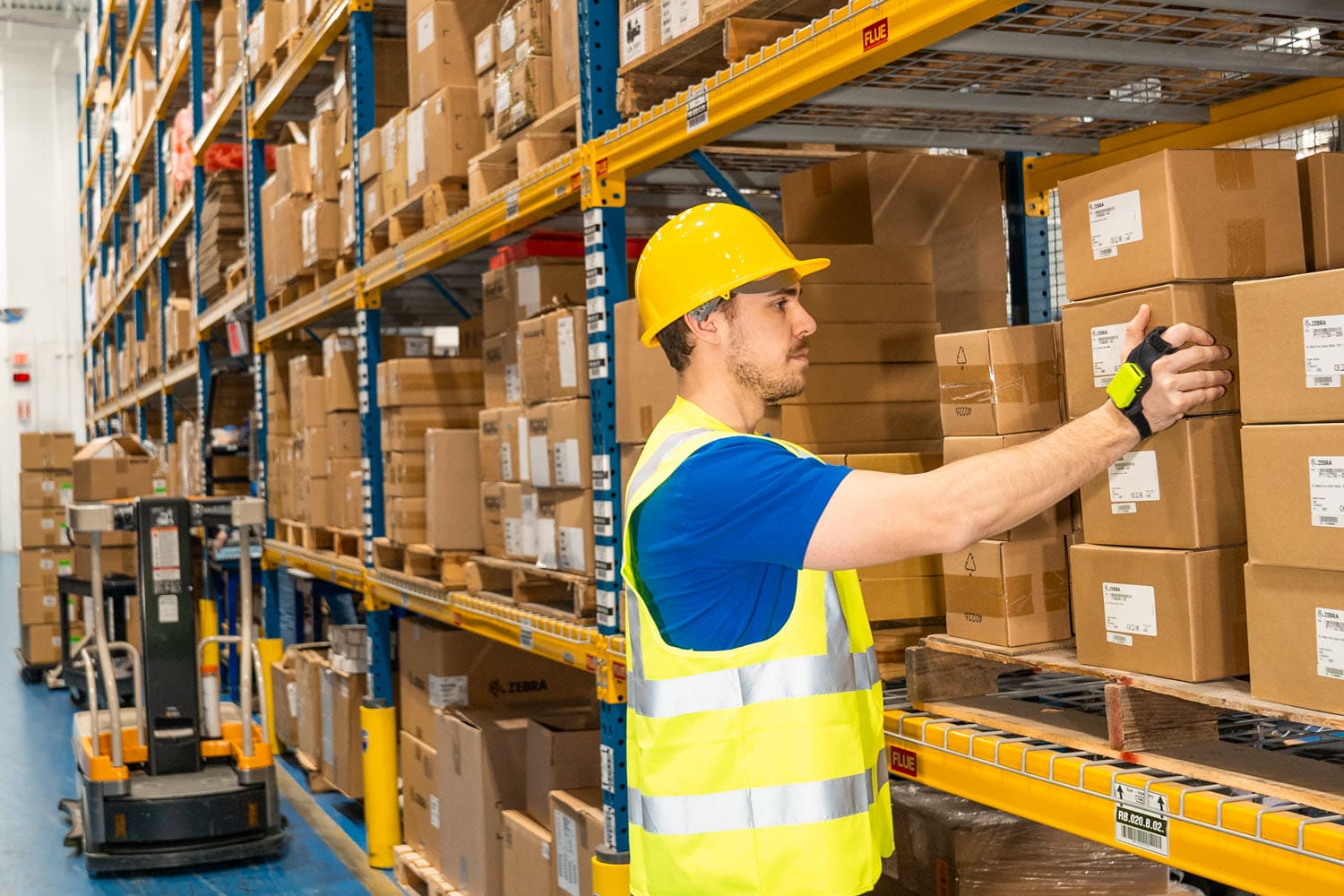
If you’ve walked a distribution center floor lately, you’ve probably noticed a growing number of workers scanning barcodes without ever picking up a handheld device. Instead, they’re wearing a small barcode scanner on a finger, the back of their hand, or a glove — squeezing a trigger and getting back to the task in front of them.
These are wearable scanners , sometimes called ring scanners or glove scanners, and they’re one of the more practical technology upgrades available to warehouse operations today. But like any capital investment, they’re not automatically the right call for every facility. This post walks through what wearable scanners actually do for your operation, what you need (and don’t need) to deploy them, how to know if they’re worth the money, and why testing before you commit is non-negotiable.
What Is a Bluetooth Wearable Scanner, Exactly?
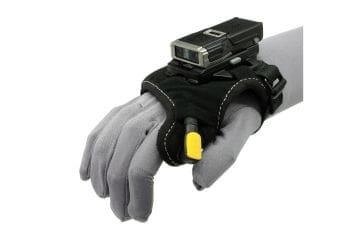
Wearable scanners are compact barcode scan engines worn on the hand — typically mounted to a single finger (a “ring scanner”), across two fingers, on the back of the hand, or integrated into a glove. They connect wirelessly, usually via Bluetooth, to a host device: a wearable mobile computer worn on the wrist or forearm, a vehicle-mount computer , or a handheld / tablet carried or holstered elsewhere.
Leading options in this category include the Zebra RS5100 wearable ring scanner and WS501 all-in-one wearable computer, Datalogic’s CODiScan wearable barcode scanner series, and Honeywell’s 8680i Wearable Mini Mobile Computer . While the form factors vary — finger ring, back-of-hand mount, or glove — the underlying idea is the same: put the scan engine on the worker’s hand instead of in it.
The Real Benefit: What Wearable Barcode Scanners Offer That Handhelds Can’t
The case for wearable barcode scanners comes down to one thing — keeping a worker’s hands free while still capturing barcode data. With a traditional handheld scanner, a worker has to locate the device, pick it up, aim it, scan, and set it back down (or holster it) before returning to the actual task — lifting a case, building a pallet, or handling a tote.
That pick-up-and-put-down cycle sounds small, but it adds up fast in high-frequency scanning workflows. Vendor data on ring and glove-style scanners has put the time lost per scan cycle from handling a handheld device in the range of a few seconds — and Honeywell specifically points to picking, sorting, putaway, and packing as the workflows where that lost time multiplies across a shift into a meaningful chunk of the workday. Multiply even a few seconds by hundreds or thousands of scans a day, per worker, across a warehouse, and the productivity impact becomes significant — not to mention the reduced strain on hands and wrists from never having to grip and re-grip a device.
There are a few concrete advantages worth calling out:
Two free hands, all the time. Workers scan mid-motion — while lifting, carrying, or stabilizing a load — instead of interrupting the task to handle a device.
Fewer dropped scanners and less device damage. A scanner that stays on the hand doesn’t get set on a conveyor, dropped from a ladder, or run over by a forklift.
Faster cycle times on repetitive tasks. Picking, put-away, packing, sorting, and receiving are all scan-intensive by nature; removing the handling step compounds across a shift.
Better ergonomics. Many wearable scanners weigh just a couple of ounces, which is a meaningfully lighter and more natural to hold for a full shift than gripping a handheld computer.
None of this means that the wearable ring scanner replaces the mobile computer in all cases — for tasks that involve less frequent scanning, or where a worker needs a screen in front of them constantly, a traditional handheld or vehicle-mount computer may still make more sense. The benefit of wearables is concentrated specifically in high-frequency, hands-busy scanning workflows.
Do You Need to Buy New Mobile Computers to Use Wearable Scanners?
This is one of the most common questions we get, and the good news is: usually, no.
Wearable barcode scanners like the RS5100, CODiScan, and 8680i (in Standard configuration) are designed to pair with an existing host device over Bluetooth — they capture the barcode and pass the data to whatever computer, tablet, or vehicle-mount terminal is already running your warehouse management or scanning application. If your team already carries handheld computers, wears wrist-mount computers, or works near a fixed terminal or vehicle-mount device, there’s a good chance your existing hardware can serve as the host. Datalogic’s CODiScan, for example, is built to pair with Android, Windows, or iOS devices, and can also connect to fixed PCs or vehicle computers through a gateway.
There are two scenarios where new hardware does come into play:
All-in-one converged wearables. Devices like Zebra’s WS501 combine the scanner and the computer into a single wrist mounted or hand-worn unit, so the worker carries nothing else. This is a different architecture than a scanner-plus-host setup, and it’s a deliberate choice — usually made when a facility wants to eliminate the host device entirely, not just the handheld scanner.
Compatibility gaps. If your current handhelds are older, lack Bluetooth, or aren’t supported by the scanner manufacturer, you may need to upgrade the host device alongside the scanner.
For most warehouses already running modern Android OS or Windows handheld computers, the wearable scanner is an add-on to the existing fleet, not a replacement for it — which keeps the incremental cost per worker relatively low.
Is It Worth It? How to Determine If Wearable Technology Make Sense for Your Warehouse
Wearable scanners carry a real added cost per worker — the scanner itself, mounting accessories, batteries, and charging infrastructure, on top of whatever host device is already in play. That cost is easy to justify in some environments and hard to justify in others. The determining factor isn’t warehouse size — it’s scan frequency and task type.
Wearables tend to pay off quickly in operations like:
High-volume e-commerce and parcel fulfillment centers, where pickers are scanning constantly across a shift and every second per pick compounds across thousands of daily orders.
Cold storage and freezer warehouses, where gloved hands make gripping and operating a handheld scanner’s touchscreen or trigger more cumbersome, and a wearable scanner mounted over a glove keeps the worker’s hands functional in the cold.
Cross-dock and distribution operations with high-frequency put-away, sorting, and load-building tasks where workers are constantly moving cases and need both hands free.
Manufacturing environments doing frequent work-in-process (WIP) scanning, component traceability, or line-side scanning, where workers are already holding tools, parts, or materials.
Operations with heavy lifting or two-handed material handling, where requiring a worker to hold a scanner interferes with safely handling the product.
Ring Scanners and Glove Scanners are harder to justify when:
Scanning is infrequent or happens in batches at a workstation rather than continuously on the move.
Mobile Workers primarily need to read information off a screen (pick lists, work instructions) rather than just capture a barcode and move on — in which case a handheld or vehicle-mount computer’s larger display may matter more than freeing up a hand.
The facility has low labor headcount, making the per-worker hardware investment harder to offset through time savings alone.
Warehouse workers are primarily moving pallets, and capturing barcodes while seated on the forklift.
Task variability is high and workers switch frequently between scan-heavy and non-scan work, reducing the share of the shift where the wearable form factor actually helps.
The simplest way to think about it: calculate roughly how many scans per hour your busiest workers perform, and how much of their task involves carrying or handling product with both hands. The higher those two numbers, the stronger the ROI case for wearables. If you’re not sure where your operation falls, that’s exactly what a proof of concept is for.
Why You Should Test Before You Roll Out Wearable Scanners
Here’s the part that gets overlooked: wearable scanners are a form factor change, not just a hardware swap, and form factor is deeply personal. A ring scanner that one worker finds comfortable and intuitive might feel awkward, loose, or irritating to another — depending on hand size, glove use, dominant hand, and even personal preference about wearing a device on their finger for eight hours a day.
This matters because a poorly received rollout doesn’t just fail quietly — it actively disrupts operations. If workers find the device uncomfortable, they’ll find ways to work around it, take it off, or slow down rather than adapt, which undermines the very productivity gains you were trying to capture. Unlike a software rollout, you generally can’t push a fix over the air for “the ring pinches” or “the trigger is in the wrong spot.”
A proof of concept (POC) — testing a small batch of devices with real workers, on real tasks, before committing to a facility-wide purchase — de-risks this in a few important ways:
It validates fit and comfort across your actual workforce, not a generic user profile. Glove compatibility, hand size range, and mounting style (finger ring vs. back-of-hand vs. glove) all matter and vary by vendor.
It confirms compatibility with your existing host devices and WMS/scanning application before you’ve committed budget to a full deployment.
It surfaces environment-specific issues — RF interference, battery life across a full shift in your specific conditions (like cold storage), or durability concerns — that don’t show up in a spec sheet.
It gets frontline worker buy-in. Workers who get a say in testing new equipment are far more likely to adopt it willingly than workers who have a new device handed to them with no input.
It lets you build a real ROI case using your own scan volumes and cycle times, rather than vendor-provided averages, before scaling spend across the operation.
How CSSI Can Help You Test and Deploy the Right Solution
Choosing among ring scanners, back-of-hand mounts, glove-integrated scanners, and converged wearable computers — and matching that choice to your specific workflows, environment, and existing device fleet — isn’t a decision to make from a spec sheet alone. It requires hands-on evaluation with the people who’ll actually be using the equipment every day.
As a value-added reseller working with leading brands like Zebra, Datalogic, and Honeywell, CSSI can help you run a structured proof of concept before you commit to a purchase. That includes:
Recommending the right wearable scanner and host device combination based on your workflows, whether that’s picking, packing, sorting, put-away, or manufacturing WIP tracking
Providing loaner or demo units so your team can test comfort, fit, and usability directly on your floor
Confirming compatibility with your existing mobile computers, tablets, or vehicle-mount devices, and your WMS or scanning application
Helping you measure the results — scan times, error rates, and worker feedback — so you can build a real business case before scaling
Supporting the full rollout afterward, from procurement and configuration to accessories, charging infrastructure, and ongoing support
FAQ – Frequently Asked Questions About Wearable Scanners in the Warehouse
1. Do wearable scanners work with the mobile computers or tablets we already have? In most cases, yes. Wearable scanners like the Zebra RS5100, Datalogic CODiScan, and Honeywell 8680i (Standard configuration) pair over Bluetooth with your existing Android, Windows, or iOS mobile computers, tablets, or vehicle-mount terminals. New hardware is only typically needed if you choose an all-in-one converged device like the Zebra WS50, or if your current devices are too old to support Bluetooth pairing.
2. How much faster is a wearable scanner than a handheld one? The gain comes from eliminating the pick-up-and-put-down cycle — locating, aiming, scanning, and setting down a handheld device. That’s a few seconds per scan, but across hundreds of scans a day, per worker, it adds up to a meaningful chunk of a shift. The busier and more scan-intensive the task, the bigger the payoff.
3. Are wearable scanners worth the extra cost for a smaller warehouse? It depends more on scan frequency and task type than on facility size. Operations with high-volume, continuous scanning — e-commerce fulfillment, cross-docking, cold storage, manufacturing WIP tracking — tend to see fast payback even at moderate headcounts. Warehouses with infrequent or batch-style scanning usually see a weaker case for the added per-worker cost.
4. Can wearable scanners be used with gloves, including in cold storage? Yes — this is actually one of their strongest use cases. Ring, back-of-hand, and glove-integrated scanners are designed to work over gloved hands, which makes them easier to operate in freezer and cold storage environments than a handheld device with a touchscreen or trigger.
5. Why do I need a proof of concept instead of just buying a batch of scanners? Comfort and fit vary a lot from worker to worker, and a device that feels natural to one person can feel awkward or irritating to another over a full shift. A proof of concept lets you test real devices with real workers on real tasks first — surfacing fit, compatibility, and environment-specific issues (like cold storage battery life) before you commit budget to a full rollout. It also builds frontline buy-in, since workers who help test new equipment are more likely to adopt it willingly.