Warehouse Management Software Covering Small to Large Business Needs
CSSI Technologies is pleased to announce that it is an authorized reseller of Savant WMS. Savant offers cloud-based warehouse management software capable of scaling from the needs of first-time WMS adopters up to sophisticated multi-location enterprises. Savant WMS can operate on a standalone basis, or integrate with a broad range of ERP systems.
“We are excited to add Savant to our set of warehouse solutions,” according to CSSI President Joe Tosolt. “Savant is attractive because of its highly scalable nature – many companies are first-time WMS adopters, and can’t afford extremely robust products. The Savant Lite version puts a fully functional WMS within their budget. As they grow, they don’t outgrow Savant, and can eventually move to the feature-rich Enterprise version used by major brands today.”
Contact CSSI To Discuss Warehouse Management Software
Contact CSSI to speak with one of our consultants about your warehouse management needs and how Savant WMS may be a fit for you.
Running An Effective Mobile Computer Spare Pool
In industries such as warehousing, transportation, and manufacturing, operations rely heavily on enterprise mobility technology such as mobile computers and rugged tablets. Downtimes caused by accidents and device failures can cause production to slow or cease. Thus, it has become increasingly critical for companies to ensure that the correct number of mobile computers, tablets, and scanners are on-hand for the staff to use.
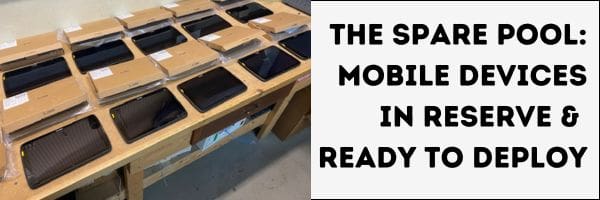
Because it is guaranteed that device downtime will occasionally occur, this means that a buffer of extra units (a spare pool) should be available within reasonable time to fill in when they are needed.
Here are some thoughts and tips for companies on maintaining your mobile device spare pool to ensure uninterrupted supply chain workflow and minimize downtime.
What is a Mobile Device Spare Pool?
A mobile device spare pool refers to a designated inventory of ready-to-deploy rugged mobile computers , tablets , scanners or printers kept aside as backups. These devices are typically used in environments where equipment damage or failure can disrupt operations, impacting productivity and efficiency. These devices should be deployable within an acceptable period of time determined by the company.
Why Should a Company Maintain a Spare Pool?
The primary reason to maintain a spare pool is to mitigate downtime caused by device failures. In environments like warehouses or manufacturing plants, where mobile devices are essential for tasks such as inventory management, order picking, and quality control, any malfunctioning device can halt critical operations or leave affected employees unproductive. Having a spare pool ensures that operations can swiftly resume without waiting for repairs or replacements, and can be an essential part of mobile device fleet management.
How Many Spare Devices Should You Keep in Your Pool?
The number of spares to be held in the pool must be determined by the unique circumstances of the business in question. The optimal pool size can depend on several factors:
Usage Intensity and Failure Frequency : What has been the company’s historical failure rate? How frequently do devices experience failure or damage? Businesses with rugged operating environments are likely to have a higher failure rate than slower, more gentle operations.
Criticality of Operations : Consider how quickly you need to replace a malfunctioning device to avoid operational disruption. Does the new device have to be available in minutes, or days?
Lead Time for Repairs : Assess how long it takes to repair or replace devices. This will likely be determined by the support plan you have purchased for your rugged devices. Check the SLA for your support contract or review your historical experience.
We have seen spare pools sized from 5 to 20% of total in-use device quantity. The most common rule of thumb is 10 but adjust for the factors listed above as well your unique cost of downtime.
How Do You Ensure That the Spare Devices Are Ready to Deploy When Needed?
The last thing you want is to have a spare pool, but then find that the spare computers have not been maintained so as to be deployable when needed. Before devices can be deployed to production, they must be charged and operational, and also loaded with the correct firmware and applications. This means that you need to ensure that spare units are covered when making changes to mobile device OS firmware and applications. To ensure readiness:
Utilize Mobile Device Management (MDM) Software : We strongly recommend the use of MDM software for all device fleets of quantity. MDM allows you to maintain a standard device profile, which means that when changes are made, they can be virtually pushed to all of your fleet regardless of its location. With MDM you can ensure that the spare pool is covered when you make updates. The MDM profile also serves as a documentation of the exact way each of your devices should be set up. CSSI offers managed services and technical support for MDM software.
If Your Company Has Multiple Locations, Where Should You Maintain the Spare Pool?
If spares must be available within minutes, then the pool must be maintained on site. Obviously, for companies with multiple locations, this can cause a lot of spare redundancy, and the great expense of carrying additional units.
More common for multi-location businesses, a single central location is designated as the hub for spare devices. Spares are immediately shipped from the hub to locations where they are needed, and repaired units are returned from repair depots back to the hub. This will reduce the need to carry redundant quantities of devices. Also, centralizing the spare pool at a central distribution center or a strategically located hub can streamline logistics and ensure quick deployment to any location when needed. This approach also helps in better inventory management and maintenance tracking.
How Can You Ensure That the Spare Pool Is Not Depleted?
It’s important to put in place systems for inventory management of the spare pool and RMA submissions for damaged devices. But most vitally:
Ensure that the spare pool is replenished!: The single biggest challenge we see our customers encounter is keeping the spare pool stocked. Why is this? Let’s say a handheld fails at Site A. A request is made to pull a replacement device from the pool at Site B. Also, a return material authorization (RMA) is requested with the manufacturer to return the damaged unit for repair, and a shipping label is issued. It is not uncommon to find that the team at Site A forgets to send the broken device back for repair! After a few instances of this, the company may find that there are no remaining spares in the pool! This can be avoided by putting in place processes to ensure that the loop is closed with the shipment of the failed device to the repair depot.
When Does It Make Sense to Outsource Spare Pool Management to a Third Party?
Does your IT team have the resources to take on the task of spare pool management? If not, then a third party such as CSSI, which specializes in MDM and mobile devices, may be better suited to handle your spares for you. With a third party like CSSI providing spare pool management services , you gain:
Expertise : We specialize in managing spare inventories efficiently.
Scalability : We can scale the spare pool size according to your needs.
Cost Efficiency : Outsourcing can sometimes reduce overall costs associated with spare pool management.
Consider outsourcing if your company lacks internal resources or expertise to manage spare inventories effectively, or if you operate in multiple regions requiring localized support.
Discuss Spare Pool Management Services With CSSI
Maintaining your mobile device spare pool is essential for industries reliant on rugged mobile computers . By strategically planning the size, location, and management of your spare pool, companies can ensure operational continuity and minimize disruptions caused by device failures.
If you’d like to discuss spare pool management and how CSSI might help with either mobile device management services or spare pool management services, please contact us to get started. Our managed services team will be happy to discuss your needs with you.
FAQ – Frequently Asked Questions About Spare Pool Management for Mobile Computing Devices
Q: How many spare devices should we keep on hand for our mobile computing fleet? A. Most system integrators recommend keeping 5–10% of your active fleet as spares. A simple way to fine-tune that number is: (active fleet × failure rate × RMA turnaround time) + a minimum buffer. For example, a 100-device fleet with a 3% annual failure rate and a 2-week RMA window would need roughly 3 spares at minimum, plus whatever buffer your operation requires for peace of mind.
Q: What factors should influence the size of our spare pool beyond a flat percentage? A. Four variables matter most: device failure rate (rugged, MIL-STD-810G-rated devices typically run under 3% annual failure, while harsh environments like cold storage, mining, or construction warrant a higher buffer), manufacturer RMA turnaround time (48-hour advance replacement supports a leaner pool than a standard 1–2 week RMA cycle), the cost of downtime (a stalled forklift or delivery route costs more than a temporarily idle desk device), and geographic distribution (a single site can share a central pool, while multi-depot operations need local buffer stock at each location).
Q: Do spare devices need to be pre-configured before they go into inventory? A. Yes, and this is one of the biggest time-savers in a fleet deployment. A properly pre-configured spare — enrolled in an MDM such as SOTI MobiControl with zero-touch provisioning, loaded with current production app versions, security policies and encryption enabled, and running the same OS version as your active fleet — can be swapped in under 15 minutes. An unconfigured device, by contrast, can take 2–4 hours to get field-ready, which defeats the purpose of having a spare on the shelf.
Q: What does a device swap actually look like when one fails in the field? A. A well-documented hot-swap process generally follows five steps: undock the failed device and sync any remaining data if it’s still responsive, pull a verified spare from inventory, dock the spare and confirm apps and connectivity are working, log the swap in your asset management system with serial numbers and timestamps, and package the failed unit for manufacturer RMA with notes on the failure. Storing spares at 50–60% battery charge in a temperature-controlled location keeps them ready to go.
Q: Should we ever retire a spare instead of putting it back into service? A. Yes. A spare should be pulled from rotation once it reaches end-of-lifecycle (typically 5–7 years, even if it still powers on), has gone through multiple repair cycles, has battery health below 70% of original capacity, or is running an OS version that no longer receives security updates. Redeploying a device in that condition doesn’t solve your downtime problem — it just moves it down the road.
Comparing Forms: The Clipboard versus the Tablet
It seems like it’s always been done this way… a company needs to gather information as part of a process or workflow. An employee is tasked to layout a form, which is printed out on paper and attached to a clipboard. Job well done, correct? Maybe not…
In today’s fast-paced business environment, the transition from traditional manual paper forms to electronic forms has become increasingly prevalent. This shift is driven by the need for efficiency, accuracy, and streamlined processes, which cannot be achieved with traditional paper forms. Let’s delve into the sometimes significant drawbacks of relying on a traditional paper form versus electronic forms.
Downsides of Manual Paper Forms
In a business setting, manual paper forms pose several challenges that can hinder productivity and efficiency:
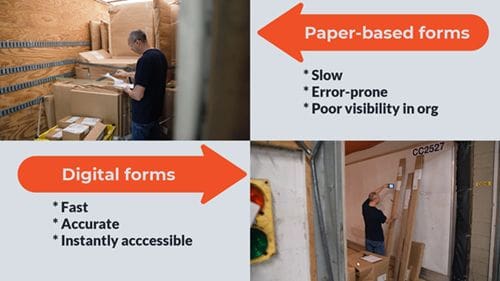
1. Time-Consuming Data Entry: One of the most glaring issues with paper forms is the time it takes to physically fill out the form and then manually enter the data into a computer system. This process can be inefficient, especially for large volumes of data. Also keep in mind the ultimate destination of the form data, which oftentimes is a digital table… which means the original data needs to be re-keyed into a computer, creating even more work.
2. Error-Prone: Unfortunately, humans are fallible. Handwritten forms are susceptible to human errors such as illegible handwriting, missing information, or incorrect data entry. These errors can lead to delays, compliance issues, and additional costs to rectify mistakes.
3. Storage and Retrieval Challenges: A paper form requires physical storage space, which can become cumbersome and costly over time. Retrieving a specific paper document can also be inconvenient and time-consuming and may lead to delays in accessing critical information. If form data is not re-entered into a table or spreadsheet, the company’s ability to report on the data and understand trends is lost.
1. Enhanced Efficiency: Electronic forms streamline the data collection process by allowing users to fill out forms digitally. Data entry errors are minimized as information is directly entered into digital systems, reducing the need for manual transcription. Users can be required to follow the defined entry process, improving overall compliance.
2. Improved Accuracy: A digital form can include validation rules that enforce data integrity, ensuring that each required form field is completed and that data formats are correct. This reduces the likelihood of errors compared to handwritten forms. If automatic data capture methods such as barcodes or RFID tags, entry errors can be eliminated almost completely.
3. Accessibility and Flexibility: Electronic forms can be accessed and completed from anywhere with an internet connection, making them ideal for remote work environments or field operations. This accessibility improves workflow efficiency and responsiveness. This also makes it possible to easily report on data trends and visualize important data in dashboards such as Power BI. Further, mobile forms mean that you can capture data right at the point of work or interaction.
4. Integration with Digital Workflows: Electronic forms can seamlessly integrate with other digital systems such as databases, CRM software, or enterprise resource planning (ERP) systems. This integration automates processes like data storage, retrieval, and analysis, further enhancing efficiency and data accuracy.
5. Cost Savings and Environmental Benefits: Adopting electronic forms reduces costs associated with paper, printing, storage, and manual data entry. Moreover, it contributes to environmental sustainability by minimizing paper usage and waste.
Further Advantages of Electronic Forms
Beyond addressing the drawbacks of paper based forms, adopting electronic forms offers additional benefits:
Data Security: Electronic forms can incorporate encryption and secure storage measures to protect sensitive information, ensuring compliance with data protection regulations.
Real-Time Analytics: Digital forms enable real-time data analytics and reporting, providing valuable insights into operational performance and trends.
Enhanced User Experience: Electronic forms can be designed with user-friendly interfaces, interactive elements, and mobile responsiveness, improving user experience and satisfaction.
Making the Transition: Is It Expensive to Develop Digital Forms?
There was a time when electronic form development could be time-consuming and expensive. But today, technology has improved and enabled a much faster and more economical digital transformation process. Forms can be created and hosted on PC’s, handheld computers , or tablet PCs , and can even be hosted in the cloud to remove any internal IT complexity for you.
CSSI offers professional services which include paperless form development. We have a number of tools available, and can recommend an optimal approach for your form once we understand your needs. Depending on complexity, you could have a new form up and running in as little as a few days.
CSSI Can Create Your Digital Forms
Manual paper forms have long been a staple in business processes but their limitations in terms of efficiency, accuracy, and accessibility are prompting organizations to embrace electronic forms. By making this transition, businesses can unlock significant advantages in terms of operational efficiency, data accuracy, and overall productivity, positioning themselves for success in an increasingly digital world. You can even capture digital signatures on your electronic document with a mobile device, and improve your organization workflows.
FAQ – Frequently Asked Questions About Electronic Forms Versus Paper Forms
Q: What do we actually need to get started with electronic forms? A. At minimum, you need a mobile form-building tool or app and devices for your field team to fill out forms on — smartphones, tablets, or rugged handhelds, depending on the environment. Most platforms let you convert your existing paper forms into digital templates with features like dropdowns, mandatory fields, and automatic calculations, which cuts down on the errors that come with manual entry.
Q: Is switching from paper to electronic forms actually worth the cost? A. For most businesses, yes. Manual data entry costs U.S. businesses an estimated $28,500 per employee annually, largely from correcting errors and re-keying information. While there’s an upfront cost for devices and software subscriptions, electronic forms typically pay that back through faster processing, fewer mistakes, and less time spent on paperwork and physical storage.
Q: Will our team need a lot of training to make the switch? A. Some training is usually necessary, especially for staff who are used to paper and less comfortable with technology. That said, most mobile form tools are built to be intuitive, and the learning curve is generally short compared to the time saved once the team is up and running. Starting with a pilot group or a single workflow can ease the transition before rolling it out company-wide.
Q: What happens if a field worker loses internet or cell signal? A. This is one of the most common concerns, but most mobile form solutions include an offline mode. Workers can keep filling out forms without a connection, and the data syncs automatically once they’re back online. It’s worth confirming offline capability specifically when evaluating software, since not all platforms handle it the same way.
Q: How do we keep our data secure and compliant once we go digital? A. Look for a platform with encryption for data in transit and at rest, and confirm it supports the regulations relevant to your industry, such as HIPAA or OSHA. Digital forms actually reduce a lot of the compliance risk paper carries — like lost or damaged documents — but that only holds if the software and your internal processes are set up correctly from the start.
All about direct marking and how to scan DPM marks
In today’s industrial and manufacturing landscape, there is a continually growing need for reliable identification and traceability of components and products. Direct Part Marking (DPM) has emerged as a critical technology for achieving these goals, offering durable marking solutions that enhance efficiency and enable seamless tracking throughout the product lifecycle.
What is DPM (Direct Part Marking)?
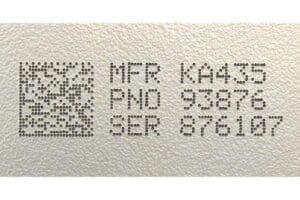
Direct Part Marking refers to the process of using a marking system for permanently marking a part or component with a unique identifier directly on its surface. Unlike traditional barcode labels or RFID tags, DPM involves using direct marking machines for marking methods such as dot peen that engrave, etch, laser, or otherwise inscribe information directly onto the part itself. Common direct marking techniques include laser marking, dot peening, laser engraving, chemical etching, and inkjet printing designed for durability and readability under various conditions. These DPM marks can be read by special scanners, similar to barcode scanning.
Why is DPM used instead of typical barcodes?
Direct Part Marking offers several advantages over traditional barcode labels:
Durability: DPM marks are resistant to wear, abrasion, and an abusive harsh environment, ensuring permanent identification.
Space Constraints: In applications where space is limited or where labels may not adhere well, DPM provides a small yet permanent marking solution.
Traceability: A direct part mark enables reliable part identification throughout the product lifecycle, supporting quality control, maintenance, and regulatory compliance.
In short, a bar code applied with an adhesive label may not be a durable choice for very small parts and/or items which are subject to wear and tear. Direct marking is a more permanent solution which also has the advantage of being readable at a very small size.
Industries and Applications where Direct Part Marking is utilized
Direct marking (also known as laser marking technology or dot peen marking) finds extensive use across diverse industries where traceability, safety, and quality assurance are critical:
Automotive: Used for automotive part identification, traceability in assembly processes, and counterfeit prevention.
Aerospace: Ensures compliance with stringent safety regulations, facilitates maintenance and component tracking.
Medical Devices: Supports tracking of components for quality control, recalls, and regulatory compliance.
Electronics: Enables tracking of components and products through manufacturing and distribution processes.
Defense: Essential for parts identification, maintenance tracking, and ensuring supply chain security.
Consumer Goods: Used in anti-counterfeiting measures and for tracking products through distribution channels.
Special considerations for scanning technology to read DPM marks
DPM marks can’t be read with a typical barcode scanner. Reading a direct part mark requires specialized barcode reader technologies capable of interpreting marks that may vary in depth, material, and surface finish. Key considerations for this type of marking method include:
Imaging Technology: Scanners equipped with high-resolution cameras or sensors capable of capturing fine details and contrast differences in marked surfaces.
Lighting: Adequate lighting is crucial for enhancing contrast and visibility of marks, especially on reflective or uneven surfaces.
Software Algorithms: Advanced decoding algorithms designed to interpret marks that may be distorted or partially obscured due to surface irregularities.
Verification Standards: Compliance with ISO standards (like ISO 15415 for 2D barcode symbols) ensures that scanners can reliably read and verify DPM marks.
Specialized Scanners for Capturing DPM Marks
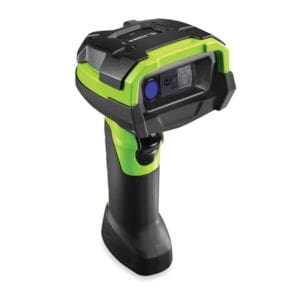
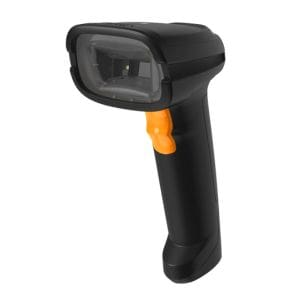
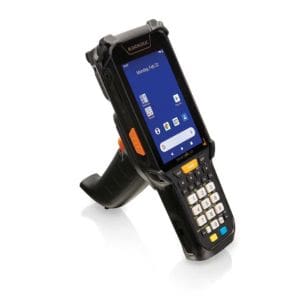
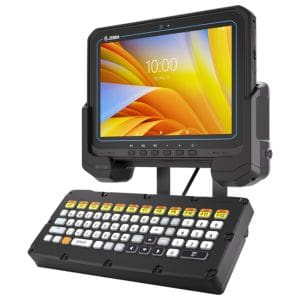
CSSI is a specialist in data capture technologies such as barcodes, RFID, and direct part marking. We have available a number of solutions capable of scanning a DPM barcode or symbol. The right solution will depend on your particular needs – we can work with you to select the right product. Several of the available DPM scanning options include:
Direct Part Marking (DPM) plays a pivotal role in modern manufacturing and industrial processes, offering durable and reliable identification solutions that enhance traceability, quality control, and regulatory compliance across various sectors. Contact CSSI to discuss your DPM application and barcode scanner applications, and we will help you select and test a DPM code capture product to meet your requirements.
FAQ – Frequently Asked Questions About Direct Part Marking
Q: What is direct part marking, and how is it different from a printed label? A. Direct part marking (DPM) is the process of permanently marking an identification code — usually a 2D Data Matrix code — directly onto a physical part, rather than applying an adhesive barcode label. Because the code is etched, engraved, or otherwise formed into the part itself, it stays with that part for its entire lifecycle, even through harsh handling, cleaning, heat, or chemical exposure that would destroy a paper or film label. This makes DPM the preferred approach anywhere traceability has to survive the full life of the component, not just the trip through the warehouse.
Q: What marking methods are used to create DPM codes? A. Common methods include laser printing/etching, dot peening (a pin or stylus that indents a pattern of dots into the surface), chemical/electrochemical etching, and abrasive blasting. The right method depends on the part’s material, surface finish, and the environment it will operate in — for example, laser marking is common on metals and plastics that need a fine, permanent mark without changing the part’s structural integrity, while dot peening is widely used on cast or machined metal components in automotive and heavy manufacturing.
Q: Why are DPM codes harder to scan than standard barcodes? A. DPM codes lack the high, consistent black-on-white contrast that flat printed labels provide, since the mark and the part are often the same material and color. Reading is further complicated by curved or uneven part surfaces, reflective or polished metal finishes that cause glare, and variation in mark depth or dot pattern depending on the marking method used. These factors mean a DPM code that looks perfectly readable to the eye can still be difficult for a scanner to decode reliably.
Q: What kind of equipment does a business need to read DPM codes? A. Standard laser or basic imaging barcode scanners generally aren’t sufficient. Reading DPM codes reliably requires advanced image-based readers purpose-built for low-contrast, high-glare marks — these use specialized lighting angles and image processing to pull the code pattern out of a difficult surface. Fixed-mount industrial readers designed specifically for DPM applications (such as Cognex’s DataMan 370 and DataMan 8050 series) are typically used on production and inspection lines where parts need to be scanned automatically and consistently.
Q: Which industries rely on direct part marking, and why does it matter for their operations? A. DPM is especially common in aerospace, automotive, and electronics manufacturing (including components like cell phone parts), where traceability is tied directly to safety, warranty claims, and the ability to isolate and recall faulty parts. For these industries, a permanent, tamper-resistant mark that survives assembly, use, and maintenance is essential to maintaining an accurate chain of custody for every individual part, not just the batch or lot it came from.
What type of handheld computer or tablet PC should you select for your operation? Beyond obvious differences in brands, it’s important to also consider the difference between consumer-grade and enterprise grade devices. While most businesses are better suited with enterprise-ready devices, it is certainly true that the larger your handheld mobile computer fleet, the more critical it is to select enterprise-grade for your mobile workers.
What Makes a Computing Device Qualify as Enterprise Grade?
Sometimes it’s hard to tell at a glance whether a handheld computer or tablet is consumer- or enterprise-grade. Many of the differences are in the software, and in the support available from the manufacturer and manufacturer’s partners such as CSSI.
Several factors contribute to making computing devices enterprise grade:
Reliability: Enterprise grade devices are built to withstand heavy usage over extended periods without failure. They undergo rigorous testing to ensure reliability under various conditions. These devices are more resistant to drops, vibrations, and dirt/dust that will cripple consumer devices, offering years of reliable performance.
Performance: Business users require computing devices with sufficient processing power, memory, and storage to handle their workload efficiently. Enterprise-grade devices often feature high-performance components optimized for business applications. Battery life is a typical area where enterprise-grade devices will excel, as they are built for (and tested for) hours of continuous usage.
Security: Security is a top priority for businesses. Enterprise-grade devices come equipped with robust security features such as biometric authentication, encryption, secure boot, and remote management capabilities to protect sensitive data and prevent unauthorized access. Further, enterprise devices typically include a more secure and hardened version of Android than the consumer version shipping with lower grade devices.
Manageability: IT departments need to efficiently manage and maintain computing devices across an organization. Enterprise-grade devices offer comprehensive management tools and support for centralized device management, software deployment, updates, and monitoring. Compatibility with mobile device management (MDM) software is critical for the management of large quantities of devices.
Compatibility: Compatibility with existing IT infrastructure and software is crucial for seamless integration and interoperability. Enterprise-grade devices are designed to work seamlessly with commonly used business applications and enterprise systems. Also, these devices will often have software tools for easier compatibility with industrial thermal label printers , wearable scanners , and other accessories such as RFID sleds.
Durability: Business environments can be demanding, so enterprise-grade devices are often ruggedized to withstand shocks, vibrations, extreme temperatures, and other environmental factors.
Scalability: As businesses grow, they need computing devices that can scale to accommodate increasing demands. Enterprise-grade devices offer scalability options such as expandable storage, memory, and connectivity. Features such as hot-swappable batteries enable the device’s use in 24/7 or multi-shift operations.
Enterprise grade mobile computers are ready for industrial usage and demanding environments
Don’t Forget to Consider the Predictable Lifecycle of Enterprise Grade Devices
It’s easy to overlook, so we certainly want to highlight a major difference between consumer and enterprise devices: the lifecycle.
Consumer devices come in versions which may be updated annually or even more frequently. As a result, when an enterprise buyer is selecting devices which will be used for years, and may require future purchases for damaged units or business growth, the buyer can not be certain that the same model will be available.
Enterprise grade devices, on the other hand, are offered with long-term and predictable lifecycles. Manufacturers such as Zebra Technologies publish their committed manufacturing and support time frame for Zebra mobile computers. Similarly, the Honeywell Mobility Edge platform was specifically developed for enterprise needs. Enterprise device manufacturers will commit to supporting Android operating system updates through a certain future version.
This means that an organization which adopts a specific model (making operational and software investments) can be certain that devices can be repaired and repurchased for years following the initial buy. This can be tremendously valuable, as a period of testing and validation may be required each time a new model is introduced, along with necessary end-user training.
Enterprise grade computers are better supported by manufacturers, and have benefits such as long-term security updates:
Considerations When Choose Mobile Computers & Tablets for Business Usage
When selecting mobile computing devices for business usage, business users should consider:
Business Requirements: Identify the specific needs and requirements of the business, including the type of workloads, software applications, and user preferences. How rugged must the device be? What battery life is required?
Budget: Consider the budget constraints and choose devices that offer the best value for the investment while meeting business requirements.
Compatibility: Ensure compatibility with existing IT infrastructure, software applications, and business processes to minimize disruptions and integration challenges. Is the Windows OS or Android OS preferred?
Security: Prioritize devices with robust security features to protect sensitive data and mitigate cybersecurity risks.
Support and Warranty: Choose devices from reputable manufacturers with a proven track record of providing reliable products and excellent customer support. Consider the warranty terms and support services offered. CSSI works with top enterprise device manufacturers.
Scalability: Select a rugged mobile computer that can scale to accommodate future growth and your evolving business needs without significant additional investment.
User Experience: Consider the usability, ergonomics, and user experience of the devices to ensure they meet the needs and preferences of the employees who will be using them.
Our team at CSSI recognizes the value of a proof-of-concept or pilot project, enabling you to test potential devices in a usage environment as close to the ultimate ‘live’ environment as possible. We have learned that this ensures project success and reduces deployment headaches and delays.
Typical Tasks Where Enterprise Mobile Computers are Advised
When productivity and reliability are critical and long-term use is expected, a consumer grade device is unlikely to meet your requirements and may in fact cost you more in the long run. Typical business tasks for enterprise handhelds include jobs like:
inventory management in the warehouse or distribution center
data collection on the manufacturing floor
vehicle mount computers for forklifts and trucks
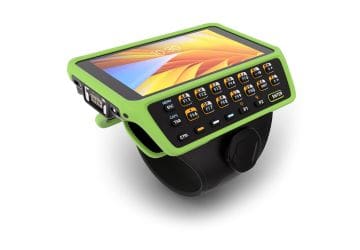
order fulfillment and picking, enhanced by tools such as wearable mobile computers
shipping/receiving operations
proof-of-delivery tasks in trucking and delivery
There are countless industry solutions where reliable, rugged devices are a preferred option.
Contact CSSI for Enterprise Grade Mobile Computers & Rugged Tablet Options
To discuss your project and the value of enterprise grade handheld computers and related software solutions, contact the experts at CSSI . We look forward to supporting your successful purchase and deployment.
FAQ – Frequently Asked Questions About Justifying Enterprise Grade Mobile Computers
Q: Isn’t a consumer smartphone cheaper than an enterprise-grade device? A. Only on the sticker price. Hardware makes up just 10% of total cost of ownership — the rest comes from lost worker productivity and IT administrative overhead, which together account for 80% of costs. VDC Research has found enterprise rugged devices can cost over 50% less than consumer alternatives over a five-year period once those downtime and support costs are factored in.
Q: How much longer do enterprise devices actually last compared to consumer phones? A. Consumer devices are typically available for sale for only about 18 months before being discontinued. Enterprise devices follow a “three-legged stool” model — years for sale, years of hardware servicing, and years of software/security support — often rated 3/3, 4/4, or even 5/5, meaning a device bought in year five is still supported for five more years after that (10 years total).
Q: Will consumer devices hold up to the conditions our frontline workers face? A. Not reliably. Consumer devices have narrow operating temperature ranges — Apple specifies 32°F to 95°F — and there are documented cases of phones overheating and shutting down in moderate outdoor conditions. Enterprise devices are built for extended temperature ranges, drops, and other conditions common in warehousing, cold storage, and transportation environments.
Q: What’s the security risk of running our workforce on consumer devices? A. A meaningful one. Consumer devices generally receive two to five years of security patches, compared to six to ten years for enterprise products like Zebra’s. A DHS study recommends decommissioning devices once they stop receiving updates, since unpatched devices are exposed to exploits (WannaCry being a well-known example of what timely patching prevents).
Q: If a device model gets discontinued, how disruptive is that for our operations? A. It can be significant with consumer hardware. Consumer manufacturers cycle through models every 12-15 months, which has left some businesses scrambling for last-time-buy orders or managing a fragmented mix of device generations mid-rollout. Enterprise devices maintain backward compatibility with a shared accessories ecosystem (over 1,800 qualified accessories), so fleets can be extended or replaced without disrupting existing infrastructure.
The Risk of RFID Investment Can Be Managed with Proper Testing
RFID technology can be a game-changer for businesses because of its potential for high-speed passive capture of tag data, which can be used to count inventory, track high-value assets or people, and monitor or locate the positions of specific items. However, RFID technology implementation costs can be significant for a business, both in terms of time and resources.
Unlike traditional data capture methods like barcodes, RFID (Radio Frequency Identification) requires tags to be readable by RFID readers, which can pose challenges in real-world environments. Thus, before committing to a full-scale implementation, it’s essential to thoroughly assess the technology’s suitability for your specific needs. One cost-effective way to do this is by conducting an RFID pilot project with a minimal amount of RFID hardware. CSSI can help you design and test your RFID solution.
Test RFID To Assess Tag Readability and Reliability
One of the primary challenges in RFID implementation is ensuring that RFID labels (referred to as ‘tags) are readable consistently and reliably in various conditions. This is a primary difference with barcode technology, where barcode readability can largely be assured as long as labels are within line-of-sight of the scanner at a reasonable distance.
RFID readability is harder to predict. Factors such as interference from other electronic devices, signal attenuation due to materials, and RFID tag orientation relative to the position of RFID antennas can all impact the effectiveness of the RFID system.
Why Conduct an RFID Pilot Project?
Conducting a pilot project allows your business to test RFID tags and readers in your actual operational environment, identifying potential issues and refining the system accordingly.
Pilot projects serve as a low-risk way to evaluate the feasibility and benefits of RFID technology for your business. By implementing RFID on a smaller scale, you can assess its impact without making a large upfront investment. Typically, we can set you up for an RFID pilot with just a few readers and a small number of tags, along with the basic software you will need to run the readers. Deeper software integration and customizations can occur later, after you have ensured acceptable basic read results.
An RFID Pilot program also provides valuable early insights into the practical challenges and opportunities associated with RFID implementation, helping you to refine your process and plan for the more robust future rollouts. There are often unexpected realizations, which are best to discover prior to major investment, as they may cause you to adjust your plan.
Define the Scope and Goals of Your RFID Project
Before embarking on an RFID pilot program, it’s crucial to clearly define the scope and goals of the initiative. This includes identifying the specific processes or areas where RFID will be implemented, as well as the objectives you aim to achieve. Whether it’s improving inventory management, enhancing asset tracking, or streamlining supply chain operations, having a clear understanding of your goals will help focus your efforts and measure the success of the pilot project.
Defining an RFID Pilot Project
The goal of the RFID pilot program should be to make the minimum amount of RFID investment necessary to ensure the viability of the full project. The tighter the scope of your pilot, the less investment will be needed.
When defining an RFID pilot project, consider the following:
1. Identify RFID Pilot Areas:
Select a small area where RFID will be tested. This may be a single doorway, workcell, or a small warehouse area. The smaller the area, the less hardware will be needed for your test. Also, think about the specific processes to be covered by the pilot. Narrowing down the test will simplify your software and evaluation needs.
2. Set Pilot Objectives:
It is best to define in advance what will constitute acceptable pilot results. What are you hoping to achieve with RFID implementation? (See our article 10 Great Applications for RFID Technology ). Whether it’s improving inventory accuracy , reducing operational costs, or enhancing customer service, make sure your objectives are measurable and achievable. Is a certain minimum tag read rate necessary in order to consider the pilot acceptable?
3. Choose RFID Technology:
CSSI’s RFID consultants will help you select the RFID tags, RFID reader, and RFID applications that best align with your requirements. Consider factors such as read range, data storage capacity, and compatibility with existing systems. It is important to select the right hardware in order to achieve your desired results. It is possible that hardware choices will be refined following the pilot, as you gain real-world data.
4. Plan Implementation:
Develop a detailed plan for implementing RFID in the pilot areas. Who on your team will be responsible for installing RFID readers, RFID tagging of assets or products, and conducting training for your team members?
5. Gather Data and Evaluate Results:
Once the RFID pilot project is underway, collect data on key performance metrics such as inventory accuracy, cycle time, and labor productivity. Analyze the results against your objectives to determine the success of the pilot project.
6. Iterate and Refine:
It is not uncommon to make adjustments to the hardware, process or software based on the results of the pilot… that is the point of conducting the pilot. Use the insights gained from the pilot project to refine your RFID implementation strategy. Identify areas for improvement and make necessary adjustments before scaling up to a larger RFID deployment.
Speak To CSSI About An RFID Pilot Project
By starting with an RFID pilot project, you can minimize project risks and limit your investment until you have ensured success. CSSI will work with you throughout your project to test hardware, select and configure software, and adjust equipment to achieve the optimal results. Please contact CSSI to discuss your RFID pilot project.
FAQ – Frequently Asked Questions About RFID Pilot Projects
Q: How long should an RFID pilot program run before we decide whether to scale it? A. Most pilots run 30 to 90 days, depending on your business cycle. That window is long enough to capture normal fluctuations in inventory, staff turnover on the process, and enough read cycles to trust the data. Shorter than 30 days and you risk mistaking a fluke for a trend; longer than 90 and you’re likely delaying a decision you already have enough data to make.
Q: How do we pick the right area or process to pilot? A. Look for a contained, high-impact area where poor visibility is already costing you time or money — a single warehouse aisle, one fleet of tools or vehicles, high-turnover inventory in a controlled zone, or a clean room. The goal is a pilot small enough to manage closely but representative enough that what you learn actually applies when you scale up.
Q: What should we be tracking during the pilot to prove RFID is worth the investment? A. Set specific, measurable goals up front — “reduce inventory audit time by 60%,” not “improve efficiency.” During the pilot, monitor tag readability across all checkpoints, reader and antenna performance, data accuracy in your dashboards, and the real process impact: time saved, errors reduced, and how staff are actually adopting the new workflow. Weekly check-ins with your team and RFID partner help catch problems before they skew your results.
Q: How many items should we tag, and how do we choose the right tags and readers? A. A sample of 100 to 500 assets is generally enough to generate meaningful data without becoming unmanageable. Tag choice depends on what you’re tracking: passive tags are lower-cost with shorter range, active tags cost more but read from farther away, and specialty tags are built for metal, high heat, or wash-cycle environments. Reader choice follows the use case — handhelds for flexible mobile audits, fixed readers at doors or dock doors, or portal/gate systems for tracking bulk movement through a zone. Material composition matters too, since metal and liquids can interfere with signal accuracy.
Q: What typically goes wrong in a pilot, and how do we know if the results are trustworthy? A. The most common issues are signal interference near metal or liquids, inconsistent read zones, and slow staff adoption if the workflow benefit wasn’t explained clearly. To judge trustworthiness, compare your pilot’s baseline data (pre-RFID) against the RFID-enabled numbers — inventory accuracy improvement, reduction in lost items, and read failure rates are the clearest indicators. Even the problems you uncover are valuable: they’re far cheaper to fix during a small pilot than after a full rollout.
Are You Using WMS Software to Manage Your Inventory & Warehouse Operation?
In modern business operations, effective management of inventory is crucial for companies striving to stay ahead of the competition. This is where the Warehouse Management System (WMS) comes into play, offering a software solution to streamline and optimize inventory management and warehouse operations. From inventory tracking to order fulfillment, WMS software revolutionizes the way businesses manage the supply chain and warehouse operation.
Let’s delve into what a WMS is and explore the top seven reasons why companies should embrace this technology.
What is a Warehouse Management System (WMS)?
A Warehouse Management System (WMS) is a software application that automates and optimizes various warehouse operations, including inventory management, picking, packing, and shipping. It acts as the central nervous system of a warehouse, orchestrating the movement and storage of goods with precision and efficiency.
WMS platforms vary in complexity and functionality. Some provide a more efficient way to manage inventory, while others leverage advanced algorithms, real-time data, and integration capabilities to enhance visibility, control, and productivity within the warehouse operation. At core, a WMS system helps the warehouse worker do his or her job more accurately and efficiently.
In the absence of WMS software, inventory is typically managed manually, using paper forms and hand counts which are later transcribed into the master computer system. This method has the disadvantages of being slow and tends to be error prone. Manual systems can’t match the accuracy and performance of a well-implemented software system which uses handheld computers and scanners to capture item data.
Top 7 Reasons to Use Warehouse Management Software:
1. A WMS Enhances Inventory Accuracy
One of the primary advantages of using a WMS is its ability to provide real-time visibility into inventory levels and locations. By utilizing barcode scanning and RFID technology, WMS solutions ensure accurate tracking of every item within the warehouse. This level of accuracy minimizes stockouts, overstocking, and the risk of errors, ultimately improving order fulfillment rates and customer satisfaction. Managers are able to attain a real-time view of inventory positions, and quickly respond. Cycle counting can be implemented, further improving daily inventory accuracy.
2. WMS Software Streamlines Order Fulfillment
WMS systems streamline the order fulfillment process from receipt to shipment, increasing speed and accuracy. Through automated workflows and pick-path optimization, WMS software guides warehouse staff to the most efficient routes for picking and packing items. This order management tool minimizes errors, reduces order cycle times, and enables businesses to meet customer demands promptly, even during peak seasons.
3. A WMS Increases Employee Productivity and Warehouse Efficiency
By automating routine tasks and optimizing workflows, WMS solutions boost warehouse productivity and operational efficiency. Features such as wave picking, batch processing, and task interleaving ensure that warehouse operations are executed with maximum speed and precision. Additionally, WMS platforms provide performance metrics and analytics, allowing businesses to identify bottlenecks, optimize resource allocation, and continuously improve operational processes and labor management.
4. WMS Software Improves Traceability and Compliance
Regulatory compliance and product traceability are critical considerations for businesses operating in industries such as food, pharmaceuticals, and electronics. WMS software enables end-to-end traceability by recording and tracking every movement of inventory within the warehouse. This not only ensures compliance with industry regulations but also facilitates timely recalls and quality control measures in the event of product issues or recalls.
5. A WMS Can Optimize Space Utilization
Efficient space utilization is crucial for maximizing warehouse capacity and minimizing operational costs. Advanced WMS software employs intelligent algorithms to optimize storage locations based on factors such as SKU velocity, size, and demand patterns. By dynamically organizing inventory within the warehouse, businesses can reduce unnecessary storage space, shorten travel distances, and improve overall warehouse space utilization.
6. Warehouse Management Software Can Seamlessly Integrate with Other Systems
It is certainly possible to operate a standalone WMS. However, in today’s interconnected business landscape, integration capabilities are essential for optimizing efficiency and data accuracy. WMS platforms seamlessly integrate with other enterprise systems such as the ERP system (Enterprise Resource Planning), TMS (Transportation Management System), and eCommerce platforms. This integration enables real-time data exchange, synchronized inventory management, and streamlined business processes across the supply chain.
7. A WMS Offers Scalability and Adaptability For a Growing Business
As businesses grow and evolve, the warehouse operation must be able to scale and adapt accordingly. WMS solutions enable growth, offering scalability to accommodate increased inventory volumes, multiple warehouses, and changing business requirements. Whether expanding operations domestically or internationally, WMS platforms provide the flexibility and scalability needed to support business growth without compromising efficiency or performance.
WMS Guidance and Implementation Support from CSSI
Warehouse Management Systems are indispensable tools for businesses seeking to optimize their warehouse operations and gain a competitive edge in today’s fast-paced marketplace. From enhancing inventory accuracy to streamlining order fulfillment and improving productivity, the benefits of WMS software extend across the entire supply chain.
If you use Microsoft Dynamics GP to run your business, please take a look at CSSI’s WMS for GP, built specifically to integrate with GP.
FAQ – Frequently Asked Questions About Warehouse Management Systems (WMS)
Q: How does a WMS help reduce warehouse costs? A. A WMS automates tracking and retrieval tasks that would otherwise require manual labor, cutting labor expenses and minimizing the costly errors that come with manual processes.
Q: Can a WMS improve inventory accuracy? A. Yes. Real-time stock monitoring gives managers an accurate, up-to-the-minute view of inventory levels, helping prevent both overstocking and stockouts that can hurt profitability.
Q: Will a WMS speed up order fulfillment? A. A WMS streamlines picking and packing workflows, which accelerates order processing, reduces mistakes, and helps improve customer retention through faster, more reliable deliveries.
Q: Can a WMS scale as our business grows or fluctuates seasonally? A. Yes. WMS platforms are built to adapt to volume changes, letting a business handle fluctuations in demand without needing to add resources in direct proportion.
Q: Does a WMS work with our existing business systems, like ERP or transportation management software? A. Most WMS platforms integrate with ERP, transportation management, and other enterprise systems, keeping data synchronized across the business and improving overall operational effectiveness.
What to do if your Wi Fi network is not meeting the business challenge
In today’s fast-paced warehousing and manufacturing environments, connectivity is critical. A modern warehouse WiFi network is crucial for maintaining efficiency and productivity, and operations may not even be possible without it. Poor Wi-Fi coverage can be a persistent issue that hampers operations and leads to frustration among employees. Our team at CSSI regularly deals with Wi-Fi challenges, so we wanted to address at a high level some of the symptoms, adverse effects, common causes, and solutions for poor Wi-Fi coverage in warehouse and production facilities.
Symptoms of Poor Warehouse Network Coverage
How do you know if you have a warehouse WiFi network problem? Here are some of the symptoms which you may be experiencing:
Slow Connection Speeds: If your Wi Fi network speeds are consistently slow, it could be a sign of poor coverage. Your mobile applications may run slowly or transactions may time out.
Intermittent Connectivity: Do you frequently experience wireless device problems due to dropped connections? This can indicate coverage issues. Dropped mobile device connections may even cause application crashes and the loss of data.
Dead Zones: Are there certain areas of your facility where Wi-Fi signals are known to be weak or even non-existent?
High Latency: Does your team regularly experience delayed responses when accessing network resources or using applications? High latency is frustrating and a productivity-killer.
Low Wireless Signal Strength: Devices showing low signal strength indicators or fluctuating signal levels.
Adverse Effects of Poor Wireless Coverage
Poor Wi-Fi coverage can have significant adverse effects on warehouse, distribution center, and manufacturing facilities. Sometimes the team develops ‘creative’ workarounds out of necessity, but rest assured, the impact to the organization is still there. The costs of poor Wi-Fi can include:
Decreased Productivity: Employees spend valuable time troubleshooting connectivity issues rather than focusing on their tasks.
Inefficient Operations: Delayed access to inventory management systems, order processing software, and other essential tools will disrupt workflows.
Increased Downtime: Equipment reliant on Wi-Fi connectivity, such as barcode scanners and mobile computers, may experience downtime, leading to delays in operations. Devices may even crash, requiring reboots which cost productivity.
Security Risks: Weak Wi-Fi coverage can make the network more vulnerable to cyber threats and unauthorized access.
Customer Dissatisfaction: Delays in order processing and fulfillment due to connectivity issues can lead to dissatisfaction among customers. A slower operation is a less efficient operation, and the customer ultimately feels the effect.
Common Causes of Warehouse Wi-Fi Problems
In our experience at CSSI, there are certain common warehouse Wi Fi problems which we encounter. These include:
1. Too Few Access Points:
Insufficient coverage due to a low number of access points results in gaps in network coverage.
2. Too Many Access Points:
Conversely, there can be too much of a good thing — overlapping coverage areas can lead to RF interference and degraded performance.
3. Incorrect Placement of Access Points:
Access points placed in areas with obstructions or interference sources, such as heavy machinery or metal structures, will impact the performance of those AP’s.
4. Incorrect Access Point Channel Assignments:
Adjacent access points operating on the same channel causing interference. Orchestrating channel assignments should be thoughtful, and can be overlooked.
5. Power Levels of Access Points:
Inadequate power levels leads to weak signal strength, or excessive power causes interference.
6. Outdated Access Point Hardware or Firmware:
How old is your network? Aging hardware or outdated firmware can lack essential updates and features needed for optimal performance.
How to Solve Your Wi Fi Network Problems
1. Conduct a Wireless Site Survey
Perform a comprehensive site survey to identify coverage gaps, interference sources, and optimal access point placement. Site surveys are best performed by experienced Wi-Fi pros. CSSI can provide you with this service and get your site analyzed correctly.
2. Optimize Access Point Placement
Place access points strategically to ensure even WiFi coverage throughout the facility or warehouse environment, considering factors like building layout and equipment interference. A professional site survey will make recommendations for AP placement.
3. Adjust Channel Assignments
Configure wireless access points to operate on non-overlapping channels to minimize interference. Your CSSI Wi-Fi consultant can guide you on optimal channel assignments.
4. Manage Power Levels
Adjust the power levels of access points to optimize coverage without causing RF interference. This fine-tuning of your system can be guided by your Wi-Fi consultant.
5. Upgrade Hardware and Firmware
Invest in modern wireless access point hardware with advanced features and ensure firmware is up to date to benefit from improvements and security patches. CSSI can make personalized recommendations for the optimal hardware for your operation.
6. Consider Professional Assistance
Consult with CSSI’s WiFi solution experts for specialized guidance and support in troubleshooting and optimizing your wireless network.
In some cases, Wi-Fi may not even be the optimal technology for your environment. Particularly in large coverage areas and outdoor environments, it may be the case that CBRS / Private LTE is a better wireless network choice.
How To Get Help for Your Wi Fi Network Problems
Poor Wi-Fi coverage can have detrimental effects on the warehouse operation, supply chain management, and overall productivity. By understanding the symptoms, causes, and solutions outlined above, businesses can take proactive steps to address Wi Fi connection problems and ensure reliable connectivity to support their operational needs. Please contact CSSI to discuss your unique Wi-Fi challenges. We will explore the benefits of a Wi-Fi site survey or network consulting with you.
FAQ – Frequently Asked Questions About Warehouse Wi-Fi Problems
Q: Why does our warehouse Wi-Fi keep dropping even though we’ve never had this issue in our office? A. Most warehouses run on standard, consumer-grade routers that were never built for industrial conditions. The heavy metal racking, dense inventory, and building materials found in a typical distribution center block and absorb signals in ways a normal office environment doesn’t, so equipment that works fine in a corporate setting often fails on the warehouse floor.
Q: We have access points installed, so why are there still dead zones in the middle of our warehouse? A. Access points are frequently mounted only along the perimeter of the building, which leaves the central aisles — where most workers and equipment actually operate — without reliable coverage. Devices also struggle to hand off cleanly from one access point to the next as staff move through the facility, causing drops mid-task.
Q: Could our inventory levels actually be affecting our network performance? A. Yes. Metal racks and densely packed stock absorb and deflect wireless signals, and because inventory volume changes throughout the year, coverage that works during slower periods can degrade significantly during peak stocking. This makes Wi-Fi performance inconsistent rather than a one-time fix.
Q: Why does our connection get worse during busy shifts? A. Network congestion is a common cause. As more tablets, barcode scanners, and automated vehicles connect and compete for bandwidth at the same time, the infrastructure can become overwhelmed and start dropping connections — especially if the network wasn’t designed with that device density in mind.
Q: What steps can we take to actually fix recurring Wi-Fi problems instead of just working around them? A. Start with a professional wireless site survey to map signal strength and identify interference sources specific to your facility. From there, deploying enterprise-grade, industrial-rated access points, positioning them based on your real layout and inventory patterns, segmenting network traffic (separating guest, camera, and operational devices), and adding proactive monitoring software all address the root causes rather than just the symptoms.
Meet the Latest Handheld PC from Datalogic: The Memor 30-35
Datalogic has launched the newest upgrade to its popular Memor line of rugged handheld computers. The Memor 30 / Memor 35 is a significant upgrade to its predecessory, the Memor 11. The new Memor 30-35 Family boasts improved processing and data capture ability, a large and bright 6″ display, and longer battery life. All of this at an attractive price point. CSSI is an authorized Datalogic dealer and ready to help you with pricing and support.
Datalogic Memor 30/35 Key Features
The Memor30 and Memor35 are packed with leading-edge features. See the datasheet at bottom for a more complete list, but here are highlights:
Excellent data capture – read barcodes up to 32 feet with Datalogic’s unique Green Spot aimer
Wi-Fi 6/6E, 5G, Bluetooth 5.2
6-inch capacitive multi-tough display
Long lasting and swappable battery
IP65/68 sealing, and 6 foot drop spec with rubber boot
Android 13, upgradeable through Android 18
Great Applications for the Datalogic Memor 30-35
Warehouse Operations
Use the Memor 30 for picking, receiving, shipping, and putaway tasks. An optional scan gun handle eases high-frequency scanning operations.
Inventory Management
The Memor 30 is an easy-to-use worktool for stock counting and cycle counting operations.
Field Service
Put communications and computing power in the hands of your field workers with one device, the Datalogic Memor 35. Collect data with digital forms, or provide field access to critical apps.
Field Mobility
The Datalogic Memor 35 keeps your remote personnel connected and informed. Prevent manual data entry and make sure your processes are properly followed.
Proof of Delivery
Improve customer satisfaction by using the Datalogic Memor 35 to document item delivery. Add the ability to document damage with the on-device camera. Reduce loss due to unfounded damage claims.
Retail Store Operations
The Datalogic Memor 30/35 is an ideal tool for your store workers, accommodating inventory lookups, stock counts, remote checkouts, price checks, and more.
Why Choose CSSI for Datalogic Support?
As an authorized Datalogic reseller, CSSI is trained on deployment and product line support. We offer pre-sales consulting and guidance, configuration and deployment support, and a range of mobile device technical support services. We can help you arrange evaluation units to test live in your usage environment.
Q: How rugged is the Memor 30/35, and can it handle daily drops, dust, and moisture on the warehouse floor? A. Yes. The device is built to MIL-STD-810H standards with IP65/IP68 protection and is designed to survive repeated drops to concrete. Its Gorilla Glass 5 display resists scratches and impact, and the IP68 rating means it can withstand submersion below 1 meter (3.2 ft) for more than 30 minutes — a plus for cold storage, wash-down areas, or wet dock environments.
Q: What’s the difference between the standard Memor 30/35 and the “X” variants when it comes to scanning? A. The standard Memor 30/35 uses a 2D imager with Green Spot feedback, suited for typical close-range barcode scanning at pick faces and packing stations. The Memor 30X/35X models use Datalogic’s Halogen DE2121-ER scan engine with DeepSight technology, extending read range from 5 cm out to 10 meters — useful for scanning pallets or high-rack storage without a lift or ladder.
Q: Will the battery last through a full shift, and what happens if it dies mid-shift? A. The device runs on a 4680 mAh battery, and because it’s hot-swappable, workers can pop in a charged battery without powering down or losing their session — important for multi-shift or 24/7 operations. Datalogic also offers single- and 4-slot charging docks (wired and wireless) plus multi-battery chargers to keep spares ready.
Q: How well will it perform on our wireless network across a large facility? A. The Memor 30 series supports WiFi 6E, and the Memor 35 series adds 5G on top of WiFi 6E for cellular connectivity outside WiFi coverage — helpful for yard operations, outdoor loading docks, or facilities with WiFi dead zones. Bluetooth and NFC are also included for pairing with peripherals like label printers or ring scanners and for tap-based workflows.
Q: How does IT manage and secure a fleet of these devices? A. The Memor 30/35 ships with Android 13 and Datalogic commits to monthly security updates through Android 19, giving IT a long support runway without re-provisioning devices every year or two. It supports Android Enterprise for MDM integration, and Datalogic’s Mobility Suite handles remote configuration and fleet management. A Developer’s Portal and Mobile SDK are also available for teams building or customizing WMS-facing apps.
Workers are our most valuable asset, so finding ways to improve employee retention and overall productivity is critical for businesses today. Telnet modernization is one way to achieve both goals simultaneously, by improving the graphic interface of the mobile devices used by your warehouse or production team.
How Terminal Emulation Works
Terminal emulation uses a protocol, typically telnet, to allow a given computer to appear to be networked to a server or mainframe. Terminal emulation translates the input or output data between the host computer and the mobile device so that the data can be displayed on the mobile computer screen. Terminal emulation is typically used when connecting with backend systems running on servers such as the IBM AS400.
How Telnet Modernization Creates a Better Interface
Standard terminal emulation produces a very basic, text-only screen. This is commonly referred to as a ‘green screen’. As an older interface, default terminal emulation does not support graphics or touch interface. All interaction is through keys. This creates user interactions which are quite linear in nature, and a GUI which is extremely basic.
Which device would you rather interact with all week long in the warehouse?:
Telnet modernization software such as Ivanti Velocity can quickly create a color and graphic interface which modern workers find much more familiar. Also, by enabling the touchscreen capability of the mobile device, TE modernization can allow workers to boost productivity.
Some of the many benefits of telnet modernization include:
User-friendly color and graphical interface
Touchscreen compatible reduces key taps (and possibly eliminates the need for a keyboard)
Enables the coding of shortcuts to save steps in the workflow, boosting productivity
Faster training and fewer errors due to a clearer interface
Mobile Devices Commonly Using Telnet
As telnet is often used in the warehouse and production environment, we often have cause to use it on mobile devices used in those workflows.
FAQ – Frequently Asked Questions About Telnet Modernization
Q: What does “modernizing telnet screens” actually mean, and does it require replacing our WMS or host system? A. No — modernization doesn’t touch your host applications, WMS, or ERP logic. Telnet-based (“green screen”) applications still run on the back end exactly as they do today; what changes is the interface your warehouse workers see and interact with on their mobile computers. A migration layer sits between the legacy host and the device, translating the same text-based screens into a modern, touch-friendly Android interface — with visual cues, color-coded fields, and simplified navigation — without rewriting the underlying business logic. That’s what makes this a lower-risk, lower-cost path than a full application rewrite.
Q: Our workforce is already trained on the current green-screen system. Won’t this create a retraining burden and slow down operations? A. It’s typically the opposite. Because the underlying workflows and data entry sequences stay the same, experienced staff can usually keep working with minimal disruption. Where modernization pays off is with newer hires: a difficult-to-read, keyboard-driven green screen is unfamiliar and intimidating to workers used to smartphone-style interfaces, which extends onboarding time. A modernized, touchscreen UI with visual highlighting of critical fields tends to shorten ramp-up time and reduce data-entry errors, rather than adding training overhead.
Q: A lot of our terminal emulation still runs on aging handhelds with operating systems approaching end-of-support. Does modernizing the screens solve that problem too? A. Screen modernization and device refresh are related but separate decisions, and they’re worth sequencing deliberately. Legacy handhelds running unsupported operating systems carry real security exposure — no more patches, and growing incompatibility with newer wireless and MDM standards. Moving your telnet applications onto current Android rugged mobile computers addresses both problems at once: you get a supported, secure OS and the modernized interface running on hardware built for warehouse, cold storage, or manufacturing environments. Migrating the screens first onto interim hardware, or migrating and refreshing together, are both workable paths — the right sequence depends on how close your fleet is to end-of-life.
Q: What’s the actual business case? Where does the ROI come from beyond “it looks nicer”? A. The return typically shows up in a few measurable places: faster task completion once visual cues and streamlined workflows cut down on misreads and re-keying; reduced training and onboarding cost for seasonal or high-turnover labor pools; fewer errors in picking, put-away, or inventory transactions that trace back to a hard-to-read screen rather than a process failure; and improved security posture from running on current, supported operating systems. Because the migration layer reuses your existing host logic rather than rebuilding it, the implementation cost and timeline are also considerably smaller than a ground-up application rewrite — which shortens the payback period.
Q: How disruptive is the rollout, and can we pilot it before committing across the whole operation? A. A phased rollout is the standard approach, and it’s worth insisting on one. Because the modernization layer sits on top of your existing telnet applications rather than replacing them, most deployments start with a proof of concept on a single workflow, device group, or site — validating screen mappings, scanning performance, and user acceptance before wider deployment. From there, additional capabilities (workflow automation, voice-directed steps, barcode/RFID data capture) can be layered in incrementally. This keeps day-to-day operations running throughout the transition and gives IT a concrete before-and-after comparison to justify further investment. CSSI can design sample screens for you to test with your users to gain acceptance and vet the benefits, before committing to the full project.