Using Staylinked to Create Color Touch Screens from TE Interfaces
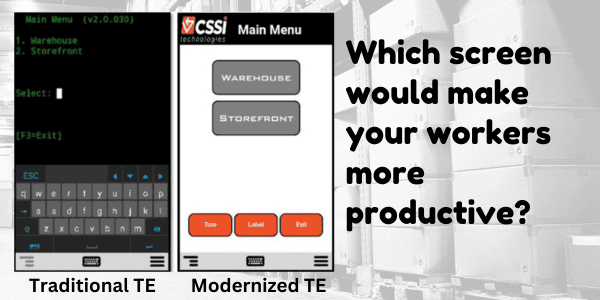
Do your warehouse mobile computers connect via telnet (TE)? We’re excited to tell you about an option to create a modern touch interface for your ‘green screens’ without breaking your budget or consuming your IT resources! See how it works and looks in the side-by-side video below:
Why Modernize Mobile Device Screens?
Operations everywhere use mobile device interfaces which were designed in a pre-touch screen world. With modern color touch screens, there is massive potential to improve the GUI with immediate benefit:
Reduce user errors and new user training time
Eliminate keystrokes and improve workflows
Improve user ergonomics
Telnet Screen Modernization… without software rewrites!
Updating legacy software can be expensive and complicated. The good news is that CSSI offers software which resides either on-device or on server, and acts as an intermediary between your mobile devices and back-end systems. You don’t need to touch your legacy software. This can get you up and running quickly and painlessly.
CSSI Can Help!
Would you like to explore your options for improving your telnet mobile device screens? Consult with the Android mobile experts at CSSI, we’d be glad to discuss your situation and propose options. Just contact CSSI to get started with telnet modernization.
FAQ – Frequently Asked Questions About Using StayLinked SmartTE to Modernize Terminal Emulation (TE) Screens
Q: What is SmartTE, and how does it modernize our terminal emulation (TE) screens? A. SmartTE is StayLinked’s terminal emulation solution that transforms legacy “green screen” applications into graphical, touchscreen-friendly interfaces. Using dynamic screen generation, it automatically converts existing TE screens into modern formats your workforce can navigate intuitively, without altering the underlying data or logic those screens present.
Q: Do we need to replace our host systems or backend infrastructure to deploy SmartTE? A. No. SmartTE modernizes the presentation layer only, so your existing host systems, WMS, and enterprise applications continue running exactly as they do today. This makes it a low-risk way to update the user experience without the cost or disruption of a full infrastructure overhaul.
Q: Will switching to SmartTE disrupt daily operations or require extensive retraining? A. Modernized screens are designed to be more intuitive than the green-screen interfaces they replace, which typically shortens onboarding rather than lengthening it. SmartTE also includes a drag-and-drop Custom Screen Designer, so IT teams can tailor layouts to match existing workflows rather than forcing operators to learn a new process from scratch.
Q: How does SmartTE maintain reliability if our facility has spotty wireless coverage? A. SmartTE is built on what StayLinked describes as the industry’s most advanced terminal emulation architecture, engineered around session persistence that virtually eliminates dropped sessions between mobile devices and the host. That means workers moving through warehouses, cold storage, or dock areas with inconsistent signal stay connected without losing their place in a transaction.
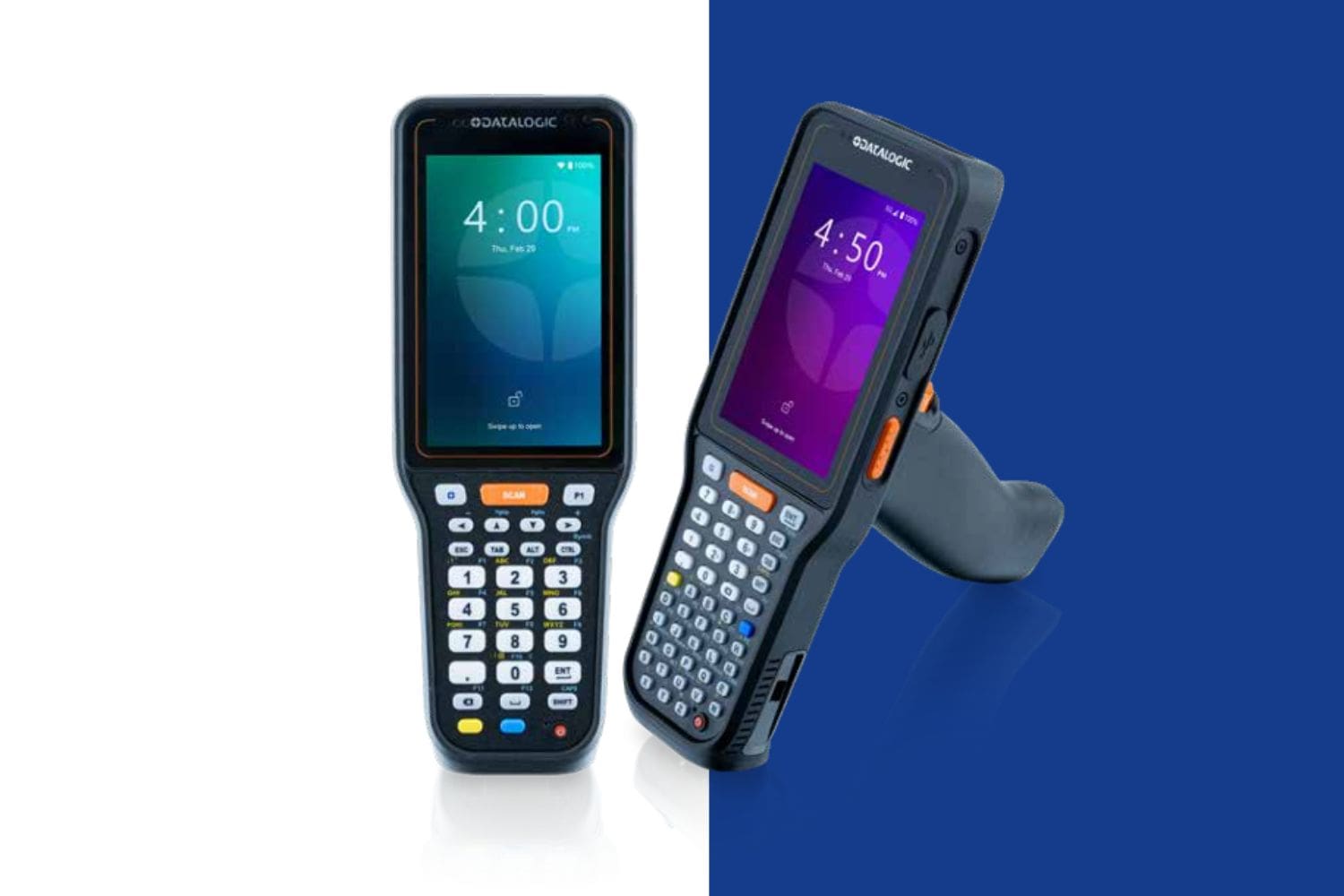
Q: What devices are compatible with SmartTE, and how is it licensed? A. SmartTE supports rugged and mobile devices from manufacturers including Zebra, Honeywell, and Datalogic. Licensing is based on active device connections through a centralized architecture, so you’re only paying for devices actually in use at a given time. StayLinked also offers a free trial with no credit card required, so teams can evaluate the modernized experience before committing. Contact CSSI to discuss a StayLinked trial.