Zebra Rugged Mobile Computers Support Microsoft Teams Walkie-Talkie App
Microsoft Teams Push-To-Talk (PTT) Available On Zebra Rugged Handhelds
Whether they are in the warehouse, on a production floor, at retail, or in a delivery truck, your workforce is not sitting at a desktop. And yet you still need to quickly reach people in order to maximize communication.
Zebra’s Workforce Connect software has long enabled companies to integrate with their PBX in order to create seamless connectivity for mobile workers through a unified mobile solution. Now, taking connectivity a step further, Zebra and Microsoft have announced a joint offering designed to support frontline workers in Teams through the Teams Walkie-Talkie app, now available on a range of Zebra mobile computers.
Frontline workers have very different communications and device needs… With walkie-talkie in Teams on Zebra devices, we are providing a single solution for frontline workers to communicate and collaborate.
Nicole Herskowitz – Microsoft
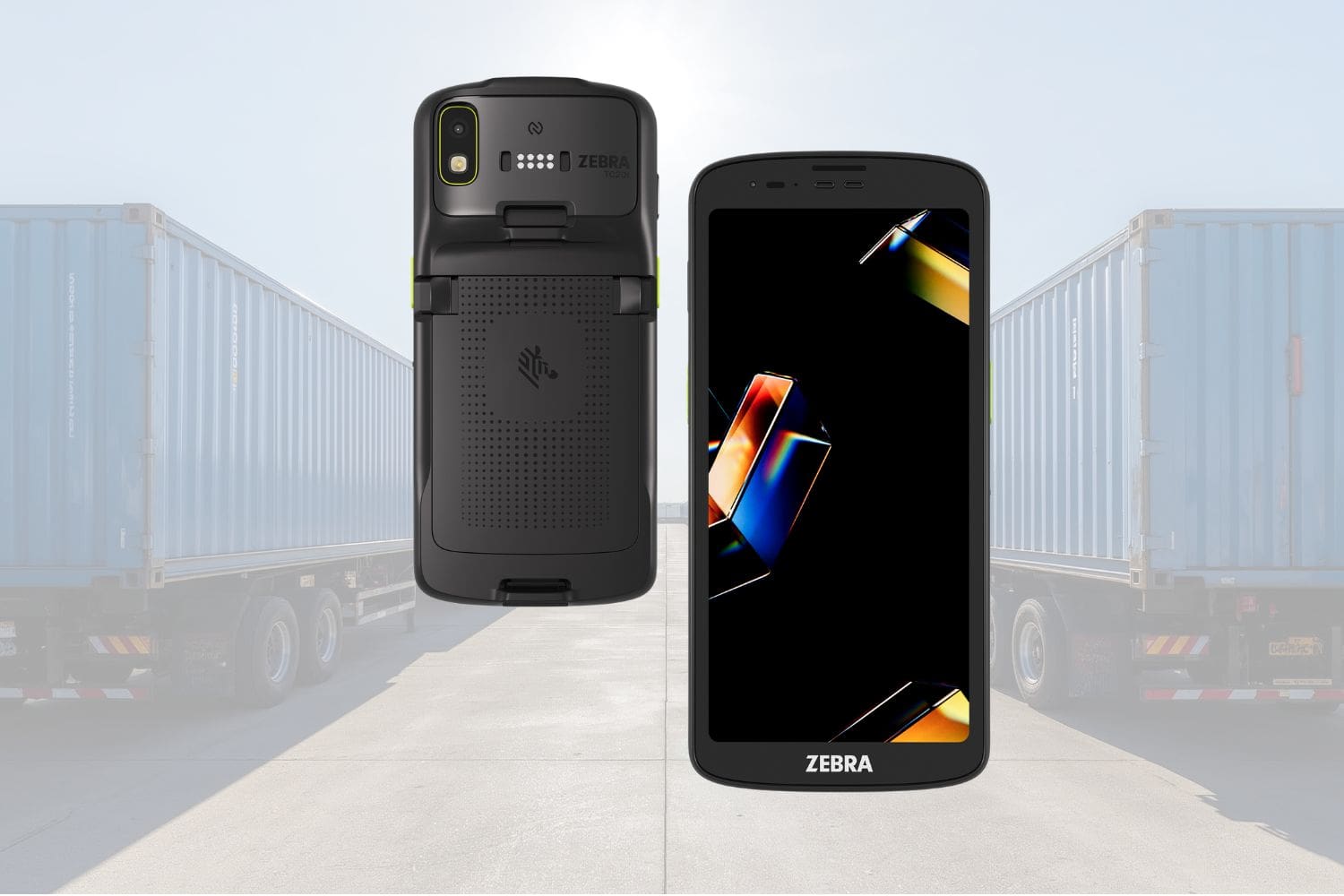
Teams is the dominant workforce communication tool in use today. However, frontline workers require a level of rugged durability, long battery life, and enterprise control which Zebra is uniquely positioned to provide. Now you can utilize Teams on handheld devices through the Walkie-Talkie app. As a Zebra partner, CSSI is able to work with you to specify the optimal mobile device for your staff, and to integrate that device with your systems and processes.
FAQ – Frequently Asked Questions About the Running Microsoft Teams Push-To-Talk on your Zebra Mobile Device
Q: How does Teams Walkie-Talkie compare to the two-way radios our staff already carry?
A. Traditional radios are limited by range, so a supervisor on the dock may not be able to reach a picker in an overflow building or a driver on the road. Teams Walkie-Talkie runs over Wi-Fi or cellular data, so workers can talk wherever the device has a connection. It also does away with the second device. Staff scan, pick and talk on one rugged Zebra handheld, so there are fewer radios to buy, charge, repair and track. Many Zebra TC, EC and MC series devices have a dedicated push-to-talk button, so the experience still feels like a radio: press and speak.
Q: Will we need new infrastructure or extra licensing to run it?
A. In most cases, no. Walkie-Talkie is an app inside Microsoft Teams, so if your organization already licenses Microsoft 365 or Teams for frontline workers, it’s typically included at no extra cost. It uses the wireless network your mobile computers already rely on, so there are no radio repeaters, frequency licenses or separate base stations to maintain. Before rollout, we recommend a wireless site survey to make sure coverage is strong in freezers, racking aisles, yards and other areas where Wi-Fi tends to be weak.
Q: How does IT manage and secure push-to-talk communications?
A. Walkie-Talkie uses the same Microsoft identity, security and compliance framework as the rest of Teams. IT turns the app on and assigns it through the Teams admin center. Conversations happen inside Teams channels, so access is tied to channel membership instead of whoever has a radio set to the same frequency. The Zebra devices can be enrolled in your existing mobile device management platform, such as Microsoft Intune, along with Zebra’s own management tools. That lets IT lock devices down, push updates and configure shared-device setups for multi-shift operations.
Q: Will it hold up in a loud, demanding warehouse or cold storage environment?
A. Zebra mobile computers are built for frontline conditions. They’re designed to survive drops, dust, moisture and temperature extremes, and many offer hot-swappable batteries that last through full or multiple shifts. The dedicated PTT button can be pressed with gloves on, and compatible wired or Bluetooth headsets help workers hear and be heard over conveyors, forklifts and freezer fans. Freezer-rated configurations are available for cold storage teams.
Q: What operational benefits can a warehouse manager expect?
A. Communication gets faster and better organized. Supervisors can reach a whole team, shift or department at once through Teams channels. Pickers can flag exceptions or stock problems right away without leaving the aisle to find someone. Managers can coordinate receiving, replenishment and shipping across the building. Because Walkie-Talkie sits inside Teams, frontline staff also connect with office-based colleagues who already use Teams. That closes the communication gap between the floor and the front office, and it doesn’t add another app or device.