
Tag Archive for "dynamics gp" | page 5
WMS by CSSI – Warehouse Management Software for Dynamics GP

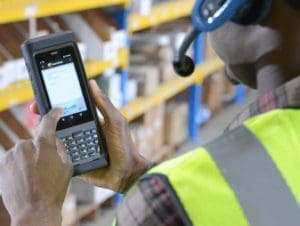
android-ready warehouse management softwareWMS by CSSI is warehouse management software for Dynamics GP. Whether you are implementing your first warehouse management software, or you are seeking to upgrade a Windows Mobile-based system to a system which can work with the Android OS, you will want to take a good look at WMS  by CSSI. This is our new warehouse management software specifically developed to run on Android. We baked all of the essential WMS functionality into a tool which is also flexible and customizable — CSSI’s custom software development team can work with you to create a true custom-fit solution.

Do you have an existing WMS? Does it run on Windows Mobile devices? Microsoft will end support for Windows Mobile on 01/14/2020, which means that handheld computers running this OS will not have the support for bugs and viruses which you require as an enterprise user. If your WMS does not accommodate Android devices, speak to CSSI to learn about your options.

Click to learn more about WMS by CSSI:

https://cssi.com/software/wms-warehouse-management-software-for-dynamics-gp/

It’s that time of year… time to update GP with payroll tax tables for 2018. The team at CSSI prepared this brief tutorial to help you get it done right the first time.

To download and print these instructions, click here: [Download not found]

How to update GP Payroll Tax Tables

1 – Have all users log out of GP

2 – Log into GP as the ‘sa’ user

3 – Go to Microsoft Dynamics GP > Maintenance > U.S. Payroll Updates > Check for Tax Updates

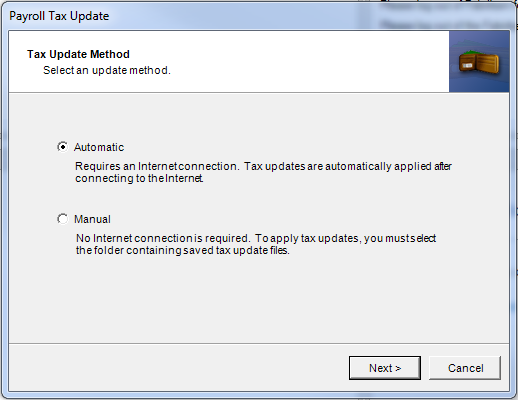
4- Select the Automatic method then click Next
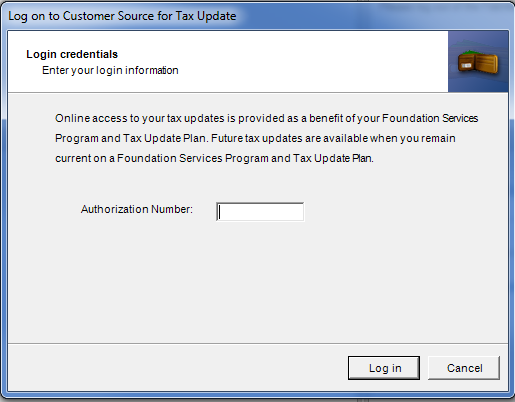
5 – Enter your Authorization Number.  This is your Authorized number with CustomerSource, which is normally your phone number (with the area code and no punctuation).  Click on Login.
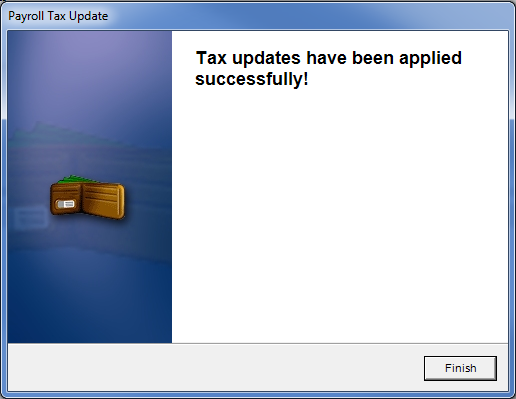
6 – The tax tables will update.  Click on Finish after the updates have been applied successfully.
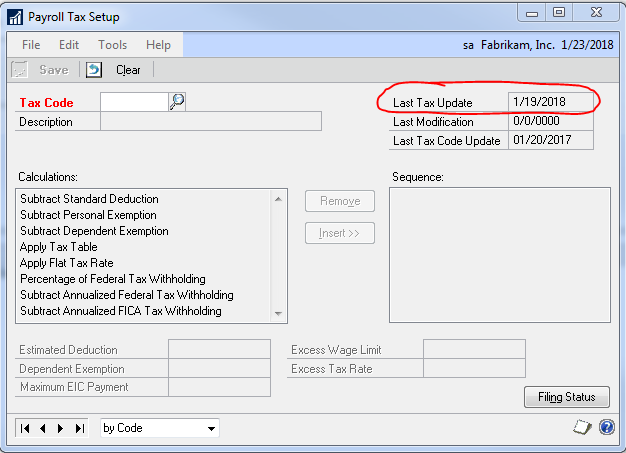
7 – You can verify that you have the latest tax update by going to Microsoft Dynamics GP > Tools > Setup > System > Payroll Tax.  The “Last Tax Update” field should have the date of 1/19/18.

Note: If you receive the error below when trying to run the update, close out of GP then right-click on the GP icon and select Run as Administrator.

Do you have questions? Contact CSSI at 570-524-4424

Interested in receiving more tips, tricks and advice for Dynamics GP? Join our mailing list…

  • This field is for validation purposes and should be left unchanged.

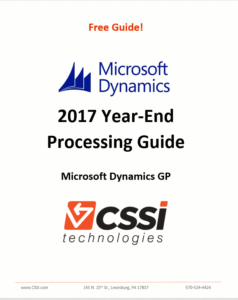
Microsoft Dynamics GP PartnerMicrosoft Dynamics GP users — it’s time for year-end processing. To help you out, the GP team at CSSI has prepared an update guide with a whole bunch of notes and time-saving tips. Our free Microsoft Dynamics GP Year-End Processing Guide contains tips and guidance on:

  • What to do before your year-end close
  • Recommended order for closing sub-ledgers
  • Modules which are mandatory vs. optional for year-end closing
  • Notes on tax-table updates
CSSI - Dynamics GP 2017 Year-end Processing Guide


Click here to get your free download:

[Download not found]

CSSI is a certified Microsoft Dynamics GP partner with over 25 years of experience supporting Great Plains ERP users in Pennsylvania, Delaware, Maryland, New Jersey and New York. CSSI works with GP users in a broad range of industries, such as manufacturing, distribution, warehousing, construction, hospitality, healthcare and education. CSSI’s team of experienced GP and accounting professionals is complemented by teams dedicated to custom software development as well as auto ID (barcoding and RFID) and mobile computing technologies.